EasyManua.ls Logo

Huawei eSpace IAD - Page 72

Huawei eSpace IAD
109 pages
Print Icon
To Next Page IconTo Next Page
To Previous Page IconTo Previous Page
Loading...
eSpace IAD
Troubleshooting
3 Common Troubleshooting Methods
Issue 02 (2012-02-29)
Huawei Proprietary and Confidential
Copyright © Huawei Technologies Co., Ltd.
Boa
rd
Indi
cator
Na
me
Col
or
Status
Description
Fault Type
Cause and
Rectification
Method
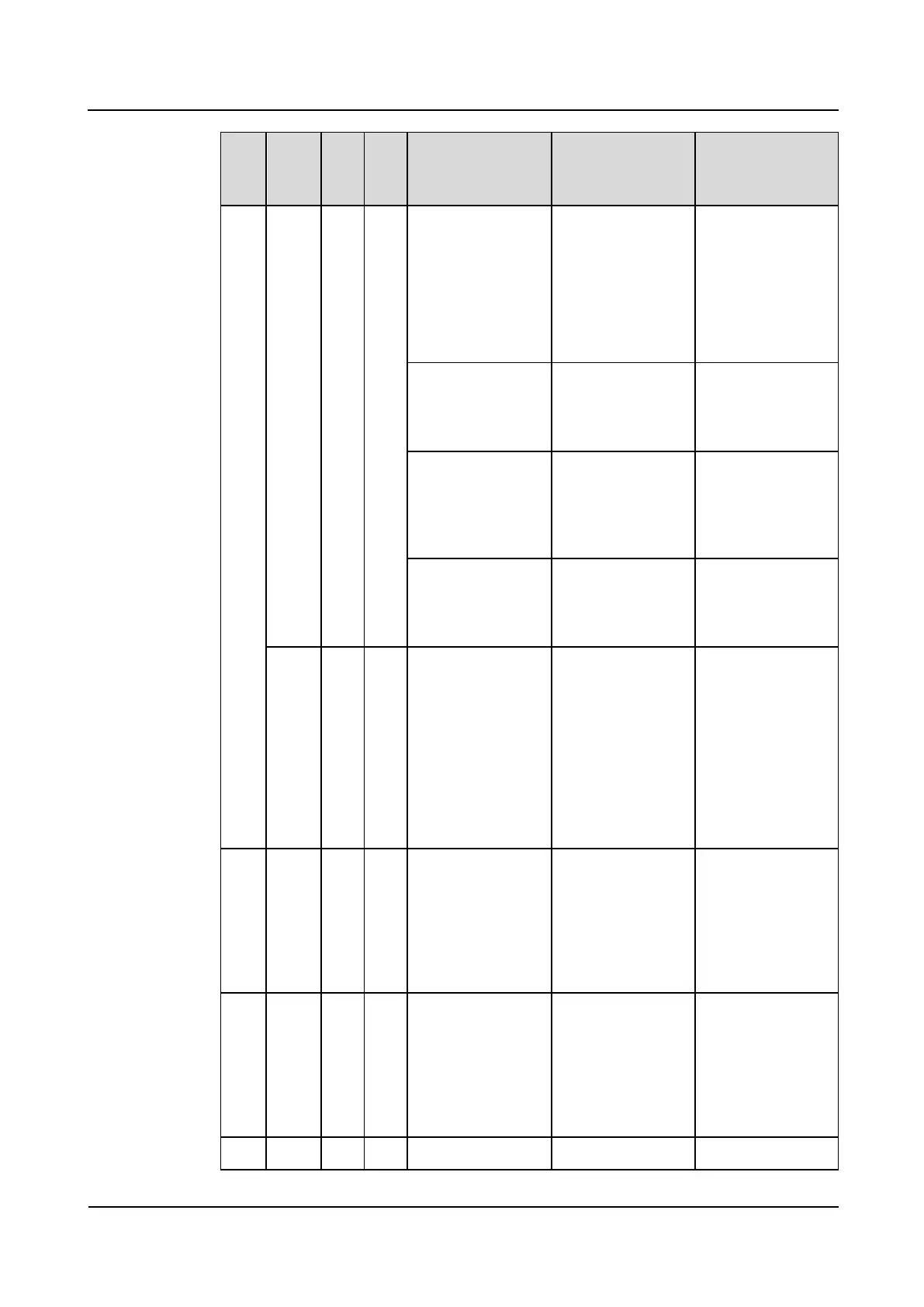
alarm log will
be lost.)
2. Run the
display alarm
history all
command to
view the alarm
information.
Steady on or off
when the IAD is
powered on
System fault: The
IAD failed to start.
The IAD cannot
start properly and
needs to be
repaired.
Fast blinking (0.5s
on and 0.5s off) all
the time
System fault: The
IAD failed to start.
The program file is
corrupted. Reload
the latest program
file by referring to
the upgrade guide.
Fast blinking (0.5s
on and 0.5s off)
and then blinking
(2s on and 2s off)
System fault: The
IAD takes a long
period to start.
Rectify the fault by
referring to the
troubleshooting
guide.
ALM
indic
ator
AL
M
Red
Blinking
System fault
Call fault
The IAD generates
an alarm. This
alarm may affect
the operation of
the IAD or the
normal utilization
of the service. For
details, see
Processing IAD
Alarms..
ASI
or
OS
U
POW
ER
indic
ator
PW
R
Gre
en
Off when the IAD
is powered on
Call fault
If the AC power
supply is normal,
and boards are
installed properly,
a board is faulty
and needs to be
repaired.
RUN
indic
ator
RU
N
Gre
en
Off when the IAD
is powered on
Call fault
If the AC power
supply is normal,
and boards are
installed properly,
a board is faulty
and needs to be
repaired.
ALM
AL
Red
Off when the IAD
Call fault
If the AC power

Table of Contents

Related product manuals