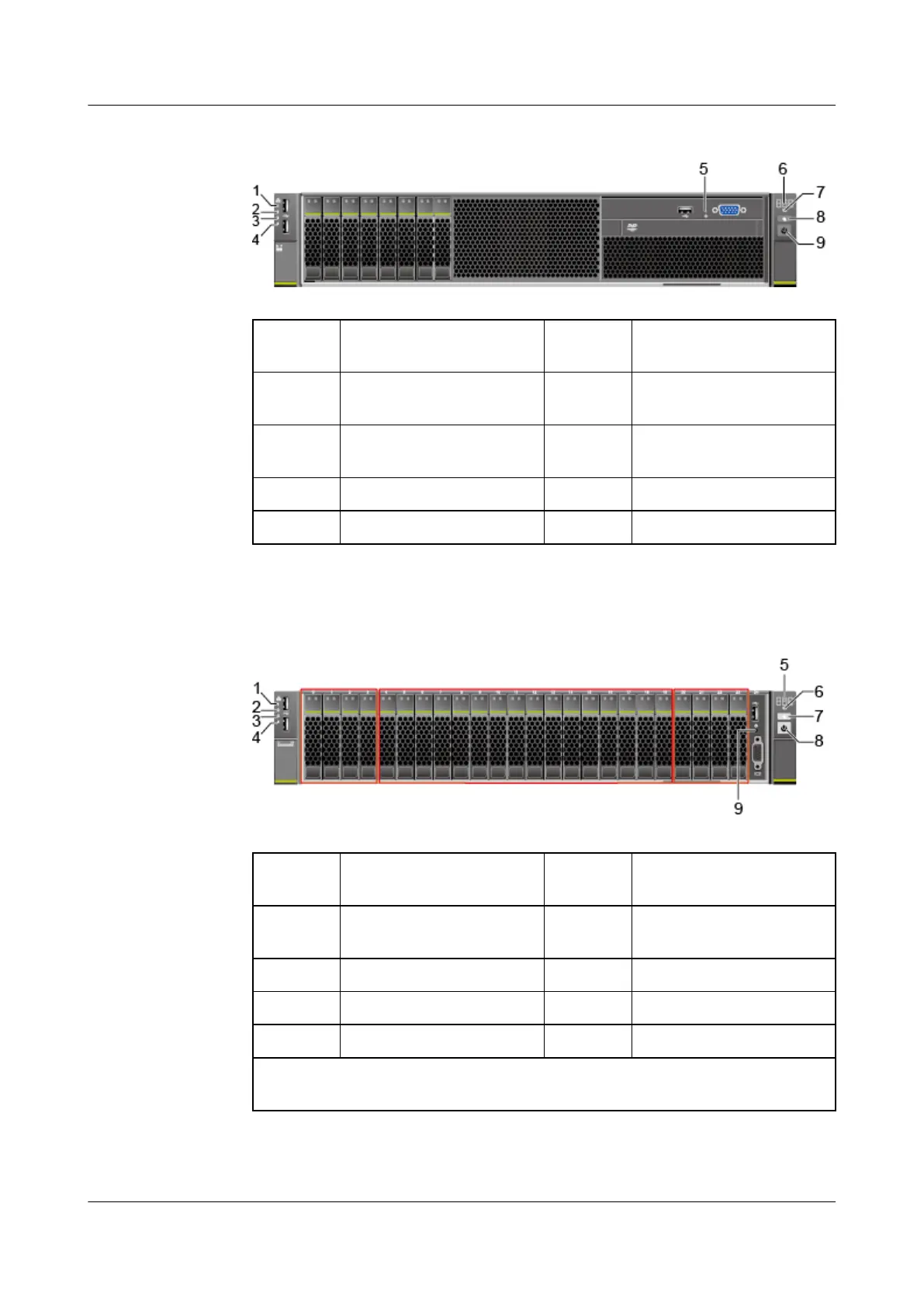
Figure 5-4 Indicators and buttons on the front panel
1 LOM port 1 connection
status indicator
2 LOM port 2 connection
status indicator
3 LOM port 3 connection
status indicator
4 LOM port 4 connection
status indicator
5 Non-Maskable Interrupt
(NMI) button
6 Fault diagnosis LED
7 Health status indicator 8 UID button/indicator
9 Power button/indicator - -
● 24 x 2.5" (16 x SAS/SATA + 8 x NVMe) drive
conguration
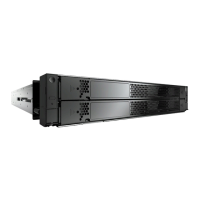
Figure 5-5 Indicators and buttons on the front panel
1
LOM port 1 connection
status indicator
2 LOM port 2 connection
status indicator
3 LOM port 3 connection
status indicator
4 LOM port 4 connection
status indicator
5 Fault diagnosis LED 6 Health status indicator
7 UID button/indicator 8 Power button/indicator
9 NMI button - -
Note: There are eight NVMe drives (four NVMe drives on the left and right
sides).
● 25 x 2.5" SAS/SATA drive
conguration
Huawei FusionServer Pro 2488 V5 Server
Technical White Paper 5 Hardware Description
Issue 11 (2020-09-03) Copyright © Huawei Technologies Co., Ltd. 11







 To Next Page