Installation Manual
Quidway Eudemon 200 Firewall Chapter 3 Installation
3-6
12
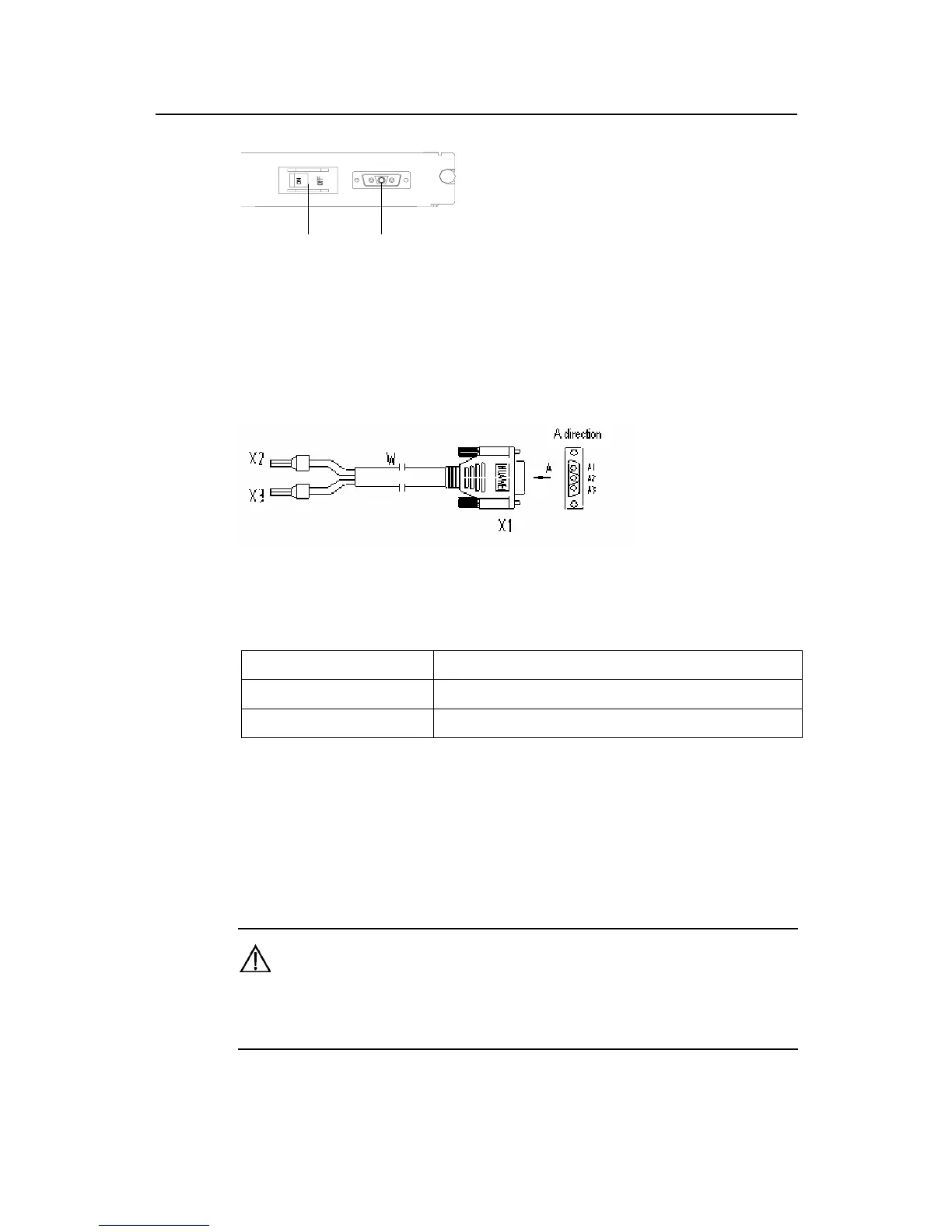
1. Power switch 2. DC input
Figure 3-6 Partial appearance of DC power socket
II. Connect DC Power Cable
Figure 3-7 DC power cable
Table 3-1 DC power cable pinouts
-48 power supply side Eudemon200 side
X2 (blue -48V lead)
X1.A1
X3 (black BGND lead)
X1.A3
Step 1: Check that the PGND wire has been correctly connected to the ground.
Step 2: Make sure that the power switch of the Eudemon200 firewall is in the OFF
position, and connect one end of the DC power cable to the power socket on the rear
panel of the equipment chassis and the other end to the –48V DC power supply.
Warning:
In order to prevent from wrong connection, carefully read the label on the DC power cable before making
connection.



 To Next Page