Installation Manual
Quidway Eudemon 200 Firewall Chapter 7 Interface Module
7-12
Note:
Both 75-ohm 4E1 adapter cable and 120-ohm 4E1 adapter cable are required for 4E1, but E1 cable is
optional, so you need to order the E1 cable when purchasing a 4E1. Otherwise, it will not be provided.
In addition, you are available with 75-to-120-ohm adapters.
7.6.5 Internal DIP Switch
4E1 provides internal DIP switches, the setting of which decides the interface
impedance and the grounding mode.
Table 7-8 DIP switches and E1 interfaces of 4E1
Module 4E1
DIP switch
S1 S2 S3 S4
The controlled E1
interface
Interface 0
Interface 1
Interface 2
Interface 3
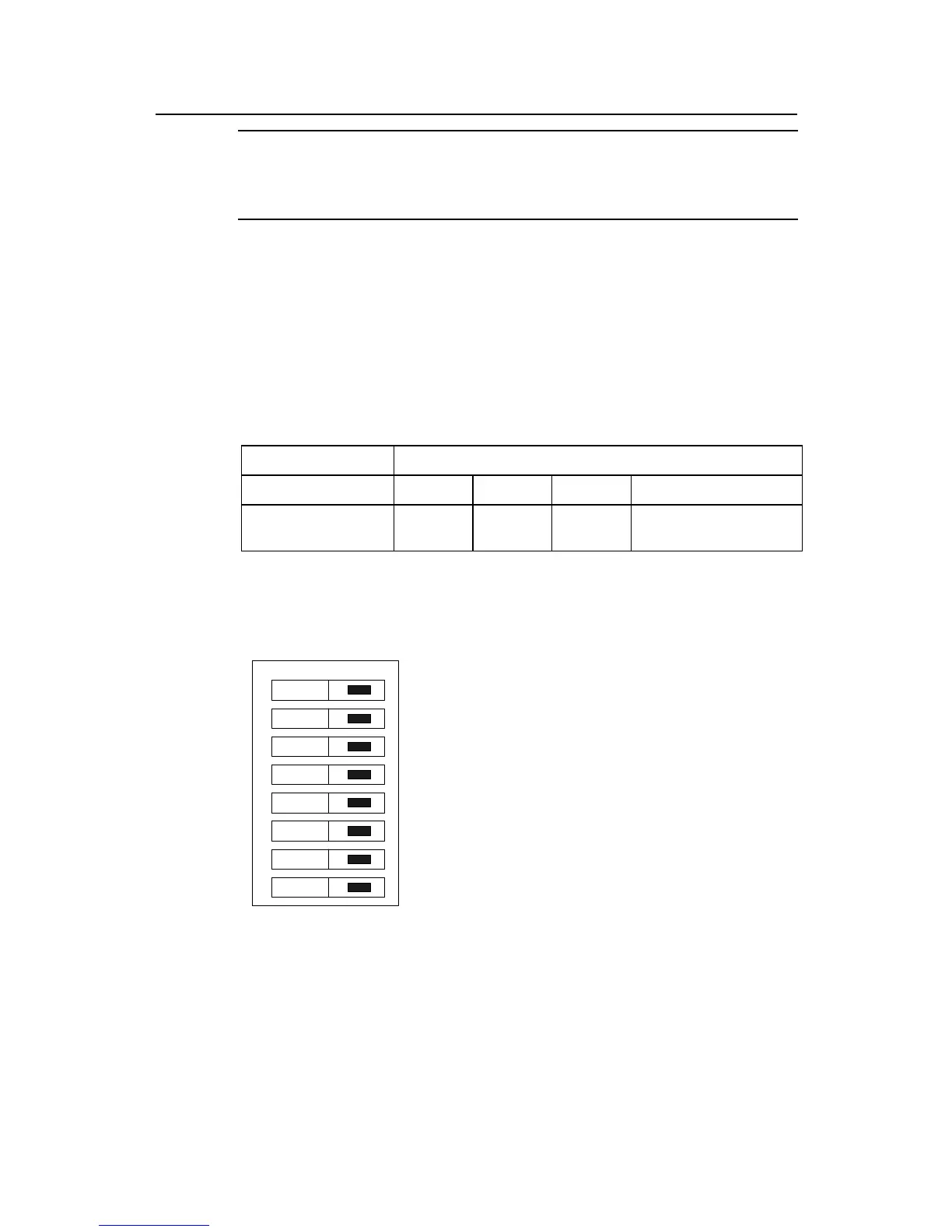
By default, all the DIP switches for 4E1 are placed to the position of ON, as illustrated in
Figure 7-5.
on
1
2
3
4
5
6
7
8
Figure 7-5 Default setting of DIP switches for 4E1
Table 7-9 explains the DIP switches of 4E1 and shows how to set them:



 To Next Page