Installation Manual
Quidway Eudemon200 Firewall Chapter 1 Overview
1-7
II. Appearance
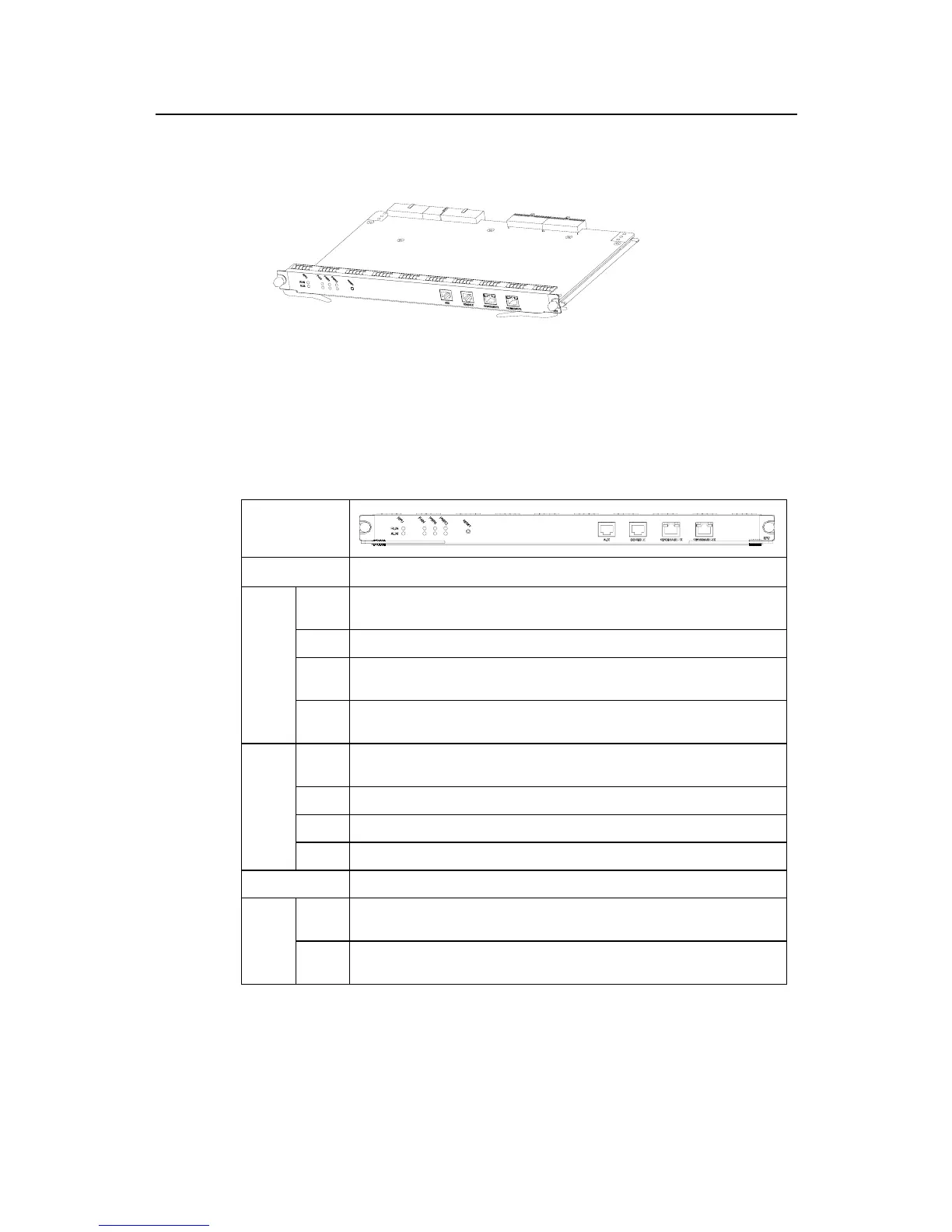
Figure 1-3 RPU
III. LED and button
Table 1-2 RPU front panel, LED and button description
Front panel
LED and button Description
RPU
System operation LED. Blinking means the CPU is in normal operation, constant ON or
OFF means the CPU has failed.
FAN FAN operation LED. Constant ON means the FAN is operating normally.
PWR1 PWR1 operation LED. Constant ON means PWR1 is operating normally, and constant
OFF means PWR1 is no in place or has failed.
RUN
(green)
PWR2 PWR2 operation LED. Constant ON means PWR2 is operating normally, and constant
OFF means PWR2 is no in place or has failed.
RPU System failure LED. ON means CPU has received an alarm signal for PWR or FAN(due to
overheating, for example).
FAN FAN failure LED. ON means the FAN is no in place or its rotation is obstructed.
PWR1 PWR1 failure LED. ON means PWR1 has failed.
ALM
(red)
PWR2 PWR2 failure LED. ON means PWR2 has failed.
RESET RPU hardware reset button.
LINK
(green)
OFF means the link is not connected and ON means the link is connected.
10/100
Base-T
X LED
ACT
(yellow)
OFF means no data is being transceived on the interface and blinking means data is
being transceived.
IV. Interface
1) Console interface



 To Next Page