Installation Manual
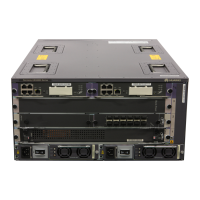
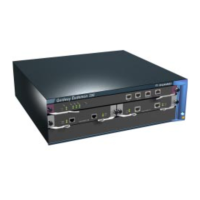
Quidway Eudemon 200 Firewall
Chapter 5 Hardware MaintenanceHardware
Maintenance
5-1
Chapter 5 Hardware Maintenance
Caution:
z On a mounting screw of Eudemon200 firewall chassis, there is an anti-dismantle seal of Huawei
Technologies Co., Ltd. The seal must be kept intact before the sales agent performs maintenance on
the switch. If necessary, a user can open the chassis only if he contacts the local agent for permission
or follows the related rules. Otherwise, he will bear responsibility for possible damages
z Replace the hardware of Eudemon200 sensibly and in a proper way under the guidance of the
technical support personnel.
z Remember to wear ESD-preventive wrist strap and make it well contact with your skin.
z For the device to operate normally, use the SDRAM provided by Huawei Technologies Co, Ltd. only.
5.1 Tools Required
z Phillips screwdriver P1-100MM
z The power head of the screwdriver can be D76-2X5X60
z ESD-preventive wrist strap and ESD-preventive glove
z Static shielding bag
5.2 Power Module Removal and Installation
The Eudemon200 firewall supports 1+1 redundant power system. The power modules
are hot-swappable.
5.2.1 Remove a Power Module
Figure 5-1 shows how to remove a power module.
Step 1: Remove the power cord connected to the power module to be removed and
loosen the two captive screws on the top panel of the module.
Step 2: Hold the handle of the module and gently pull the module out along the guides.


 To Next Page