Installation Manual
Quidway Eudemon 200 Firewall Chapter 4 Boot and Configuration
4-1
Chapter 4 Boot and Configuration
4.1 Boot the Eudemon200
4.1.1 Establish Configuration Environment
I. Connect the Eudemon200 to a configuration terminal
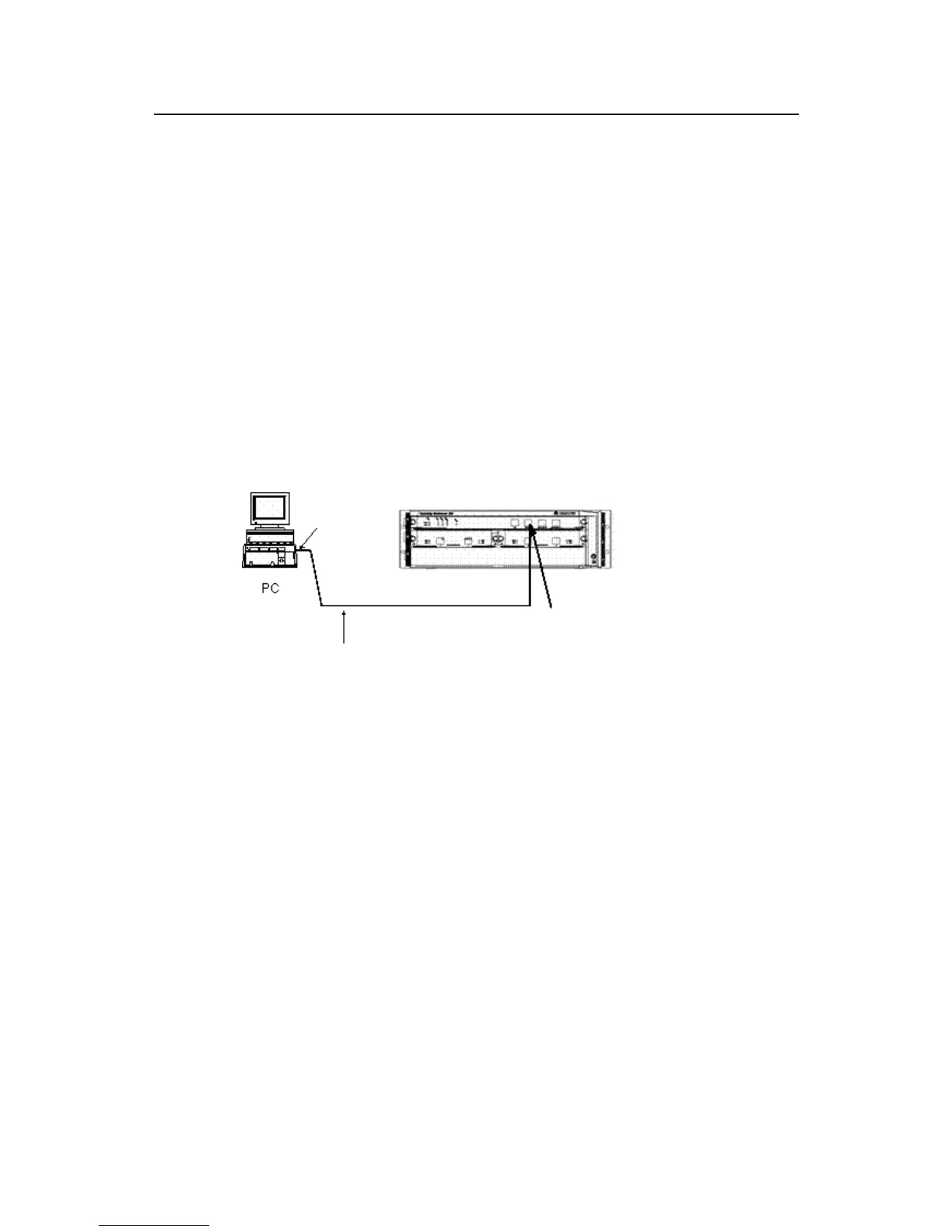
To set up the local configuration environment, RJ-45 connector of the console cable
needs to be connected to the console port on the Eudemon200 firewall, and DB-25
connector or DB-9 connector to the serial interface of a PC, as shown in Figure 4-1.
RS232 Serial
Console cable
Console port
Eudemon200
Figure 4-1 Local configuration through Console port
II. Set the parameters of configuration terminal
Step 1: Start the terminal and set up a new connection
If the configuration is performed through a PC, the terminal emulation program (such as
Terminal of Windows3.1 and HyperTerminal of Windows95/98/NT) should be run in the
PC to set up a new connection. As shown in Figure 4-2, enter a name for the new
connection and press <OK>.



 To Next Page