Installation Manual
Quidway Eudemon 200 Firewall Chapter 3 Installation
3-10
I. Introduction to AUX interface
AUX is an EIA/TIA-232-compliant asynchronous serial interface that can provide
backup for a WAN interface. Usually, it functions to provide dial connection. In case of
console failure, AUX can function as a console interface. For the AUX interface
attributes, refer to the section 1.4.
II. AUX cable
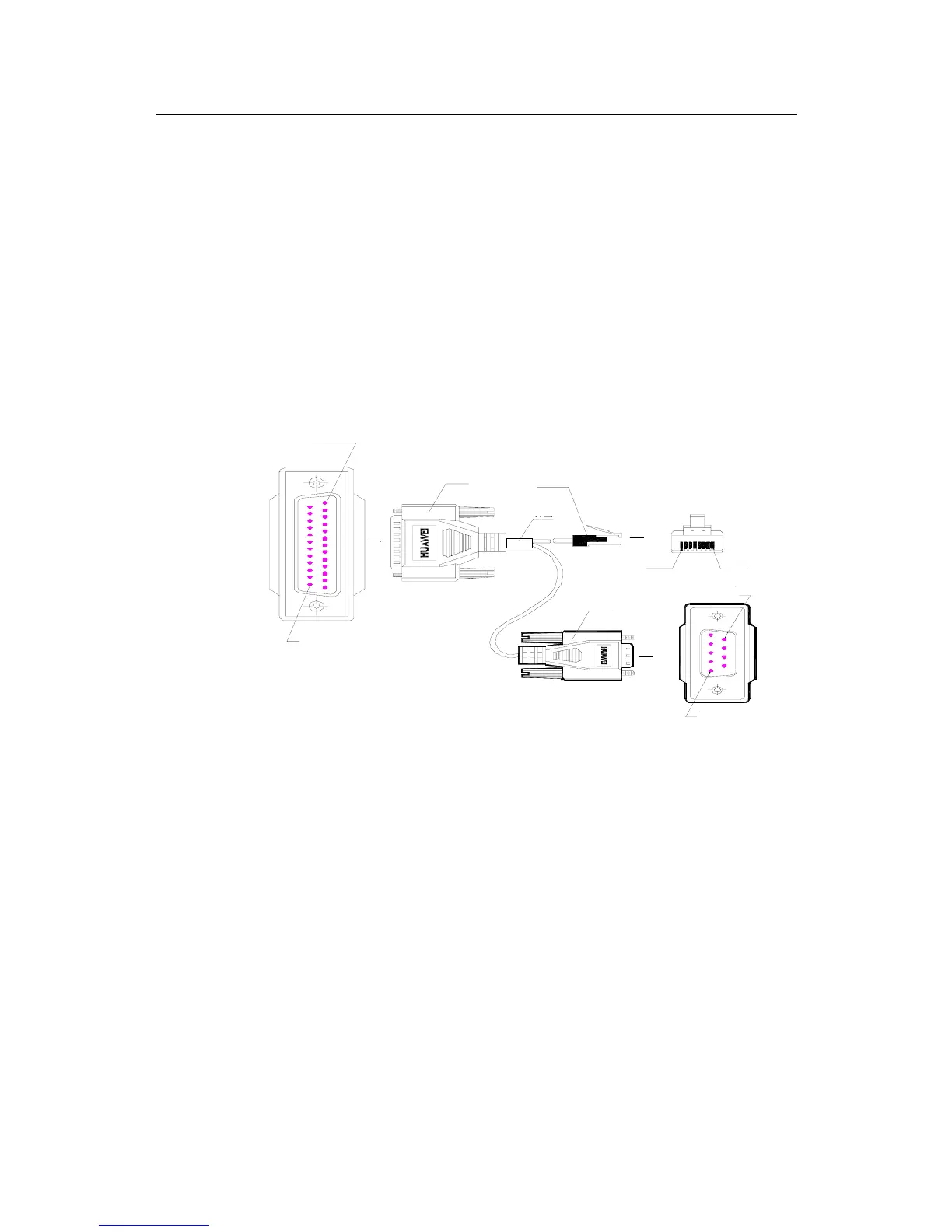
AUX cable is an 8-core shielded cable. At one end of the cable is an RJ-45 connector
that can be plugged into the console port of the Eudemon200. At the other end are
DB-9 (male) connector and DB-25 (male) connector. You can plug either of them into
the serial port of Modem as needed. The following figure illustrates the AUX cable.
Enlarged A side
Pos.1
A
Pos. 25
DB25 Male
Label
8P8C PLUG
B
Pos.1 Pos.8
Enlarged B side
DB9 Male
Enlarged C side
Pos.9
Pos.1
C
Figure 3-10 AUX cable
For the pinouts of AUX cable, please refer to “Appendix A”.
III. Connect the AUX cable
Follow these steps to connect the AUX cable.
Step 1: Insert the RJ-45 connector of the cable into the AUX port on the RPU.
Step 2: Insert the DB-25 or DB-9 connector into the serial port of the analog Modem.
AUX port is usually used for remote configuration through dial-up. Therefore, you need
to connect the local Modem to the remote Modem via PSTN and then to the remote
equipment. For the configuration procedure, refer to Operation Manual.



 To Next Page