SUN2000L-(2KTL-5KTL)
User Manual
7 Operations on the Local FusionHome App
Huawei Proprietary and Confidential
Copyright © Huawei Technologies Co., Ltd.
threshold for exiting
reactive power
compensation when the
SUN2000L recovers from
LVRT.
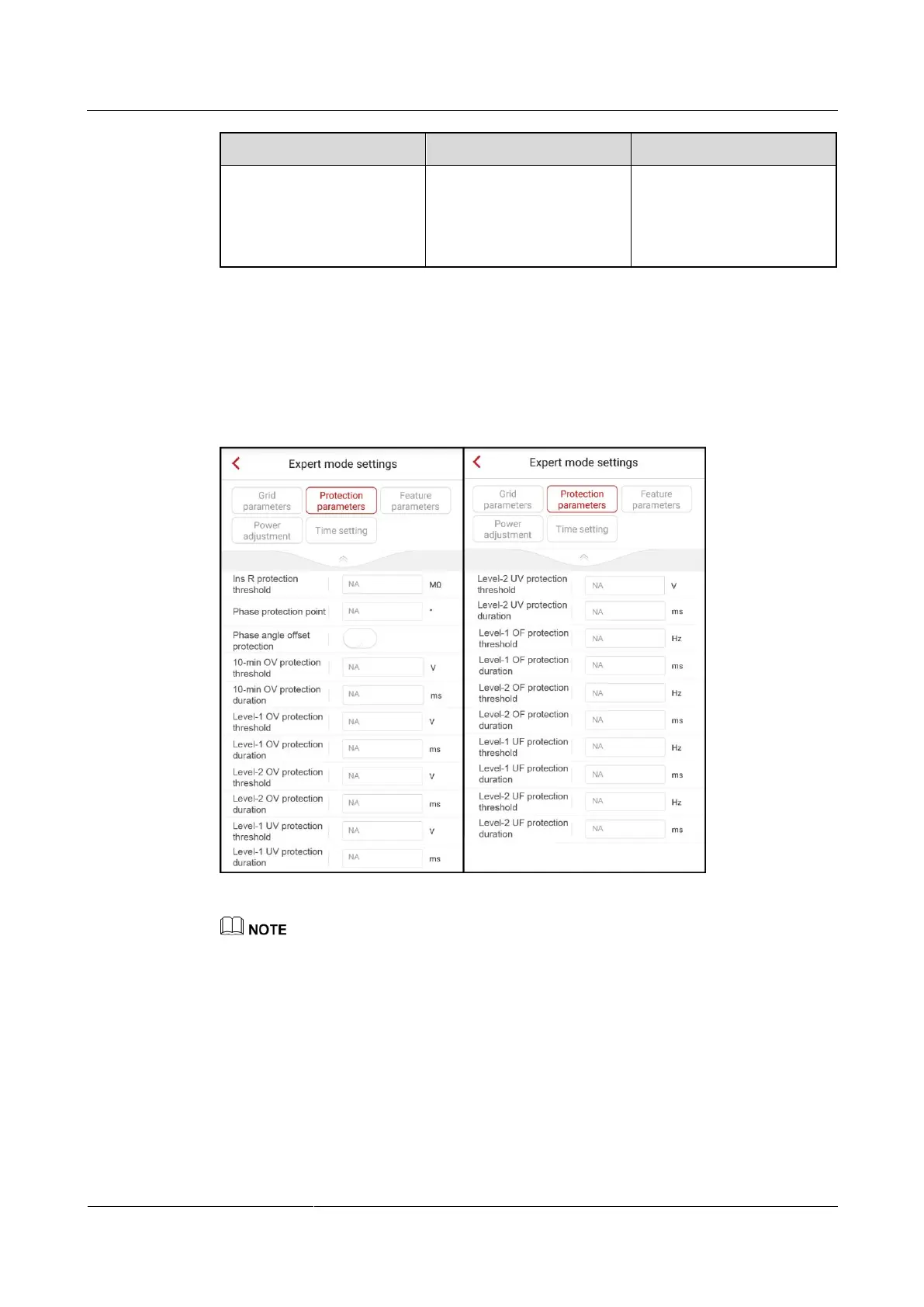
7.4.5.2 Setting Protection Parameters
To set protection parameters, choose Grid-connect config > Expert > Protection
parameters from the Operation console screen.
Figure 7-39 Protection parameters
Vn represents the rated voltage and Fn represents the rated frequency.
The protection parameter values vary with the grid code. The displayed values prevail.











 To Next Page