SUN2000L-(2KTL-5KTL)
User Manual
7 Operations on the Local FusionHome App
Huawei Proprietary and Confidential
Copyright © Huawei Technologies Co., Ltd.
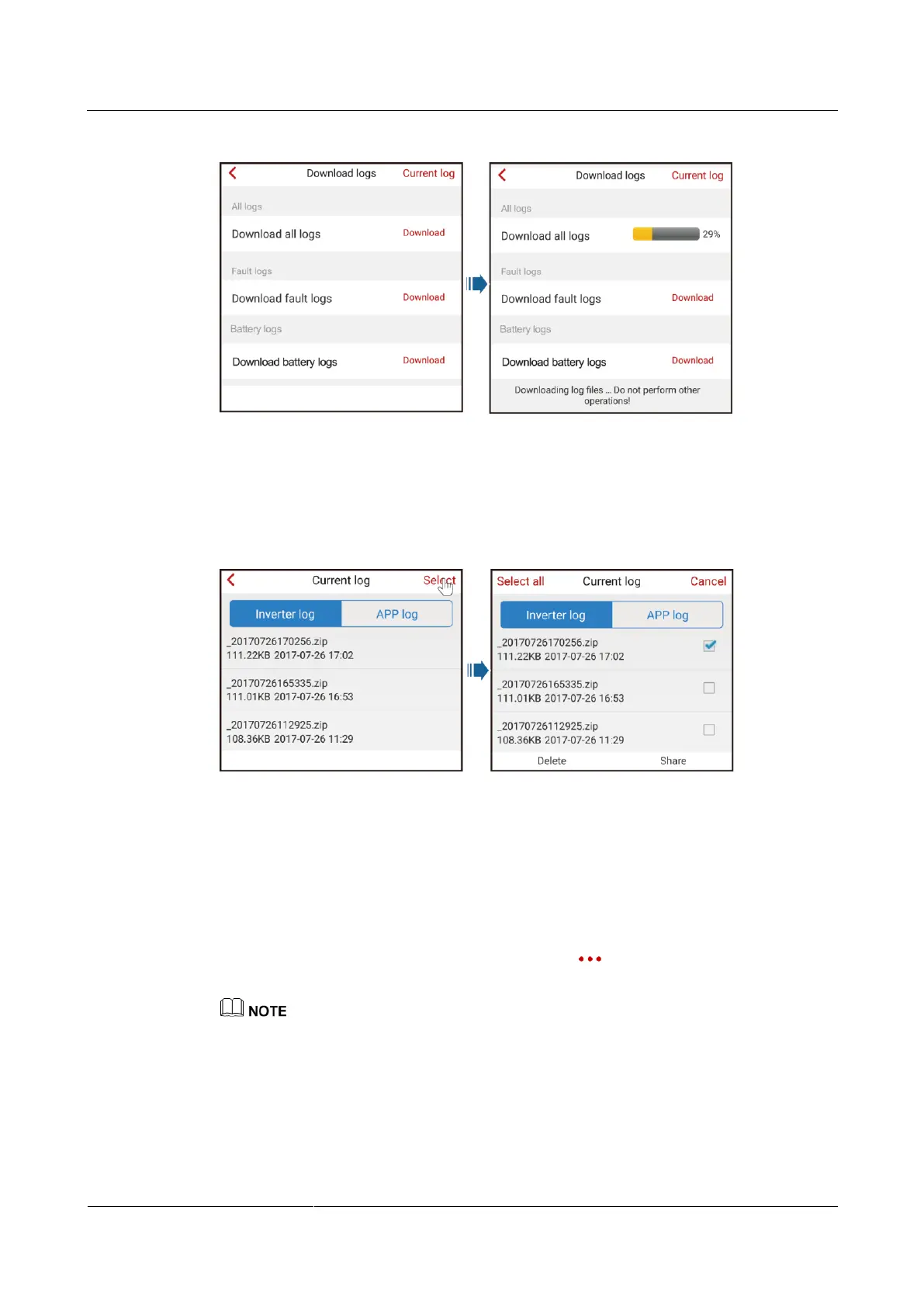
Figure 7-49 Downloading logs
Step 2 After logs are downloaded, choose Current log to access the log list, where you can view the
downloaded logs. To email or delete logs, tap Select in the upper right corner and select the
logs that need to be emailed or sent.
Figure 7-50 Current log
----End
7.4.8 Menu
7.4.8.1 Changing the Password
To change the login password for the installer, choose > Change password in the upper
right corner on the Operation console screen.
The password should meet the following requirements:
Contains 6–20 characters.
Contains at least two of the three types: lowercase letters, uppercase letters, and digits.
Differs from the old password in at least two characters.











 To Next Page