SUN2000L-(2KTL-5KTL)
User Manual
7 Operations on the Local FusionHome App
Huawei Proprietary and Confidential
Copyright © Huawei Technologies Co., Ltd.
----End
7.4.3.6 Restoring Factory Defaults
Context
Perform this operation with caution because all configured parameters except the current date,
time, and networking related parameters will be restored to their factory defaults. This
operation will not affect operating information, alarm records, or system logs.
Procedure
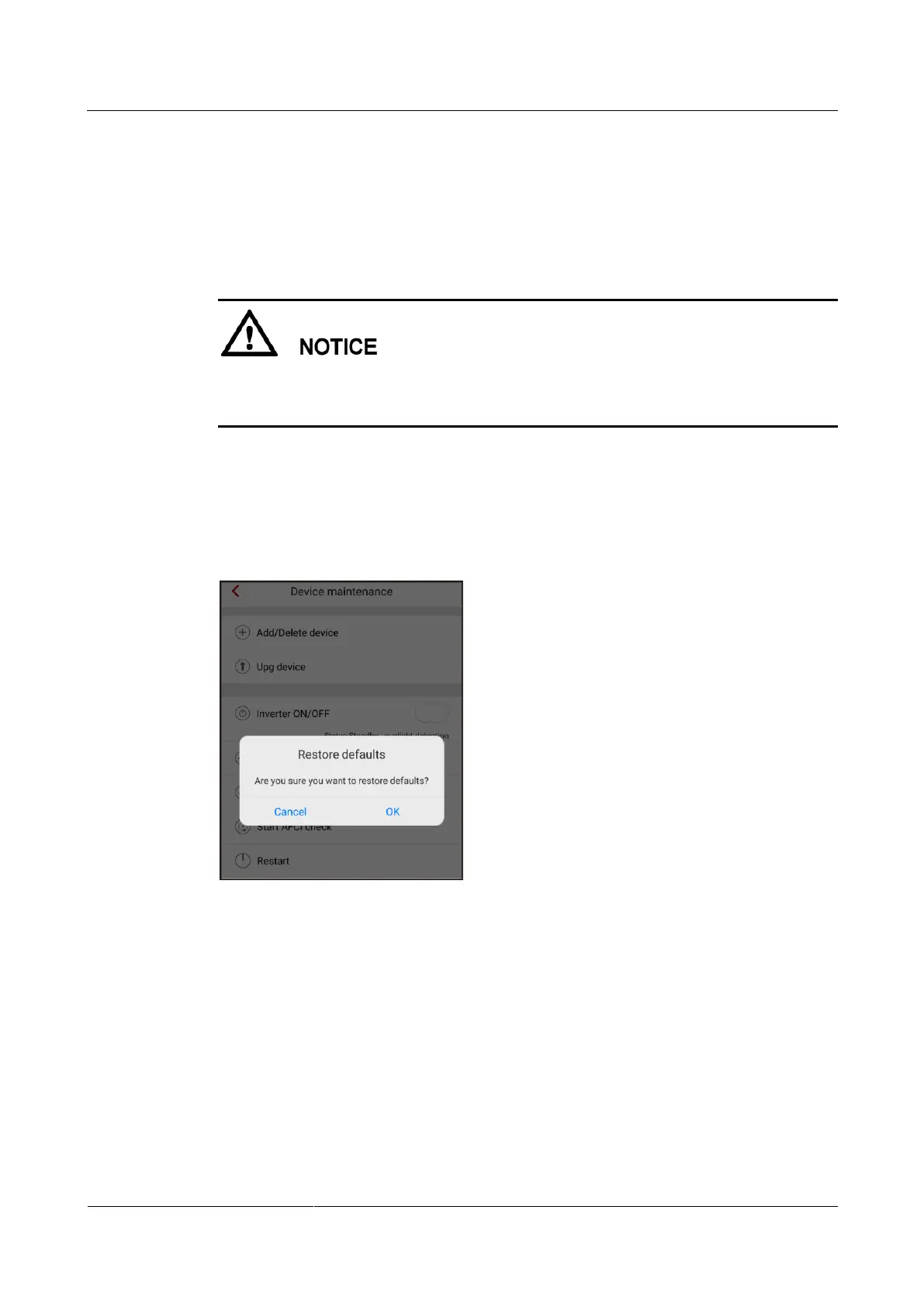
Step 1 On the Operation console screen, choose Device maint > Restore defaults, and then tap
Confirm.
Figure 7-31 Restoring factory defaults
----End
7.4.3.7 Clearing Data
Context











 To Next Page