SUN2000L-(2KTL-5KTL)
User Manual
7 Operations on the Local FusionHome App
Huawei Proprietary and Confidential
Copyright © Huawei Technologies Co., Ltd.
7.4 App Operations by the Installer
7.4.1 Logging In to the App
Prerequisites
The corresponding SUN2000L is displayed on the Inverter list screen.
Procedure
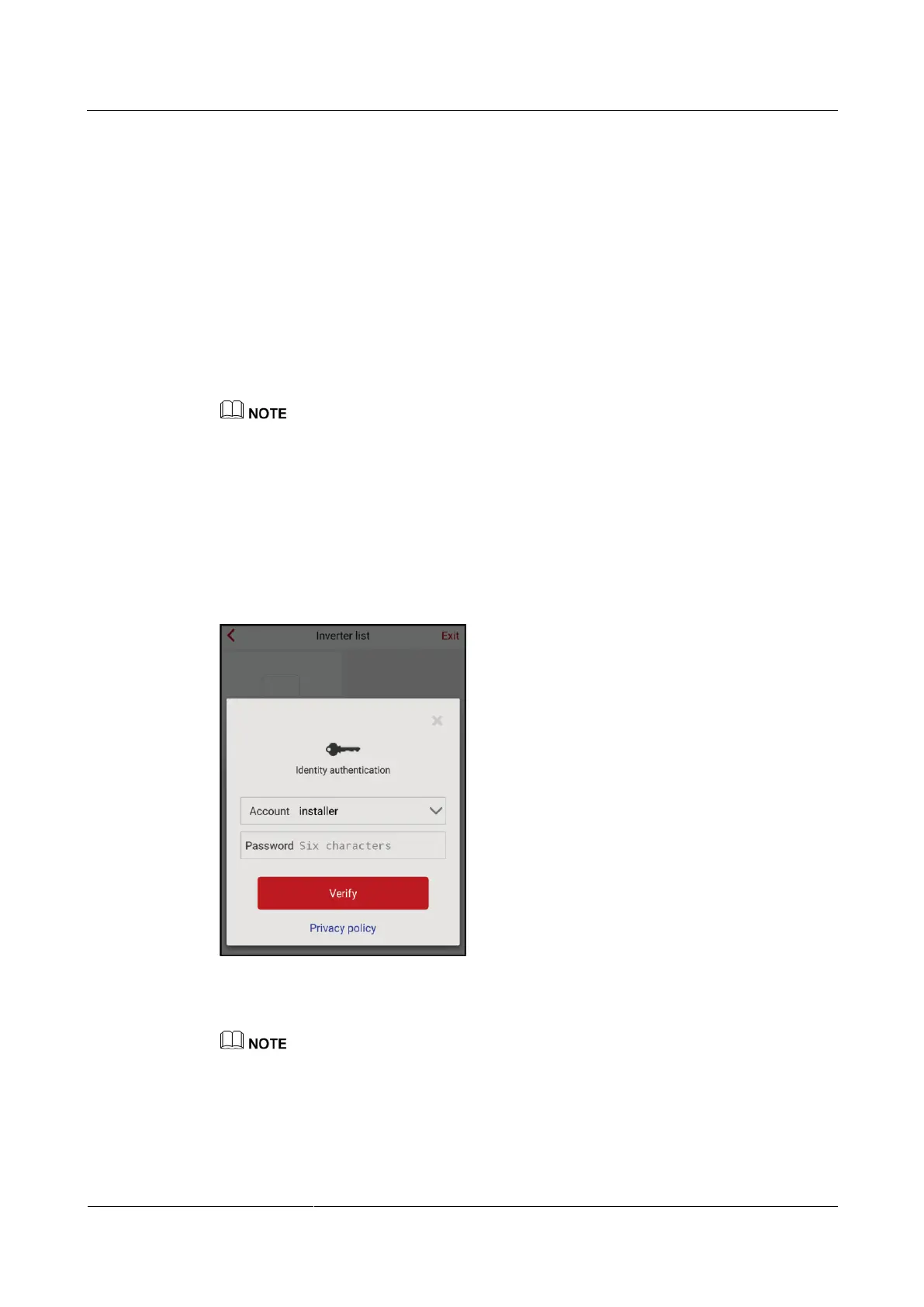
Step 1 On the Inverter list screen, tap the corresponding SUN2000L, select installer, enter the
password, and log in to the app.
The name of the connected SUN2000L is represented by its serial number (SN), which is available
on the SN label attached to the side of the SUN2000L.
The login password is the same as that for the SUN2000L connected to the app and is used only
when the SUN2000L connects to the app.
The initial password is 00000a. Use the initial password upon first login. To ensure account security,
change the password immediately after login.
If you enter wrong passwords for five consecutive times and the interval between two consecutive
passwords is within 2 minutes, your account will be locked out for 5 minutes.
Figure 7-10 Identity authentication
Step 2 If you log in successfully, the Quick setting or Operation console screen is displayed.
The Quick setting screen is displayed only when the SUN2000L connects to the app for the first
time or the factory defaults of the SUN2000L are restored.
If you do not follow the deployment wizard, the Quick setting screen is still displayed when you log
in next time.
To exit the deployment, press the Back button on the mobile phone or tap Exit on the screen. To
enter the Quick setting screen again, choose Quick setting from the Operation console screen.











 To Next Page