SUN2000L-(2KTL-5KTL)
User Manual
7 Operations on the Local FusionHome App
Huawei Proprietary and Confidential
Copyright © Huawei Technologies Co., Ltd.
Soft start time after grid
failure (s)
Specifies the time for the
power to gradually increase
when the SUN2000L
restarts after the power grid
recovers.
7.4.5.4 Adjusting Power
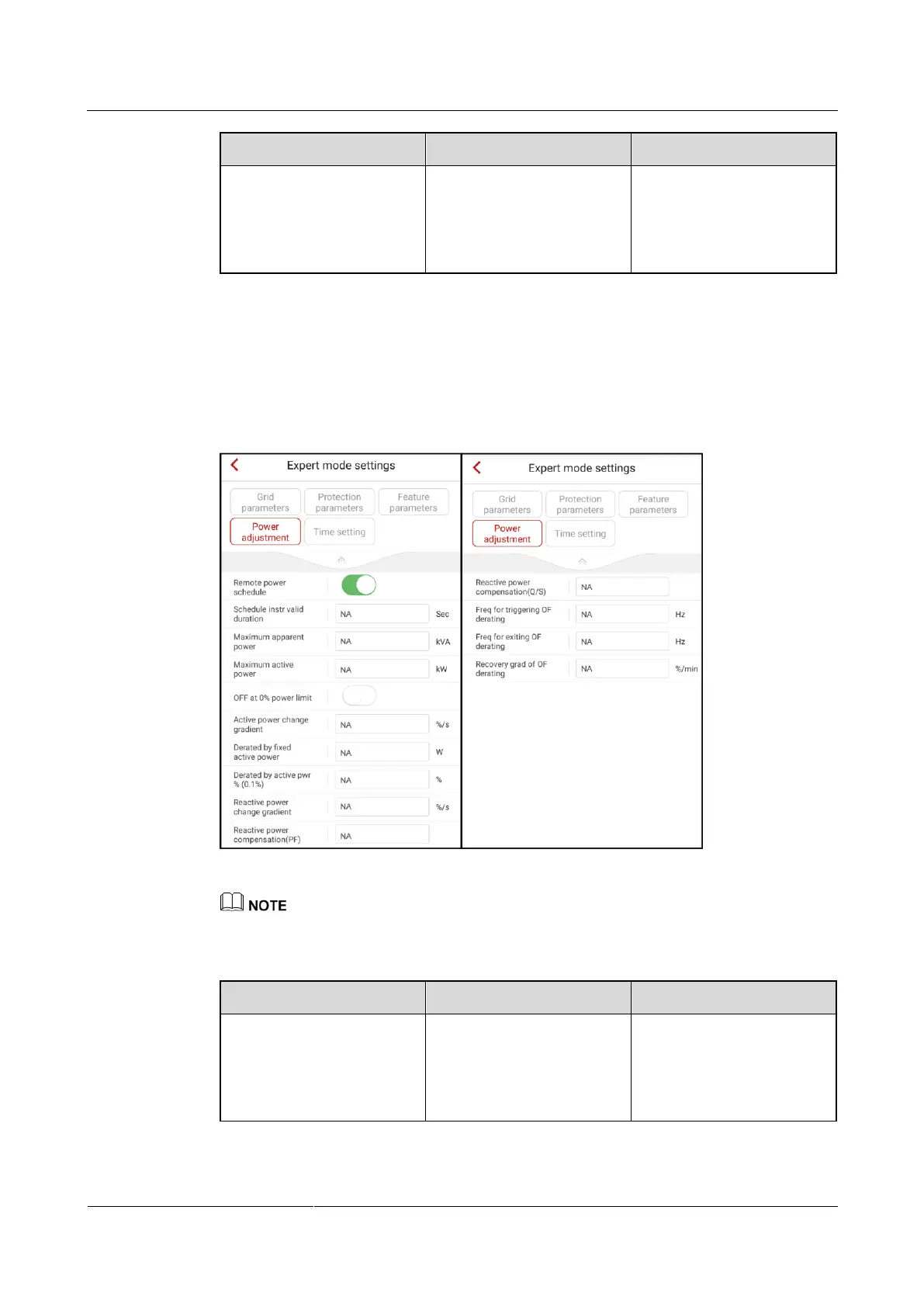
To set power adjustment parameters, choose Grid-connect config > Expert > Power
adjustment from the Operation console screen.
Figure 7-41 Power adjustment
The power adjustment parameter values vary with grid codes. The displayed values prevail.
Table 7-11 Description of power adjustment parameters
If Remote power schedule
is disabled, the SUN2000L
will not follow the remote
power scheduling
instruction.











 To Next Page