SUN2000L-(2KTL-5KTL)
User Manual
7 Operations on the Local FusionHome App
Huawei Proprietary and Confidential
Copyright © Huawei Technologies Co., Ltd.
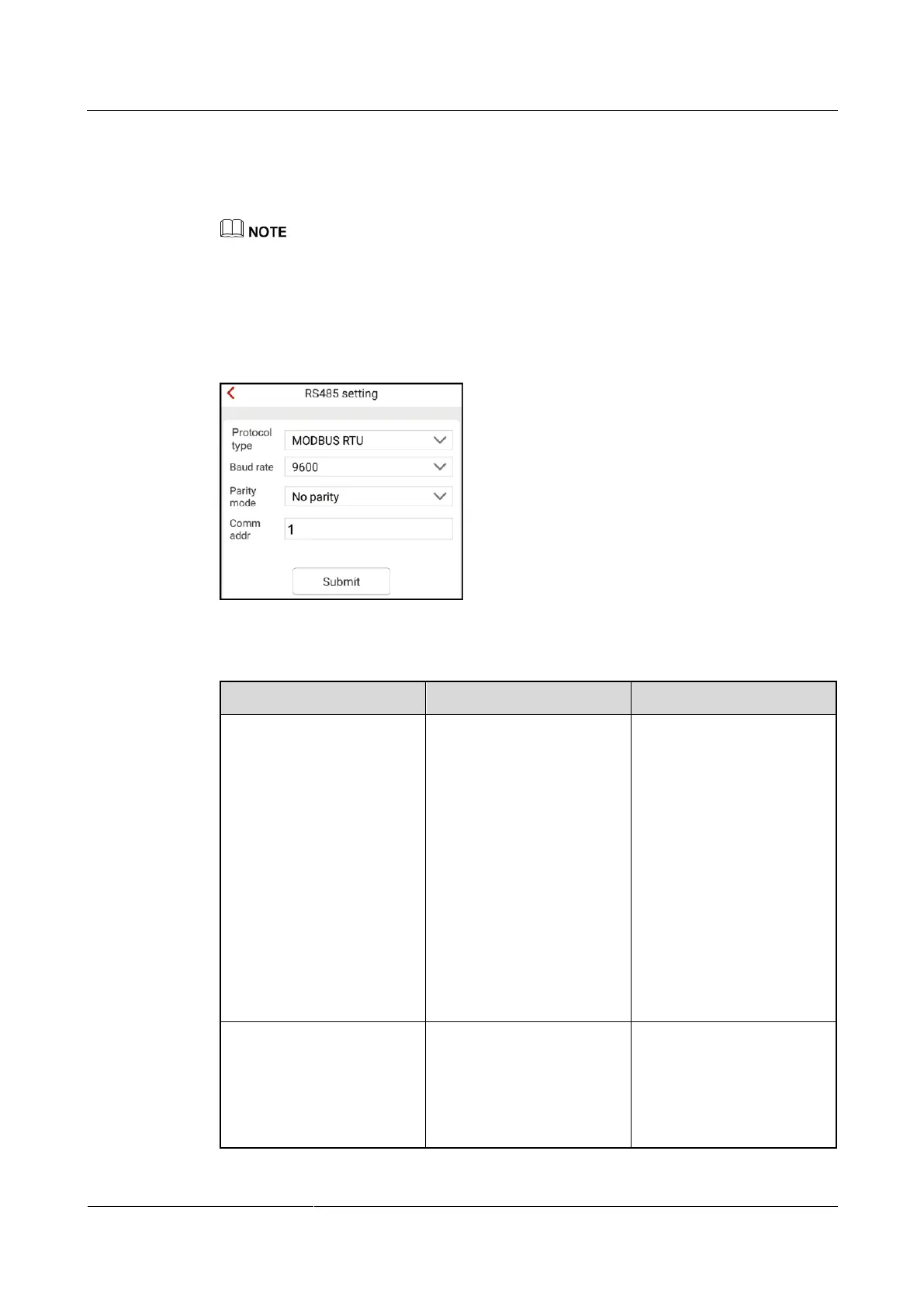
Setting RS485 Communications Parameters
To set RS485 communications parameters, choose Comm config > RS485 setting from the
Operation console screen.
If a power meter or battery is connected, the SUN2000L baud rate should be the same as the baud
rate of the power meter or battery. Otherwise, the power meter or battery cannot communicate with
the SUN2000L.
The communications address is used only when the SUN2000L connects to the upper-level
management unit over RS485.
Figure 7-46 RS485 setting
Table 7-15 Description of the parameters on the RS485 setting screen
The SUN2000L can
connect to the
upper-level management
unit over MODBUS
RTU, Sunspec, or AVM.
If the SUN2000L
connects to a energy
meter or battery, set this
parameter only to
MODBUS RTU.
If the SUN2000L does
not communicate over
RS485, set this
parameter to Invalid
protocol type.
Invalid protocol type
MODBUS RTU
Sunspec
AVM
Specifies the RS485
communication rate, which
should be the same as the
communication baud rates
of the energy meter and
battery.











 To Next Page