13
Edit each eld by scrolling RIGHT/LEFT until the desired characteristic appears. Scroll DOWN to the next eld and make additional
selections as needed. Daylight Savings Time (DST) is default set as ON. Be sure to select the correct Time Zone for your location.
WARNING: Astronomical clock and schedule functions will not operate as expected if the correct time zone is not selected.
After you have made your choices, scroll down to SAVE. Press ENTER to save your changes.
Set Date/Time
The date and time, once set and saved, are backed up by an on-board battery and will be retained for up to 10 years without
commercial power. Normal power outages will not interrupt the system clock.
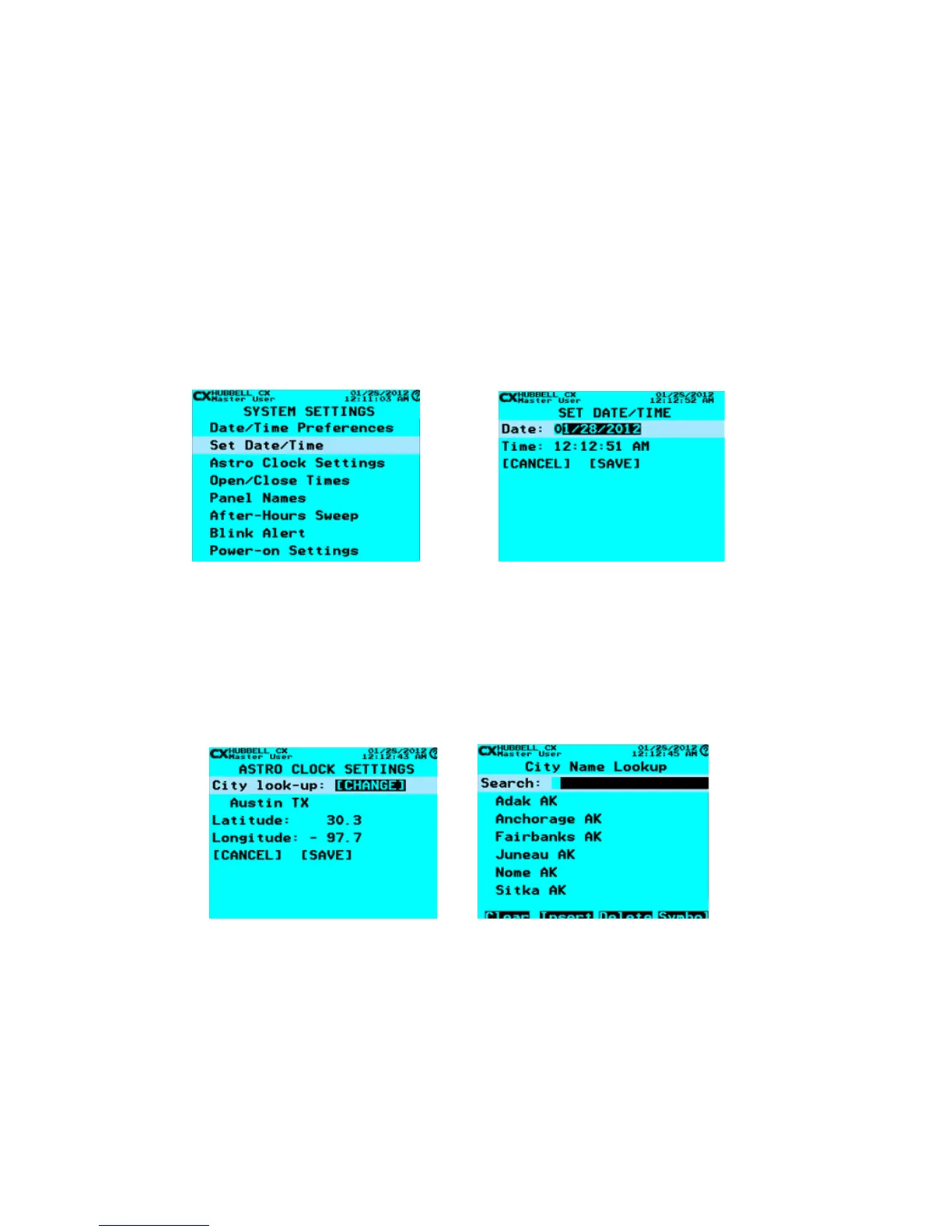
• From the MAIN MENU, use the navigation arrows to select System Settings > Set Date/Time. Press ENTER.
• Use the navigation arrows to scroll to and set the DATE and TIME.
After you have made your choices, scroll down to SAVE. Press ENTER to save your changes.
Astro Clock Settings
The Astro Clock setting is optional, and calculates astronomical sunrise and sunset times by calendar date and the Latitude and
Longitude dened by the user. This allows ON and OFF events to be programmed based on sunrise/sunset times.
• From the MAIN MENU, use the navigation arrows to select System Settings > Astro Clock Settings. Press ENTER.
• Use the navigation arrows to dene the settings for the ASTRO CLOCK.
• To select the closest major city, select “City Lookup” and press ENTER on the keypad.
• Using the keypad, type the rst few letters of the closest major city, or scroll through the list of cities predened.
• When you have found the appropriate city, highlight it and press ENTER. If a city does not appear on the predened list it
will be necessary to manually enter the Lat/Long.
• To manually enter coordinates, scroll to the eld and enter the numerical values. These are in degrees/tenths. The
(-) indicator on the Latitude designates south. The (-) indicator on the Longitude designates west. HELP screens are
available to describe the correct input format.
Astro Clock Settings
Select Set Date/Time



 To Next Page