31
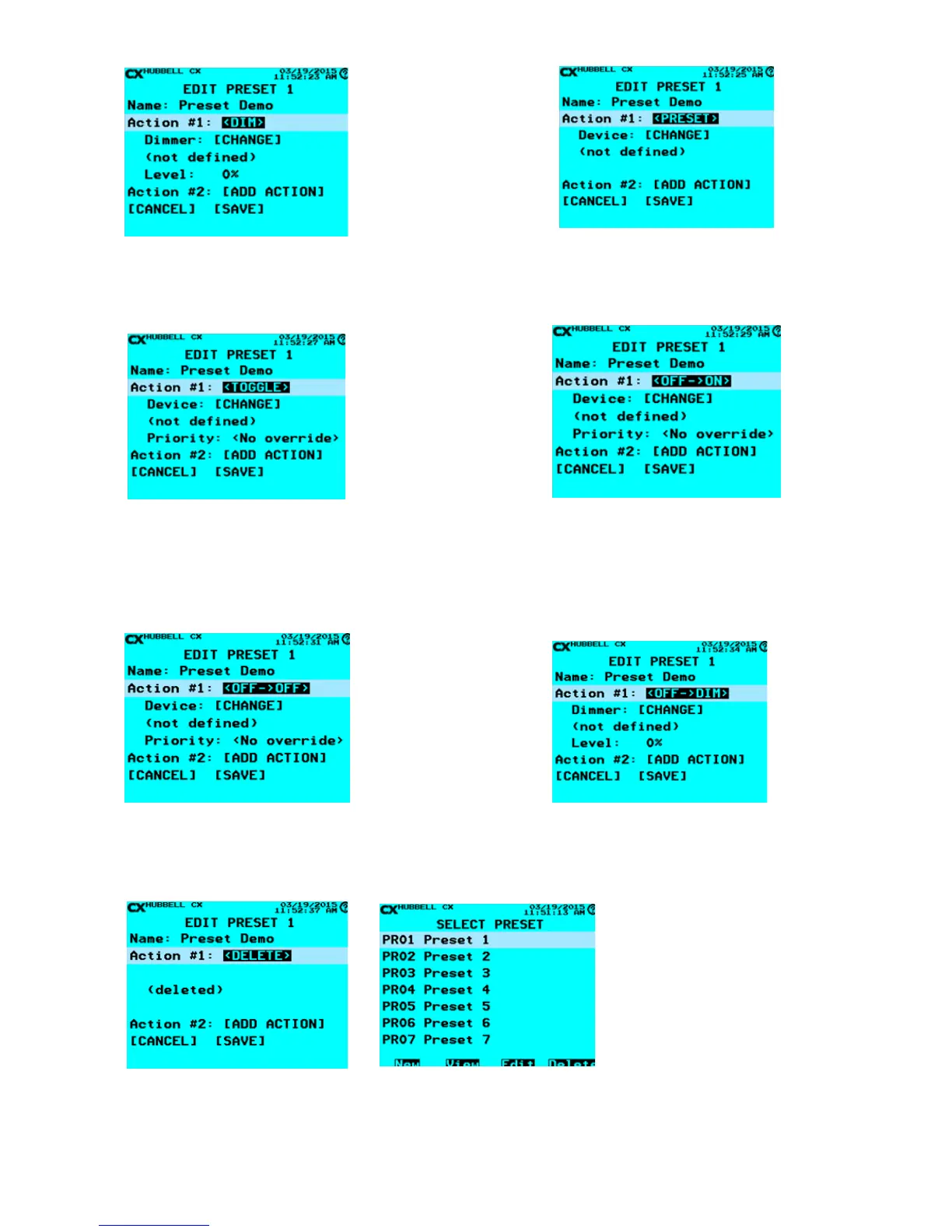
<DIM> - Set the dimming level of a dimmer or group of
dimmers in response to an On event.
Level: - The Dimming level to be set in percentage units
<PRESET> - Activates another preset to allow more
actions
Only one level of preset changing is allowed.
<TOGGLE> - “Toggles” the state of a relay or group.
If this action is the rst action in the Preset, this will determine
if a push button is sending an ON or an OFF event.
Device: [CHANGE] - Select the Relay or Group to control.
Note: This is to be used with low voltage switch stations.
<OFF->ON> - Turns ON a Relay or Group in response
to an OFF event.
Device: [CHANGE] – Select the Relay or Group to
control.
Priority: - Off priority level
<OFF->ON> - Turns OFF a Relay or Group in response to
an OFF event.
Device: [CHANGE] – Select the Relay or Group to control.
Priority: - On priority level
<OFF->DIM> - Set the dimming level of a Dimmer or
Group in response to an OFF event.
Dimmer: [CHANGE] – Dimmer or Group to set level
Level: - The Dimming level to be set in percentage units.
<DELETE> - When selected the Action will be removed after [SAVE] has been selected. If more than one Action has been
created in a Preset they will remain until <DELETE> has been selected for all the Actions or the Preset has been deleted on
the SELECT PRESET screen by using the F4 key button and selecting Delete.
Once all Actions are created per plan Scroll to [SAVE] and create next Preset or ESC to the Main Menu.


 To Next Page