12
Rev 1.0 9/21
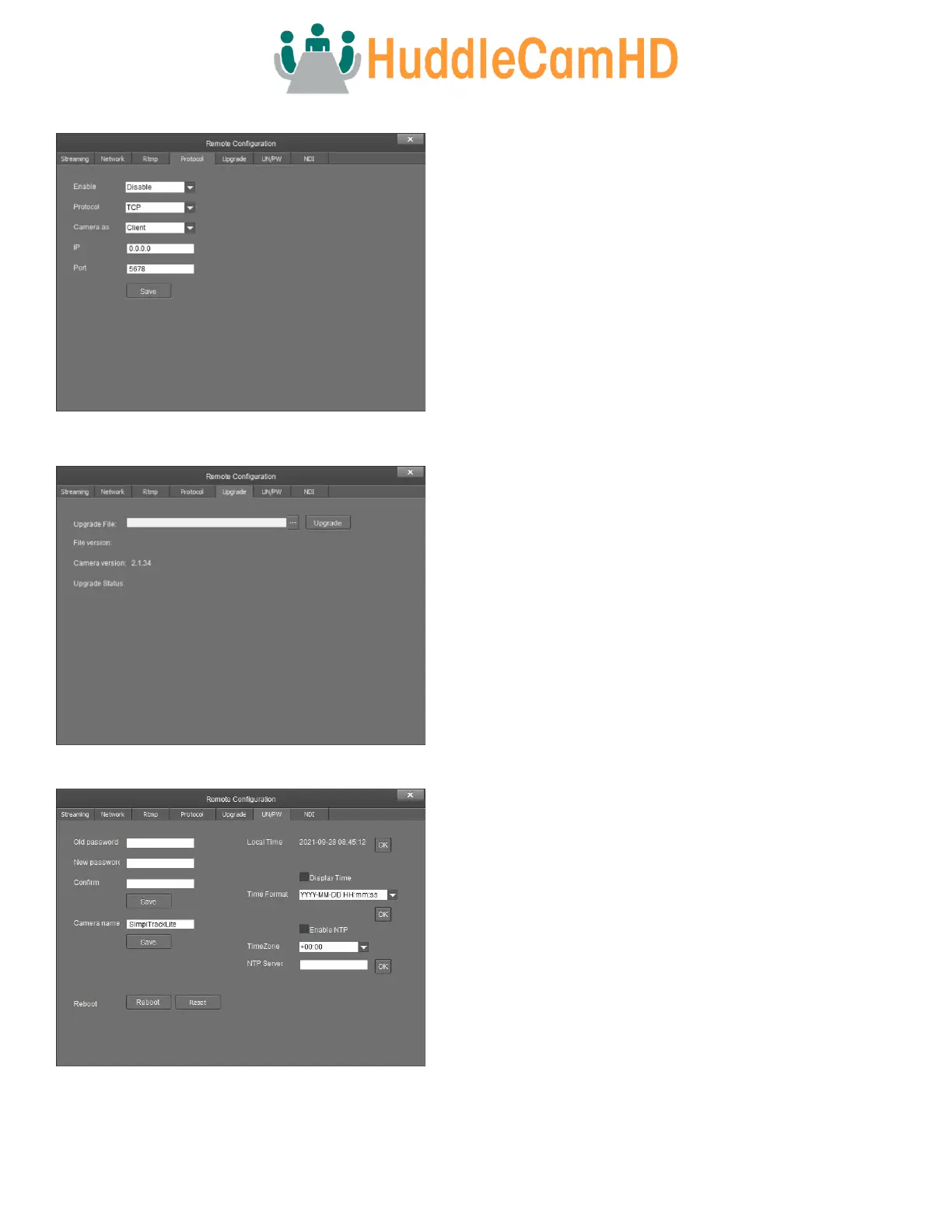
Protocol – The Protocol tab allows you to adjust the camera’s control settings.
• Enable – Enable / Disable 3rd party control to the camera.
o Options include: Enable & Disable
• Protocol – Adjust the control protocol method.
o Options include: TCP & UDP
• Camera As – Adjust whether the camera acts as a server or a
controllable device (Client).
o Options include: Server & Client
• IP – Adjust the IP address to which the camera sends commands
to (Server Mode).
o Default value: 0.0.0.0
• Port – Adjust the control port of the device the camera sends
commands to (Server mode).
o Default value: 5678
Upgrade – The Upgrade tab allows you to apply firmware updates to the camera.
• Upgrade File – Browse your computer for the firmware
upgrade file.
• File Version – Displays the firmware version of the selected file.
• Camera Version – Displays the firmware version of the
connected camera.
• Upgrade Status – Displays the status of the firmware upgrade.
UN / PW – The UN / PW tab allows you to adjust the camera’s name & password, as well as adjust the NTP settings.
• Old Password – Type the old password into this field in order to
change the camera password.
o Default value: “admin”
• New Password – Type the new password into this field in order
to change the camera password.
Note: Passwords must contain only letters and numbers. Special
characters are not applicable.
Max length: 15 characters.
• Confirm – Type the new password into this field again in order
to change the camera password.
• Camera Name – Adjust the camera’s friendly name.
o Default value: SimplTrack Lite
• Reboot / Reset Buttons –Reboot or Reset the camera.
o Reboot Button – Turns camera off and on.
o Reset Button – Sets camera to factory default settings.
• Local Time – Displays the camera’s local time.



 To Next Page