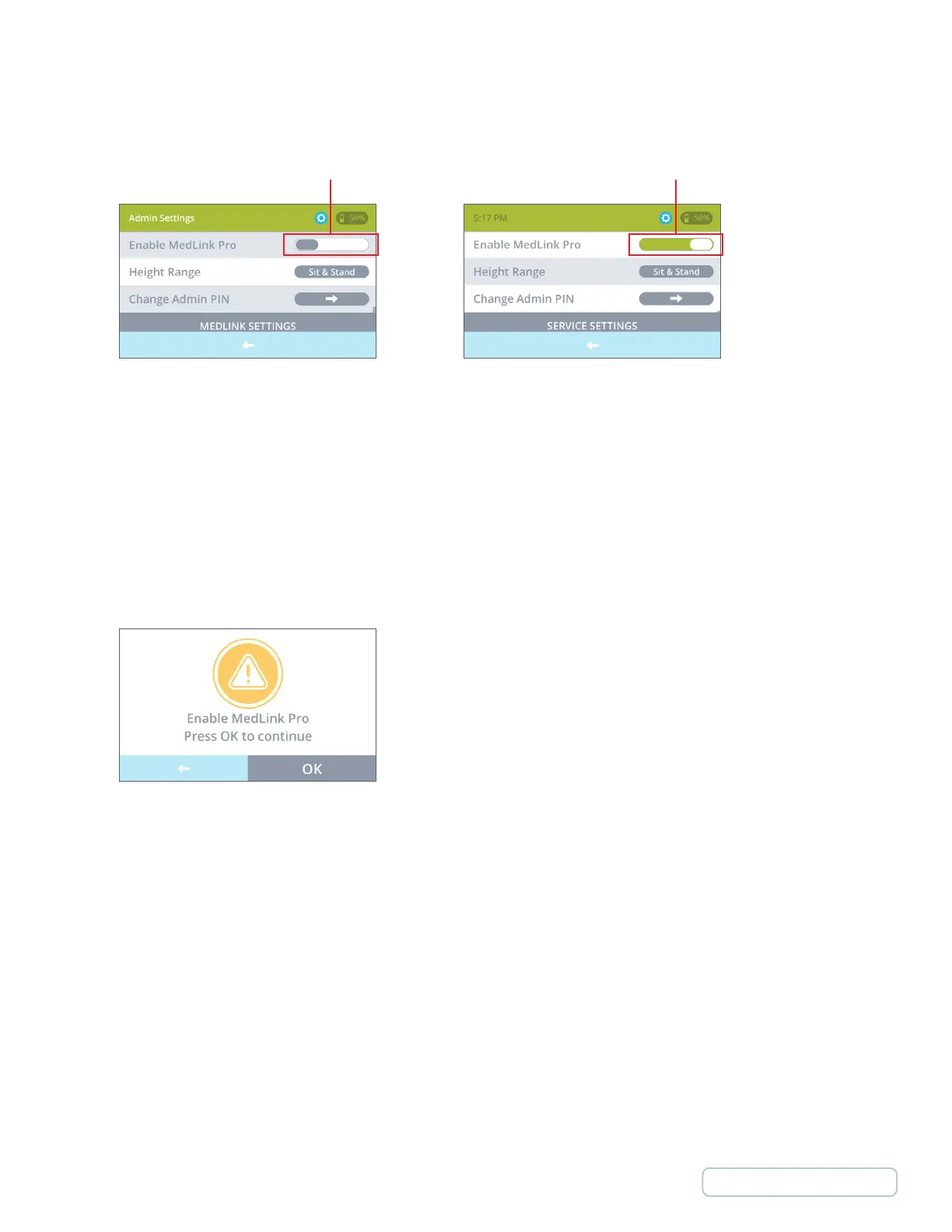
4. On the Admin Settings screen, find the “Enable MedLink™ Pro” option. Disabling MedLink™ Pro enables
MedLink™ Lite, and vice versa.
If the toggle control is green (on), MedLink™ Pro is already enabled and you can exit from the process.
5. If the toggle control is gray (off), touch the control to switch it to green and enable MedLink™ Pro.
When switching this control on or off you will be prompted to confirm the change. The cart will reboot with the new
setting configured.
Once fully booted with MedLink™ Pro enabled, the system is ready for use with the MedLink™ Pro software
installed on your PC or laptop.
Figure D
Figure F
Figure E
12
Return to Table of Contents



 To Next Page