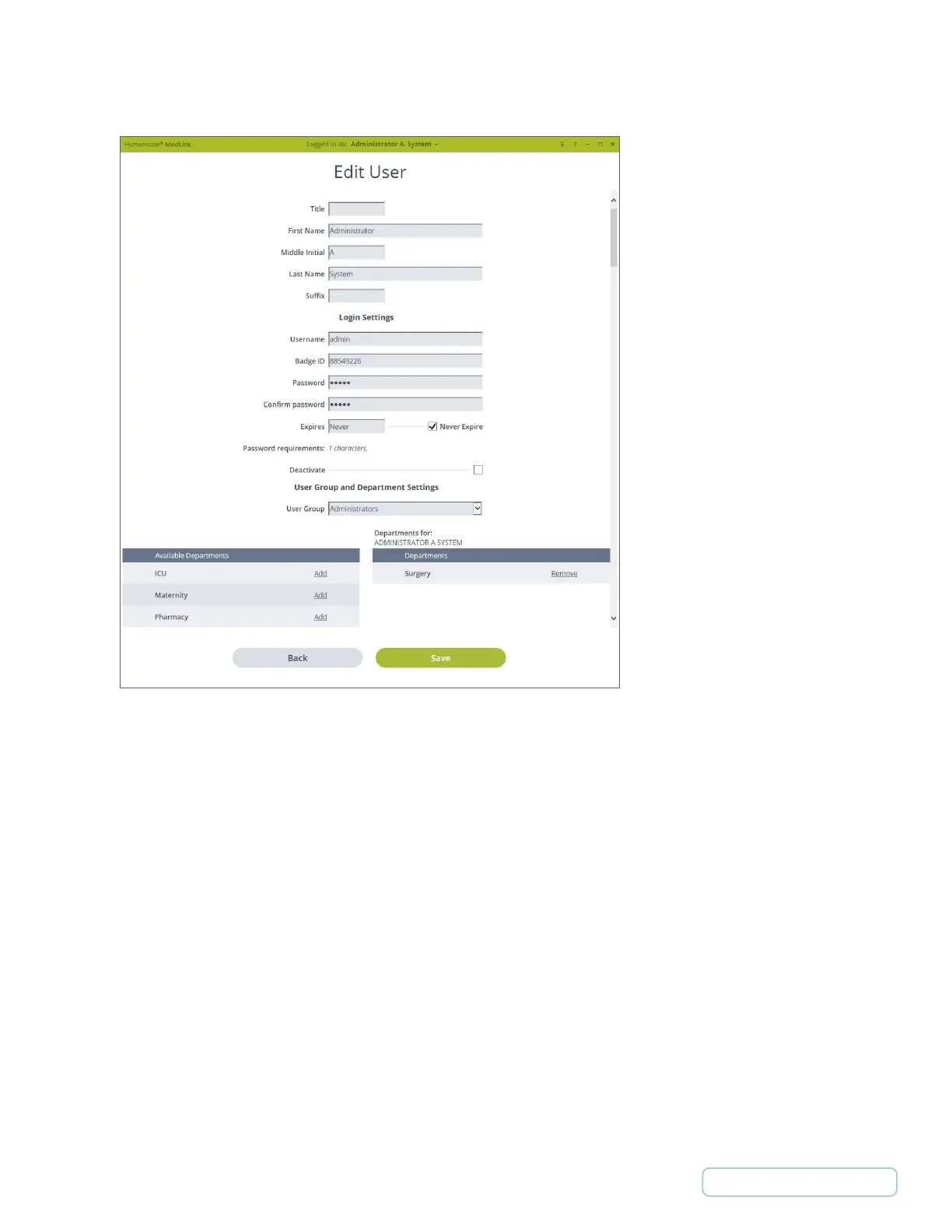
4.4.2 ADD/EDIT USERS
Personal Information
• User’s name with optional Title and Suffix
Login Settings
• Username, Password and Expiration are required.
• The Password Requirements are configured in Global Settings. The requirements are displayed here.
• Expires is for the users account, not their password.
• If a user is NOT set to “Never Expire,” they are considered to be a “Temporary” user.
• Deactivate deactivates this user’s account and they will not be able to login.
User Group and Department Settings
• User Group - Assigns this user to the selected User Group.
• Departments - Assigns this user to the selected departments.
o Select “Add” in the left list to assign a user to that department.
o The list under “Departments for:” on the right displays a list of assigned departments.
o To remove you from an assigned department, select “Remove” in the list on the right for that department.
Figure 9 – Settings / Users / Edit Users Screen
19
Return to Table of Contents



 To Next Page