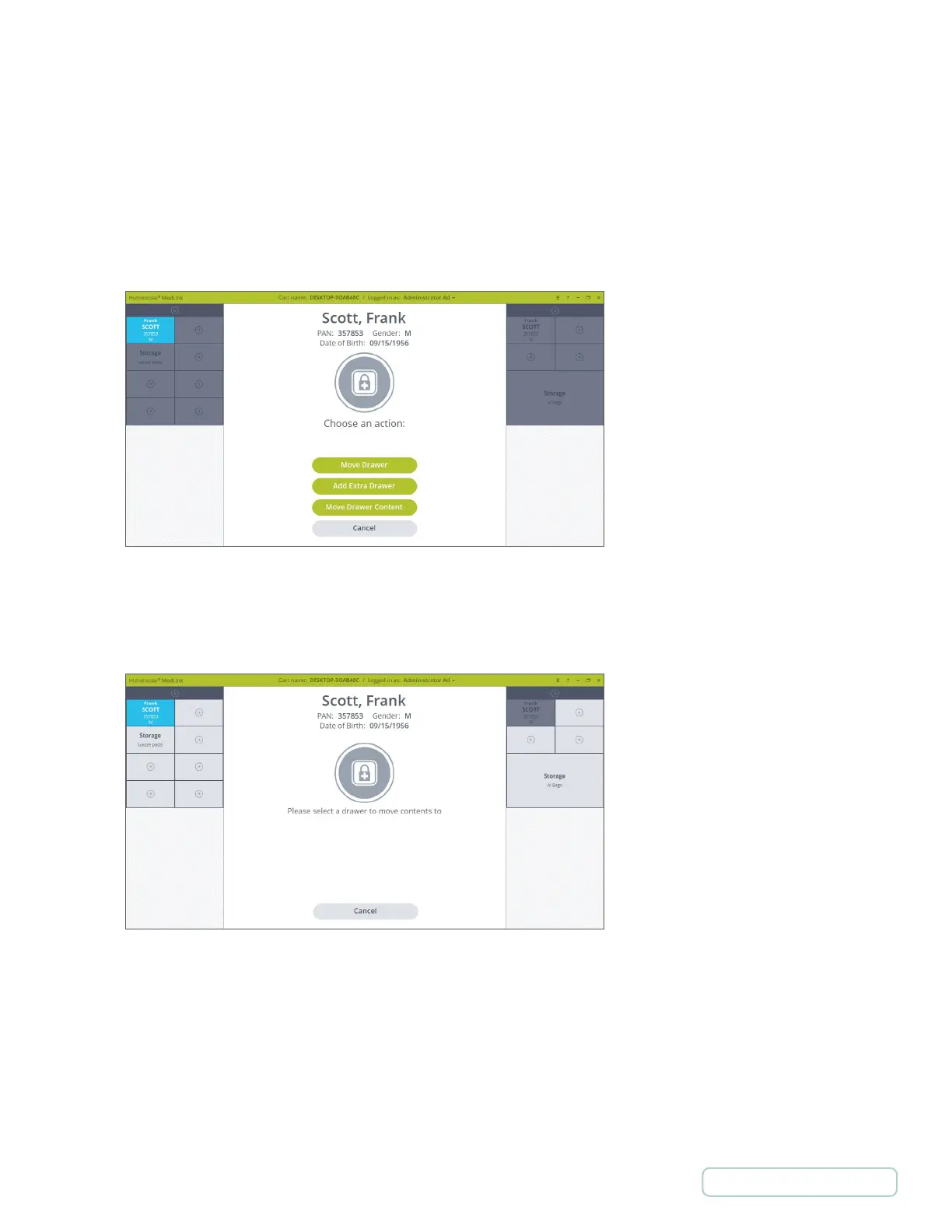
5.13.3 MOVE DRAWER CONTENT
This process is initiated from the new secondary page in the Drawer Selected options. Its purpose is to allow the content of a
Drawer to be moved to another Drawer. This may be useful if a nurse is running out of space to store a Patient’s medication
and wishes to move the medication to a larger sized Drawer. The Move Drawer Content process applies to Patient and Storage
drawers as well.
1. You initiate the process by selecting a Drawer that you would like to move the content of and go to the secondary
Drawer Selected Screen.
2. On the secondary Drawer Selected Screen press Move Drawer Content button.
If you selected a Patient Drawer you are prompted to scan a Location Barcode to continue (or enter the Override
process).
Figure 72 – Drawer is Selected to Move Content of
Figure 73 – Select Drawer to Move Content to
59
Return to Table of Contents



 To Next Page