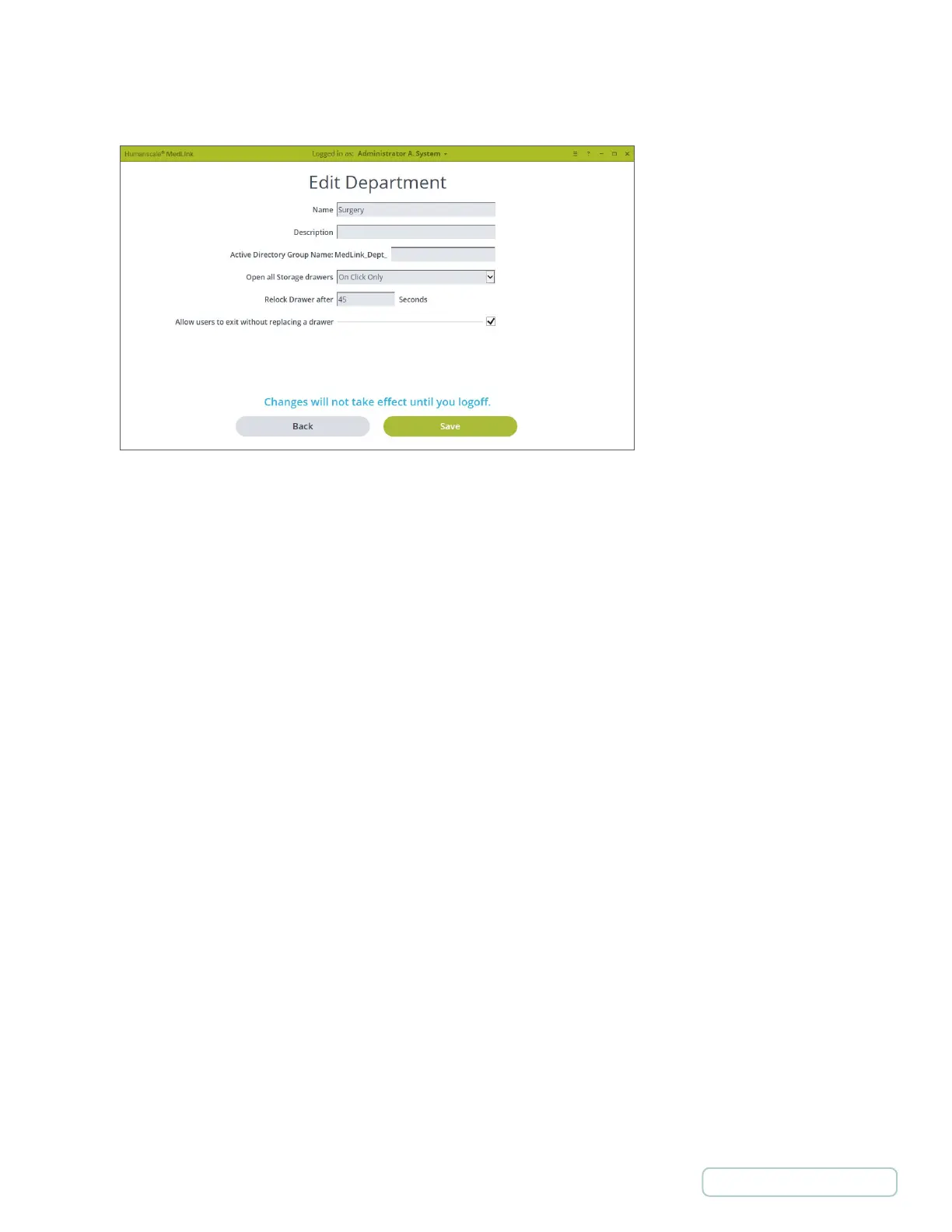
Name:
• The name that will be displayed in MedLink™.
Description:
• Description of the department. Only displayed in Department List page.
Active Directory Group Name:
• Active Directory Groups must be prefixed with “MedLink™_Dept_”
• Each User can be in multiple departments.
Open all Storage Drawers:
• Defines when storage Drawers will automatically open.
• Options are to open:
o On Click Only
o On Login and On Click
o With Patient Drawer and On
Relock Drawer after:
• Defines how long the Drawer will sit in the “Unlocked” state before auto-closing. Allow users to exit
without replacing a Drawer:
• If a Drawer is unlocked and removed and this option is not checked, you will not be able to continue without
replacing the Drawer.
• This option shows and hides the Cancel button on various screens.
4.3.2 ADD/EDIT DEPARTMENTS
Figure 7 – Settings / Departments / Edit Department
17
Return to Table of Contents



 To Next Page