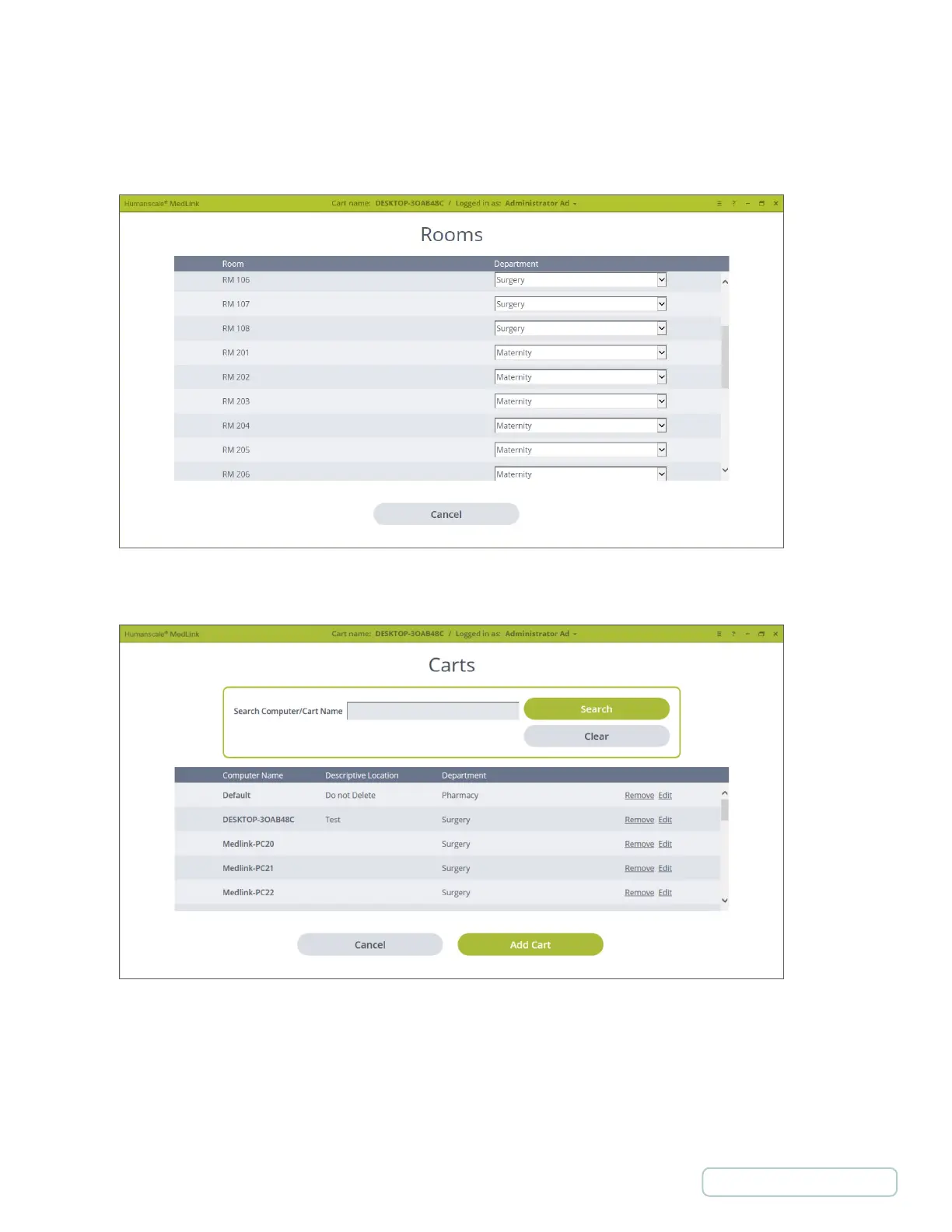
4.6 ROOMS
The Rooms list is available only if there is an HL7 feed. Rooms may be assigned to a Department. This allows the Patient List to be
correctly filtered by Department when assigning a drawer to a patient manually.
4.7 CARTS
• Select “Search” to search for Computer Names and Cart Names.
• Select “Remove” to remove a cart.
• Select “Edit” to edit the carts information and Assigned Department.
• Select “Add Car t ” to add a new cart.
Figure 12 – Settings / Rooms
Figure 13 – Settings / Carts
23
Return to Table of Contents



 To Next Page