CONNECTING AC POWER
NOTE:
It
is
recommended
that
a licensed electrician
perform
the
following
power
insta
llat
ion.
The
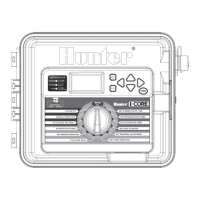
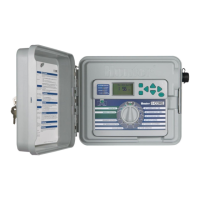
I-Core
can
operate with either 120VAC
or
230VAC
power
. Supply wires must be 14AWG
or
larger.
1.
Turn AC power
off
at the source, and verify that
it
is
off.
2.
Remove the cover from the junction box.
3. Str
ip
approximately
Yz''
(13
mm)
of
insulation from the end
of
each
of
the AC power wires.
4.
Route the wires through the conduit opening inside the junction box.
Do
NOT
connect the
pr
imary AC 120/230V electrical ground wire
to
the earth ground lug.
For
120V
Operation
1.
Connect the incoming black
power
wire (HOT) with the black wire lead
from the transformer.
2.
Connect the incoming white wire (NEUTRAL) with the blue lead from
the transformer.
3.
Connect the incoming green wire (GROUND) with the green and
yellow wire from the transformer.
4. Cap the unused brown wire coming from the transformer. Replace
cover
of
the junction box and screw into place.
Junction
Box
without
Terminal
Strip
(120
Volt)
0
Black
Wire
Green
Wire
(Ground)
For
230V
Operation
1.
Connect the incoming brown power wire (HOT) with the brown wire
lead from the transformer.
2.
Connect the incoming blue wire (NEUTRAL) with the blue lead from
the transformer.
3.
Connect the incoming green wire (GROUND) with the green and
yellow wire from the transformer.
4.
Cap the unused black wire coming from the transformer. Replace
cover
of
the junction box and screw into place.
Junction
Box
with
Terminal
Strip
(
230
Volt)
230
Brown
Wire
(230
Volt)
Blue
Wire
(Neutral)
-::!:-
Green
Wire
-
(Ground)
Brown
Wire
(230
Volt)
Blue
Wire
(Neutral)
Green
Wire
(Ground)


 To Next Page