CONNECTING A WEATHER SENSOR (OPTIONAL
AND
NOT
INCLUDED)
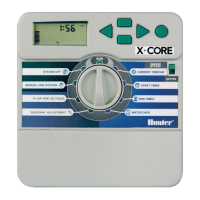
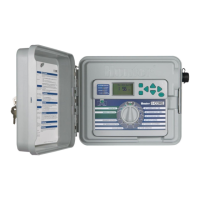
The I-Core controller
has
the
ability
of
connecting
two
Hunter Sensors
(three with I-Core Metal) inclu
ding
:
Mini-Clik®
Rain
Clik'"
(including Wireless
Rain
Clik, Wireless
Ra
in
Freeze-Cl
ik)
Freeze-Clik®
Wind-Clik®
Min
i-
Weather Station (MWS)
So
lar Sync and Wireless Solar Sync
ET
Sensor
With the I-Core controller, Clik sensors can
be
programmed
to
shut
down
individual stations,
not
necessarily the entire controller. Each sensor can
be
given its own response instructions according
to
each station. Hunter Clik
sensors are usually normally closed, and
open
on alarm. Th
is
signals the
controller
to
suspend watering when precipitation, freeze
or
wind events
occur. The sensor connects directly
to
the sensor terminals, which also
allows you
to
override the sensor by using the
Ra
in
Sensor bypass switch
on
the
face
of
the controller.
1.
To
connect Clik sensors, locate the 2 pairs
of
sensor terminals
in
the
Power and Accessory Terminal section, labeled
S1,
S1
and
S2,
S2
(S3
available on I-Core Metal).
2.
Route
the
wires from
the
Clik sensor through any
of
the available
knockouts into the controller cabinet.
3. The sensor connections are made
in
ded
icated pairs. Remove
the
sensor
jumper
wire from one pair
of
S1
or
S2
terminals. Attach one
sensor wire
to
each
of
the
two
S1
or
S2
terminals.
4.
To
connect the Wireless
Rain
Clik
or
Wireless
Rain
Freeze Clik, the
blue and white wires will
be
connected
to
the corresponding sensor
terminal
as
stated above:
One
into
the
first
S1
terminal and
the
other
into
the
second
S1
terminal. Connect one
of
the yellow wires
to
the
AC1
terminal and the
other
yellow wire
to
the
AC2 terminal.
Bypassing
the
Sensor(s)
If the rain sensor
is
ACTIVE and automatic
or
manual operation
is
required,
simply
move
the
Bypass switch
to
Bypass.
Weather
Sensor
10
If the rain sensor switch
is
left
in
the ACTIVE position
but
no
sensor
is
connected and the
jumper
wire
has
been removed,
the
display on
the
I-Core will indicate
that
the sensor
is
ACTIVE. This will also
be
indicated
in
the System Status dashboard
to
the left
of
the
display. The sensor
light
w
il
l
be
illuminated
RED
for
ACTIVE, thus having
an
open circuit. As long
as
the sensor
is
in
the ACTIVE
mode,
any station
that
has
been programmed
to
the ACTIVE sensor will
not
be
allowed
to
water, and will
be
put
into
Suspend mode. If you
do
not
have a sensor and want
to
eliminate this
possible problem, simply keep the rain sensor switch
in
the bypass mode,
or
install
the
jumper
wire between the sensor terminals
if
it
has
been
removed.
Programming
of
the
sensors will
be
discussed
in
the Set Sensor
Operation
section
of
Programming and Operation (pg. 18).
Sensor Bypass Switch
Th
is
switch will either enable
or
disable a
Rain
or
Freeze sensor that
has
been connected
to
the controller. When the switch
is
in
the Active position,
the controller will adhere
to
the state
of
the
sensor and shut down irrigation
if the sensor
is
in
an
open state. If the sensor
is
in
a closed state,
the
controller will operate
as
normal. If the sensor
is
in
an
open state,
but
you
would like
your
automatic irrigation
to
operate
as
normal, simply move
the
switch
to
the
Bypass position. The sensor will
now
be
overridden and the
controller will operate
as
programmed.
Once the Sensor Bypass Switch
is
in
the Active position
the
System Status
Dashboard will acknowledge the switch
is
in
the
Active position, and the
Sensor Status
light
will
light
up. If the sensor
is
in
an
open state, the System
Status Sensor
light
will
be
Red.
If the sensor
is
in
a closed state,
the
System
Status Sensor
light
will
be
Green.
If you
do
not
have a sensor installed,
the
position
of
the
Rain
Sensor switch
can
be
in
either the Active
or
the
Bypass mode. This
is
true
as
long
as
the
jumper
wire connecting
the
two
sensor terminals remain
in
place. If a
jumper
wire
has
been removed, it will
be
necessary
to
keep the
Rain
Sensor
switch
in
the
Bypass mode, otherwise no automatic irrigation will occur.


 To Next Page