CONNECTING A REMOTE CONTROL (OPTIONAL)
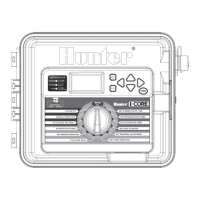
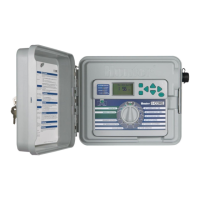
The I-Core controller has factory installed
SmartPo~.
This provides a
remote
ready connection
for
Hunter
ICR,
ROAM, and
SRR
remotes.
To
connect a remote, remove
the
weather resistant
rubber
cover on
the
SmartPort, align
the
remote
receiver's pins with
the
connector, and push
firmly until
the
receiver
is
fully seated. Refer
to
the
remote control owner's
manual
for
further
information on
how
to
operate
your
Hunter remote.
The I-Core can overlap remote commands allowing
up
to
five valves
to
run simultaneously. Therefore,
if
a station
is
being
operated
and a
remote
command
is
sent
to
activate
another
station,
that
station will
not
turn
off
the
existing station,
but
run
both
stations simultaneously.
If five valves are running and a new
remote
command
is
received
to
start
another
event,
the
command
will be ignored.
No
new
remote
commands
will
be
accepted until
one
of
the
five events completes watering. I-Core
can run automatic programs and manual stations simultaneously.
Eac
h
command
will
be
displayed
on
the
screen, indicating
the
event
is
watering,
in
the
order
the
event
took
place.
Remote commands will also
be
allowed
if
the
controller
is
in
the
OFF
position. With
the
dial in
the
O
FF
position,
the
controller
will respond
to
single station
or
program manual commands.
In
the
OFF position,
the
display will
not
indicate
that
a station
is
watering; you will only see
the
System Status Dashboard Light turn green next
to
Station, indicating
that
there
is
a station running. When
the
controller
receives a Manual Program
remote
command,
the
controller
will only activate the stations within
the
Program. If a station within
the
Program
is
programmed
to
a sensor
that
is
Active,
that
particular station will
not
operate
and will
be
put
into
suspend
mode.
The controller will
count
down
that
station's
programmed
run
time
without
actually running
the
station.
If there are stations within
the
program
that
follow
this station numerically
and are
NOT
programmed
to
the
sensor, these stations will run and
the
controller will observe
the
remote
command
and
follow
through
the
rest
of
the
program. The
programming
of
stations
to
a sensor will
be
discussed
in
the
Set Sensor
Operation
section
of
the
manual (pg. 18).
Receiver
Transmitter
13


 To Next Page