ColorFlex EZ User’s Manual Version 2.2
22
The parameters that may be set are as follows:
• View
Use the UP and DOWN arrow buttons to move to the VIEW parameter, then toggle
between ENABLED (view on) and DISABLED (view off) using the RIGHT arrow button.
View 1 is always automatically enabled and may not be disabled.
• Display
Use the DOWN arrow button to move to the DISPLAY parameter, then scroll
through the choices using the right arrow button.
The display choices are as follows:
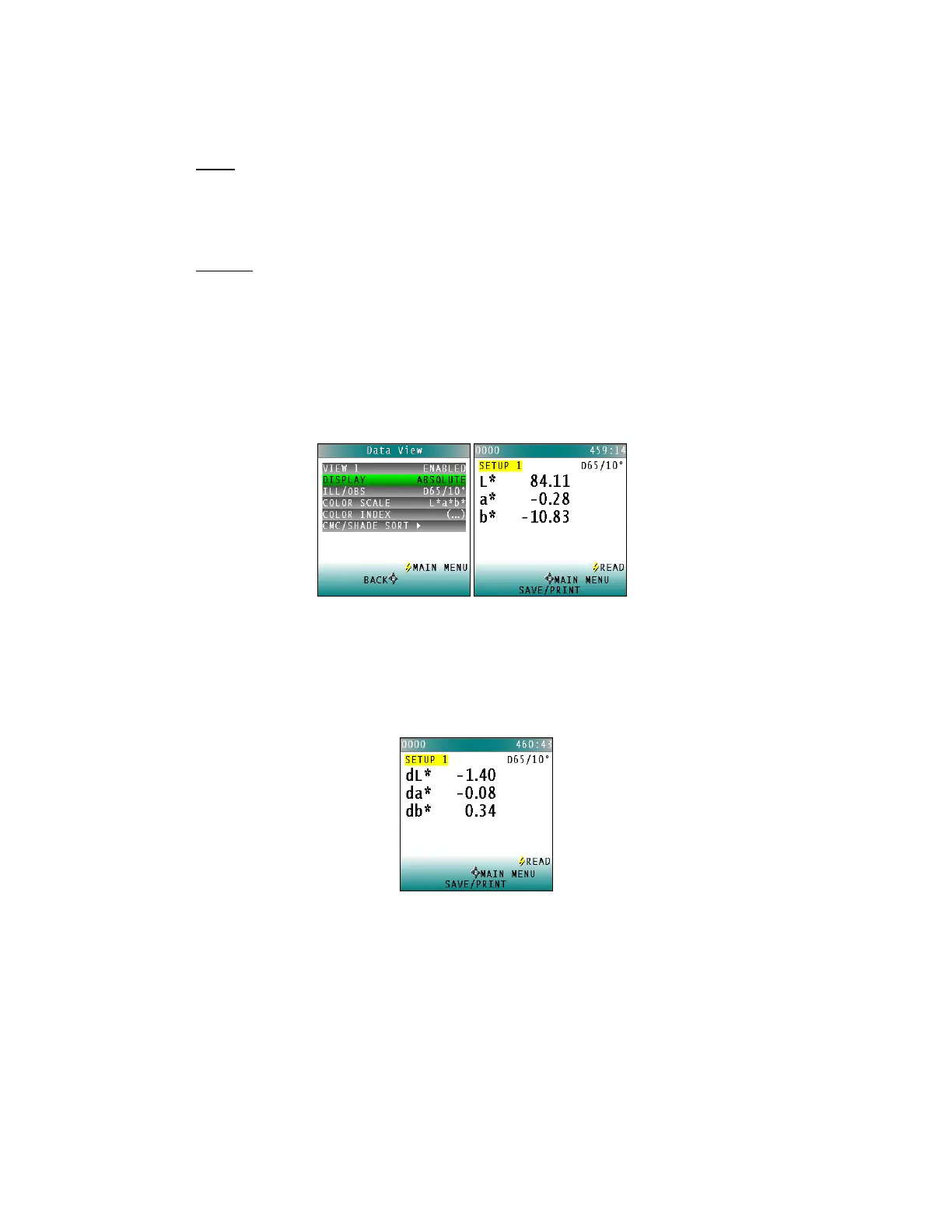
▪ Absolute
Absolute displays the color scale values (such as L*, a*, and b*) for the most
recent standard or sample read.
Figure 27. Display as Absolute
▪ Difference
Difference allows the most recent sample read to be compared to the
standard and the difference in color between them (such as dL, da, db) to be
displayed.
Figure 28. Difference Values



 To Next Page