OPERATION INSTRUMENTS
- 10 -
ENGLISH
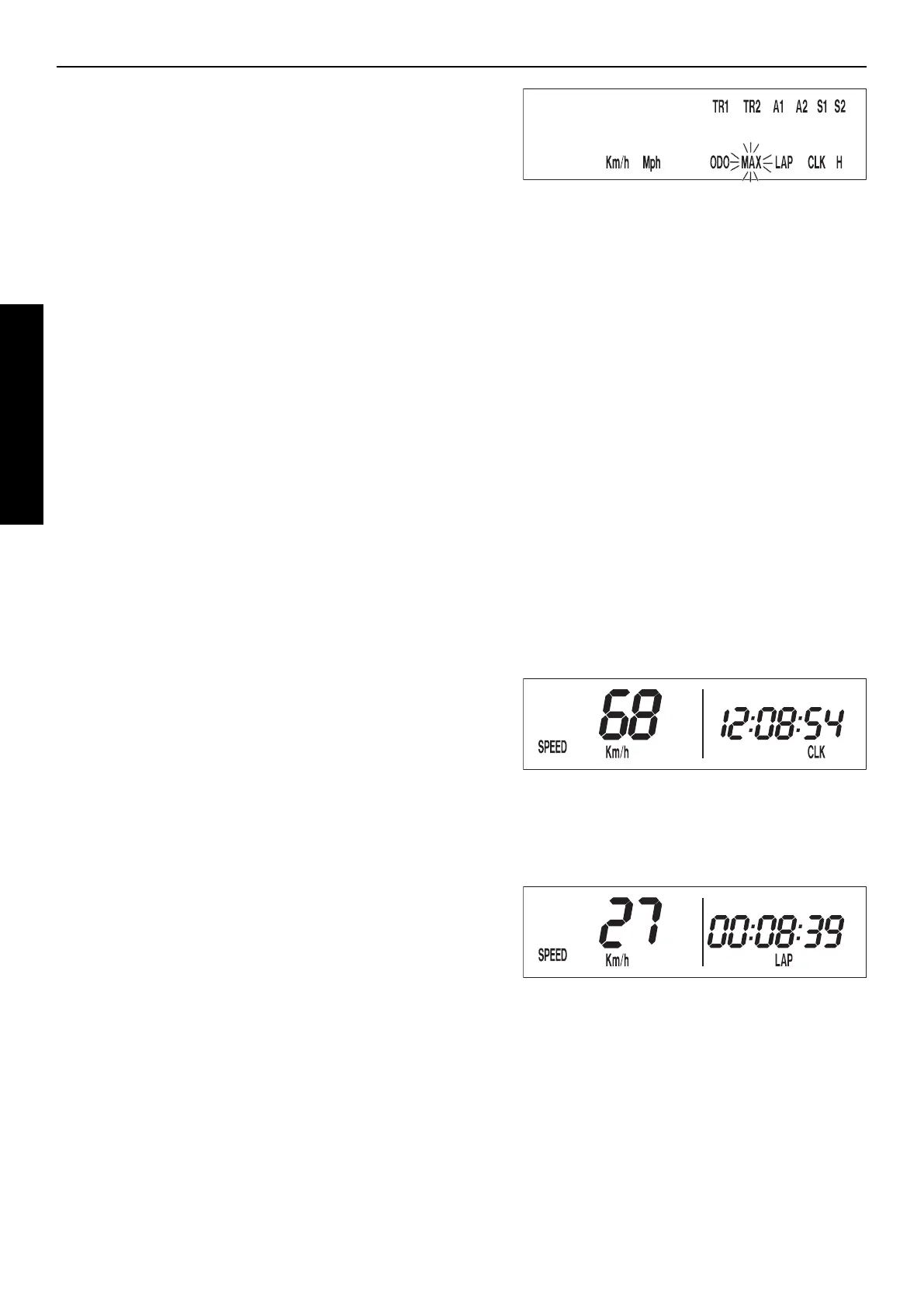
ACTIVATING AND DEACTIVATING DISPLAY MODES
In the display mode SPEED/H, press and hold the | button for 3 seconds
to access the SETUP menu. The active functions will be displayed. The
blinking function can be activated by pressing the + button and deacti-
vated by pressing the – button.
Press and hold the | button 3 seconds to store the settings.
If no button is pressed for 20 seconds, the setting will be stored automa-
tically and the display will return to the SPEED/H mode.
+ button activates the blinking display
– button deactivates the blinking display
briefly press | button changes to the next display without changing
any settings
hold | button 3 secs. starts the SETUP
stores the settings and changes to the SPEED/H
mode
The following display modes can be activated:
TR1 tripmaster 1
TR2 tripmaster 2
A1 average speed 1
A2 average speed 2
S1 stop watch 1
S2 stop watch 2
CLK clock
LAP lap time
MAX maximum speed
KMH/MPH display in kilometers or miles (see: Kilometers or miles)
If you have activated all of the display modes, they will be displayed in
the following order:
SPEED/H, SPEED/CLK, SPEED/LAP, LAP/LAP, SPEED/MAX,
SPEED/ODO, SPEED/TR1, SPEED/TR2, SPEED/A1, SPEED/A2,
SPEED/S1, SPEED/S2
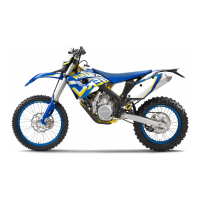
SPEED / CLK (TIME) DISPLAY MODE
CLK displays the time in hours, minutes and seconds.
+ button no function
– button no function
briefly press | button changes to the next display mode
hold | button 3 secs. set the clock menu
To set the clock, see „Setting the clock“.
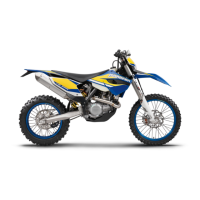
SPEED / LAP (LAP TIME) DISPLAY MODE
You can use the manual stop watch to stop and store up to 10 lap times,
which you can view in the LAP/LAP display mode (see below).
LAP displays the lap times in hours, minutes and seconds.
+ button Starts and stops the stop watch, lap time is not
reset to 0
– button Stops the stop watch, stores the lap time and
restarts the stop watch again. The time is reset
to 0. A total of 10 lap times can be stored. If the
lap time continues to run after you press the -
button, all 10 memory locations are occupied.To
clear all of the stored lap times, hold the | but
ton for 3 seconds in the SPEED/LAP mode.Up
to 10 lap times can be stored in this way.
briefly press | button Changes to the next display mode.If no lap time
is stored or the motorcycle is driving, the
LAP/LAP mode will be skipped.
hold | button 3 secs. Clears all LAP figures




 To Next Page