OPERATION INSTRUMENTS
- 11 -
ENGLISH
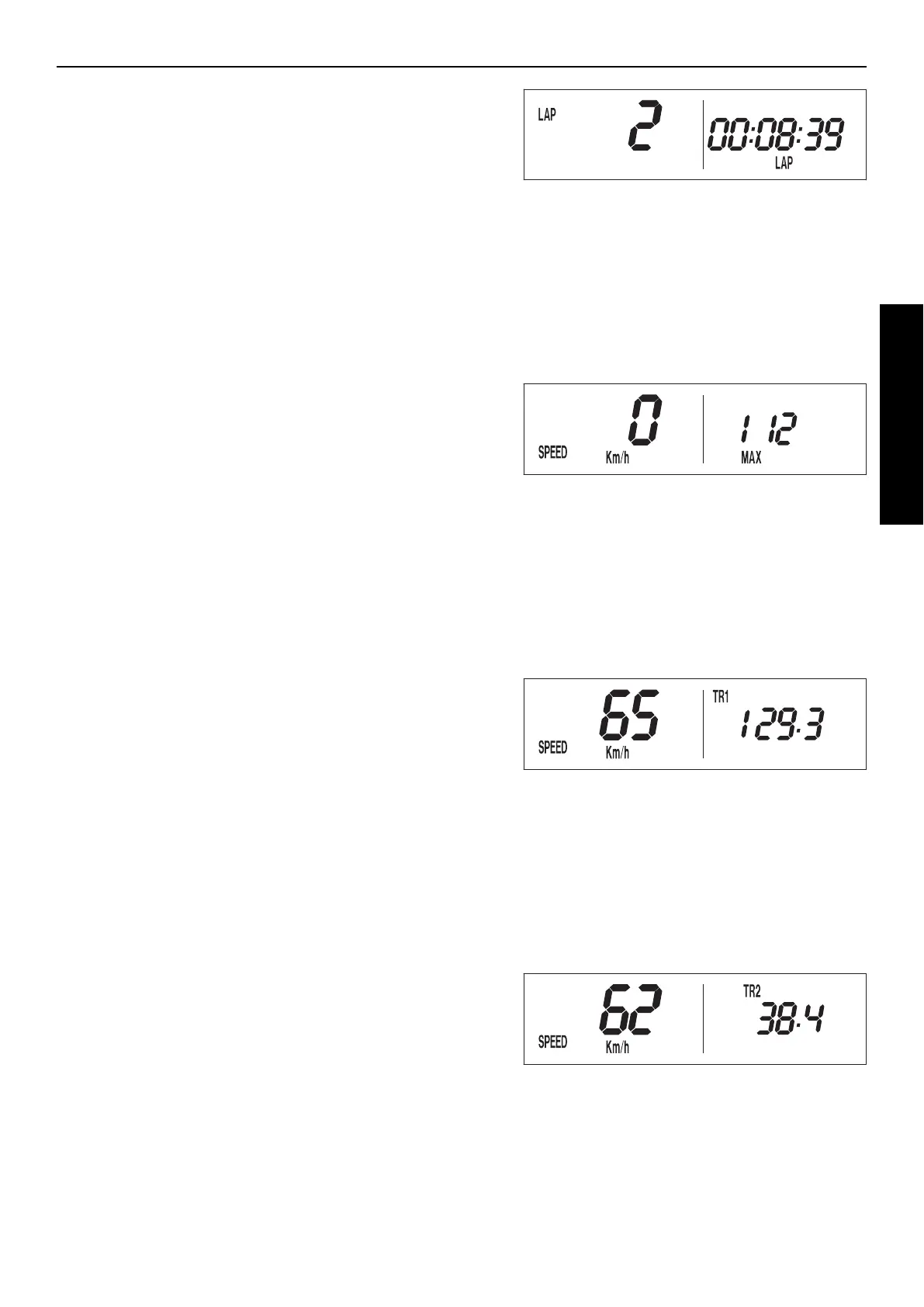
LAP / LAP DISPLAY MODE (TO VIEW LAP TIMES)
The LAP/LAP display mode will only be shown if lap times have been sto-
red and the front wheel has stopped. It will display the lap number and
the stopped lap time in hours, minutes and seconds. Press the + button
to access the next lap time.
To clear all of the stored lap times, hold the | button for 3 seconds in the
SPEED/LAP mode.
+ button changes to the next lap time
– button no function
briefly press | button changes to the next display mode
hold | button 3 secs. changes to the next display mode
SPEED / MAX DISPLAY MODE (MAXIMUM SPEED)
MAX displays the maximum speed traveled and is always active.
+ button no function
– button no function
briefly press | button changes to the next display mode
hold | button 3 secs. clears the MAX figure
SPEED / TR1 DISPLAY MODE (TRIPMASTER 1)
The TR1 tripmaster is always active and counts to 999.9. It is used to
measure the length of a trip or the distance between 2 refueling stops.
TR1 is linked to A1 (average speed 1). The calculation of these figures
is activated by the first impulse received from the wheel sensor (when
the front wheel starts to turn) and stops 3 seconds after the last impulse
is received (when the front wheel has stopped).
The TR1, A1 and S1 figures are automatically cleared after passing 999.9.
+ button no function
– button no function
briefly press | button changes to the next display mode
hold | button 3 secs. clears the TR1, S1, A1 figures
SPEED / TR2 DISPLAY MODE (TRIPMASTER 2)
The tripmaster 2 is always active and counts to 999.9. Contrary to TR1,
the displayed figure can be changed using the + and – buttons. This is a
very useful function for trips taken according to a roadbook.
+ button increases the TR2 figure
– button decreases the TR2 figure
briefly press | button changes to the next display mode
hold | button 3 secs. clears the TR2 figure




 To Next Page