Digital Refractor CDR-9000 79
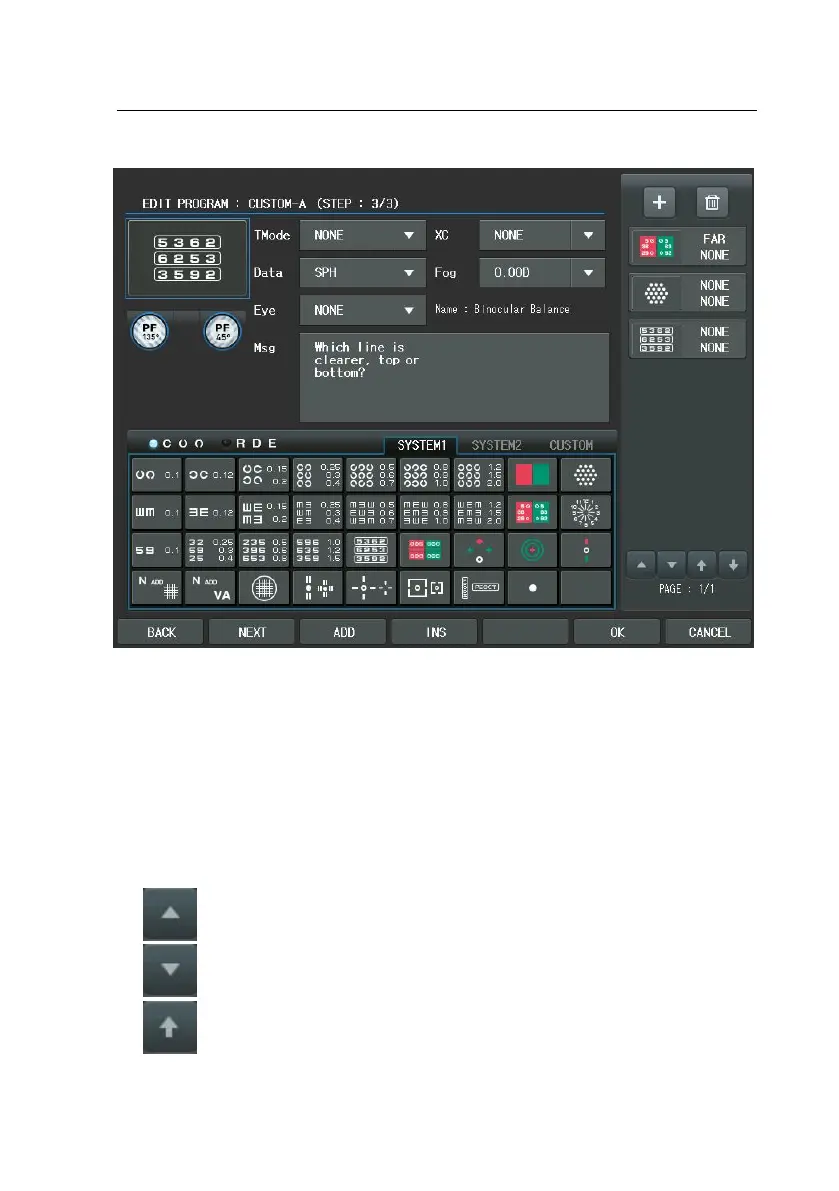
The [BACK] button of the touch screen in the bottom line goes to the previous
step and the [NEXT] button to the next step. The [ADD] button adds a new ste
p behind the last one and the [INS] button insert a new step before the current
one. Press the [OK] button to confirm after defining program functions through
all steps. If you need to cancel the program editing, press the [CANCEL] button.
The [SHIFT] button reveals hidden options.
The buttons of thumbnail area have a function as follow.
: [BACK] button
: [NEXT] button
: Thumbnail window page up



 To Next Page