90 Digital Refractor CDR-9000
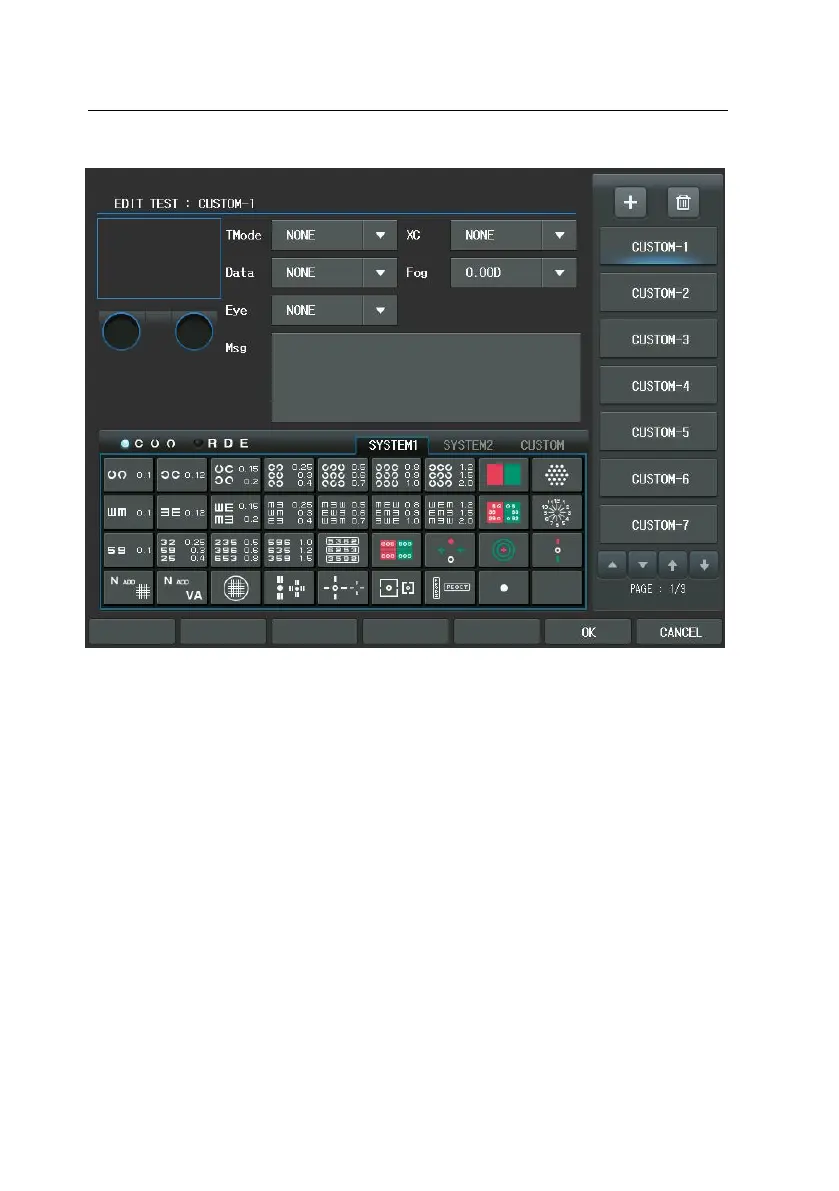
We introduce briefly the elements of the Unit Test program in the left window.
-
Chart: assigns the chart to present. Contrary to the user-defined program,
the relational Chart, Data Element, Cross Cylinder, fogging and Auxiliary Le
ns item would not be changed at all. To select this, press the Chart item
of the touch screen immediately.
-
Test Mode (Dist.): specifies near or far. Press the combo-box button of the
touch screen select [NEAR] or [FAR]
-
Data Element: assigns SPH, CYL, AXS, ADD, VA, BIBO, BDBU or ADDVA. Pre
ss the combo-box button of the touch screen or press the [S], [C], [A], [A
DD], [VA], [BIBO], [BDBU] or [N ADD VA] button.
-
Eye: assigns BINOCULAR, LEFT or RIGHT. Press the combo-box button of t



 To Next Page