92 Digital Refractor CDR-9000
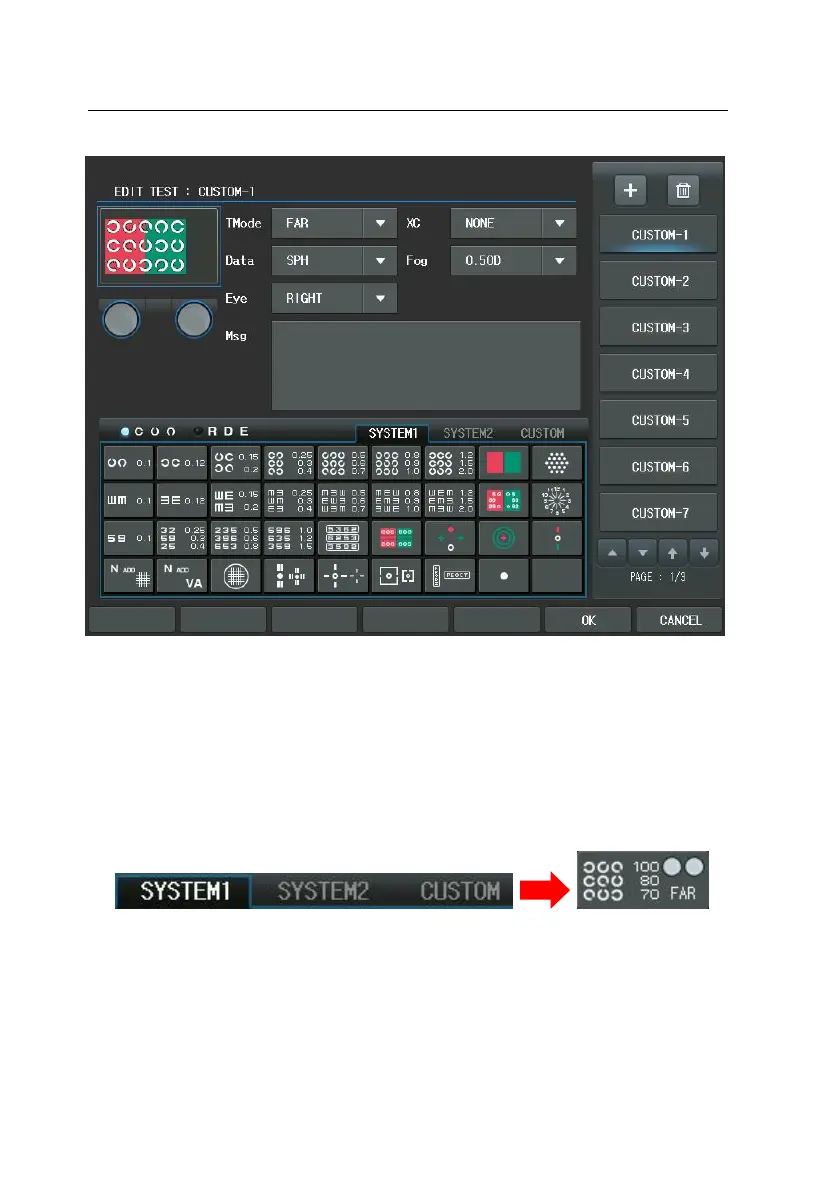
At first hand, press the Landolt-ring Chart button. The chart with 0.9(25 in 20/20,
7.5 in 6/6) will be suitable matching for the patient’s visual acuity. And press th
e Red/Green filter for Red/Green filter masking. At this point apply fog by about
[0.5D] degree after selecting Fogging in the left window. And prepare to measu
re the right S value in Far Distance mode, [S] and [R] buttons consequently. Afte
rward, press the [OK] button to save and exit.
Finally, In the Main screen press the [CUSTOM] button of the chart area and pre
ss the first chart to execute this unit test program. As a result, there will be fog
ged by 0.5D in the right eye and the Red/Green Filter will be placed in the Lan
dolt-ring Chart.
Of course, the user-defined “CUSTOM A1” Chart can be chosen by press the [TE



 To Next Page