2.8
WORKING WITH A QUEUE
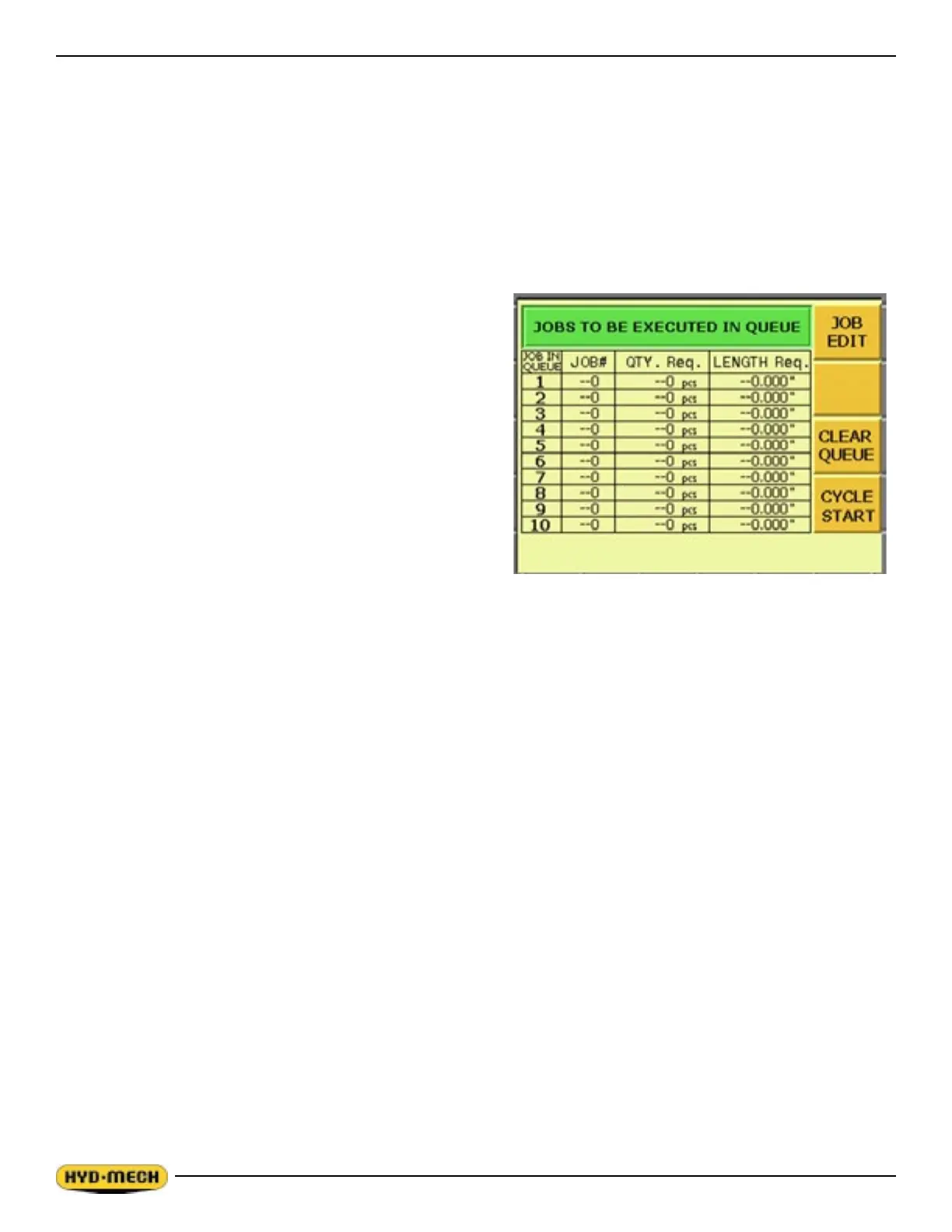
The purpose of a QUEUE is to allow the operator to run several jobs (maximum of 5) in series if they are of the same
material and shape.
To run a QUEUE, it is necessary to program in all job values as is done with programming a single job. After the jobs
are programmed in, press QUEUE, press CLEAR to clear the QUEUE, and enter the desired JOB #’s in the desired
sequence.
To run the QUEUE press CYCLE START. The pushbutton lights and the Material Height Prompt Screen appears.
Set the material height using the Head Up & Head Down push
buttons and then press enter. Position the blade about 3/8”
above material.
If the blade is not running you will be prompted by the words
BLADE START. Press the BLADE START key. The JOB
PROGRESS screen will appear and display each individual JOB
as it is being run.
At the completion of the last job in the QUEUE, the machine
will shut off if “0” has been entered in the POWER DWN
TIMER parameter or continue running the specied time up to
a maximum of 180 minutes. The machine will automatically
advance the stock between jobs for trim cuts as needed.
WORKING WITH A REPEATING QUEUE
The QUEUE mode can also be set to repeat the sequence of jobs up to 99 times. To do this the QUEUE parameter in
SERVICE mode must be set at REPEAT.
To run a repeating queue, two additional rows are added to the QUEUE display screen after JOB E: QUEUE CUT (the
number of times that the QUEUE has been completed) and QUEUE REQUIRED (the number of times that the QUEUE is
required to be repeated.
When entering job data for jobs to be used in a repeating QUEUE be aware that:
# of parts cut = # of JOBS x QUEUE REQUIRED
For example:
JOB A is set to cut 1 piece
JOB B is set to cut 2 pieces
QUEUE REQUIRED is set to 5
When the cycle is initiated, 1 JOB A piece will be cut followed by 2 JOB B pieces with this pattern repeating 5 times.
This will give you a total of 5 JOB A pieces and 10 JOB B pieces.
The QUEUE may be exited to the previous screen at any time by pressing the JOB key.


 To Next Page