WeatherTRAK 2-Wire Controller Installation Guide
11
©2020 HydroPoint Data Systems Inc. All rights reserved. 800.362.8774 • hydropoint.com
Step
1 —
Install
the
WeatherTRAK
2-Wire
Controller
Mount, electrically install and ground the WeatherTRAK 2-Wire Controller. Specifications can be found on
our Product Details and Documentation page under
Design Specifications for the ET Pro3 and the OptiFlow
Controllers.
All installations should comply with local and national electrical codes. Failure to ground and install the
controller properly will void the warranty.
A.
Mount the Enclosure: Wall Mounting Instructions
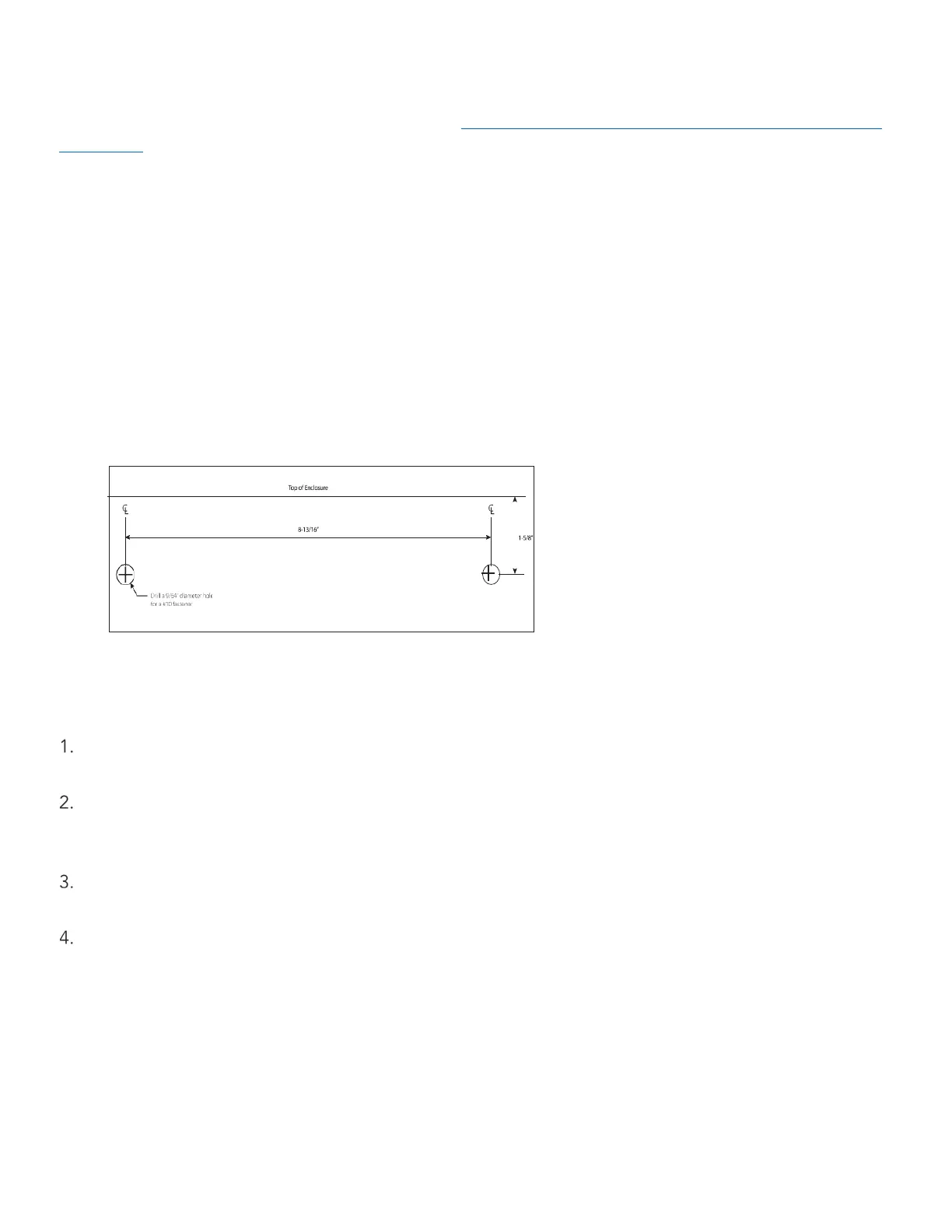
Use the enclosed template for assistance when mounting the enclosure to a wall. (see example)
Locate the 2 mounting holes on the back of the enclosure. The two upper mounting holes are keyholes. This
design allows the two upper fasteners to be installed first. The enclosure is then slipped over and pushed
down to complete the installation.
A third mounting hole can be found in the center of the enclosure below the station input/output board.
Typical mounting height for a wall-mount enclosure is between 41” and 48” above a finished surface.
Example of Wall Mount Drilling Template
Before drilling, verify that the controller is level and vertically straight before installing.
Remove the outer door for access to the interior of the enclosure. Slide it upwards, then place it in a
location to prevent damage.
Mark and drill new mounting holes using the paper template, then drill appropriately sized holes with a
hammer-drill as needed. Use plastic inserts and mounting screws (taped to the controller with the
enclosure keys) to secure the controller.
Hang the enclosure on these fasteners and verify the enclosure is mounted level both vertically and
horizontally.
Locate the third center mounting hole and insert the last fastener. Tighten all fasteners to the enclosure to
secure to the vertical surface.


 To Next Page