WeatherTRAK 2-Wire Controller Installation Guide
13
©2020 HydroPoint Data Systems Inc. All rights reserved. 800.362.8774 • hydropoint.com
Confirm the controller has been securely fastened to a flat, vertical surface before starting this work.
Open the enclosure door and locate the transformer mounted to the chassis. Thread an approved
weatherproof plastic or galvanized metal junction box onto the 1/2” nipple and secure with a conduit
locknut.
Connect approved conduit to the underside of the junction box.
Pull the required number of conductors and terminate them in the junction box with sufficient length
so that wire nut connections can be made.
Remove approximately 1/2” of the wire insulation of the conductor and use an appropriately sized wire
nut based on the number of wire connections being made. Adhere to local and state electrical codes.
The ground wire should be terminated with an appropriately sized eyelet (included on grounding stud)
and secured with a nut with the integral star washer located within the junction box (see Figure 8). The
unused blue and brown wires should be terminated with a wire nut separately.
C. Insert Station Keys if Applicable
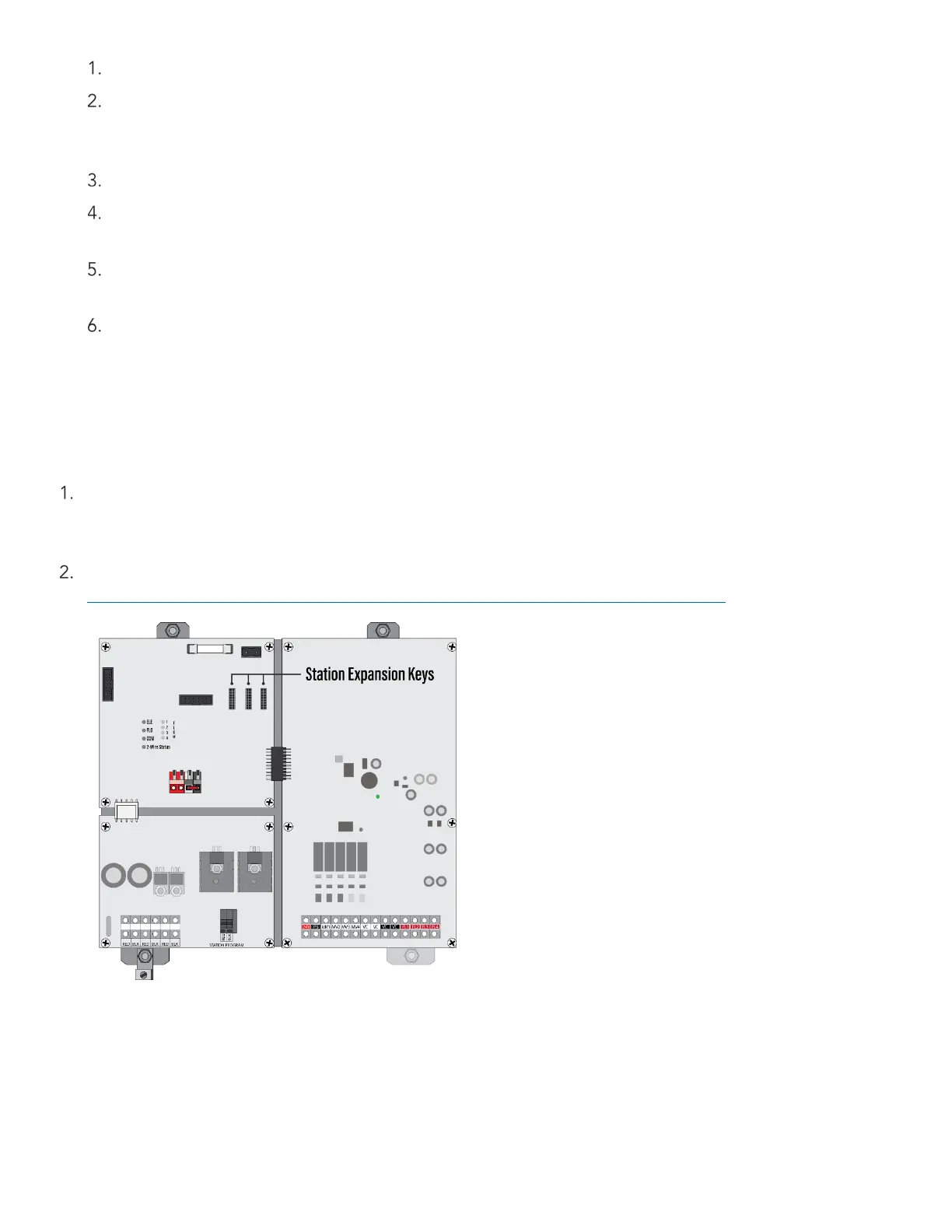
The WeatherTRAK 2-wire controller incorporates station count modularity by using station keys. The station
input/output boards are available in two configurations, 0-48 and 48-96.
To increase the station count from 48-96 or higher, insert a station key into the station output board,
beginning with the slot to the far left (see figure below). The station key will illuminate when activated. The
controller will automatically discover the expanded station count within 30 seconds.
Increase Max Active Stations in the SETUP menu. For instructions, read
https://hydropointsupport.force.com/s/article/Setting-the-Maximum-Active-Stations
D. Connect a Flow Sensor (if applicable)
The WeatherTRAK 2-wire controller is compatible with WeatherTRAK Flow3, WeatherTRAK FlowHD, Data
Industrial (Badger Meter) IR 220 series, Creative Sensor Technology and Netafim (using reed switch registers)
irrigation flow sensors. Flow sensors can connect from the 2-wire path, or directly to the mini-chassis on the
controller.


 To Next Page