WeatherTRAK 2-Wire Controller Installation Guide
17
©2020 HydroPoint Data Systems Inc. All rights reserved. 800.362.8774 • hydropoint.com
Step 2 — Assign Each Decoder to a Station
After you have installed the WeatherTRAK 2-wire controller, you will need to assign the decoders to a station
so the controller can find these stations in the field and activate the valve.
Valve decoders can be pre-assigned through HydroPoint before shipment. If the decoder is pre-assigned, you
will see a sticker on the decoder and you will not need to assign it before installation.
If the decoder is not pre-assigned, you will need to assign it to a station using the station program terminal
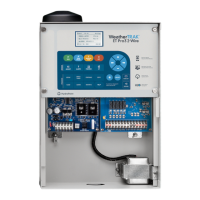
located on the mini-chassis. (#8 in chassis illustration)
When assigning stations to a 2-valve decoder (WT2W-H2O-2VD), the stations will need to be assigned in
sequence. For example, if you want to use a 2-valve decoder and your next stations to be assigned are
stations 34 and 35, they will need to be assigned in that order.
When assigning the decoders take note that the decoder has a unique serial number on its label. When you
assign the decoder to a station, the controller will recognize the serial number of the decoder and its
associated station(s). This will help with system troubleshooting and diagnostics.
Caution: The
WeatherTRAK
2-wire controller does not have a mechanism that prevents you
from
assigning
the
same
ID
to
several valve decoders. Consequently, we advise you to assume caution when
assigning IDs to the stations to minimize the risk of assigning identical station IDs. Creating identical stations
will likely overload the system and cause failures.
When you assign a decoder to a station, you plug the decoder into the Station Program push release terminal
located on the lower section of the mini chassis board. It is critical that polarity be maintained (red to red,
black to black).
The controller reads the decoder to find out what type of decoder it is. Then you assign the decoder to a
station, set the power level and complete the programming.
You can configure your system to include both direct wire and 2-wire management options. The 2-wire
current measurements are normalized to correspond with direct-wired solenoid values. This allows the user to
easily manage both direct and two wire connections to evaluate electrical current limits.
Note: When performing 2-wire detailed electrical diagnostics from the WeatherTRAK 2-wire control panel, the
current measurements will reflect actual inrush, holding and idle current.


 To Next Page