WeatherTRAK 2-Wire Controller Installation Guide
23
©
2020 HydroPoint Data Systems Inc. All rights reserved. 800.362.8774 • hydropoint.com
Programming a Direct Connect Master Valve
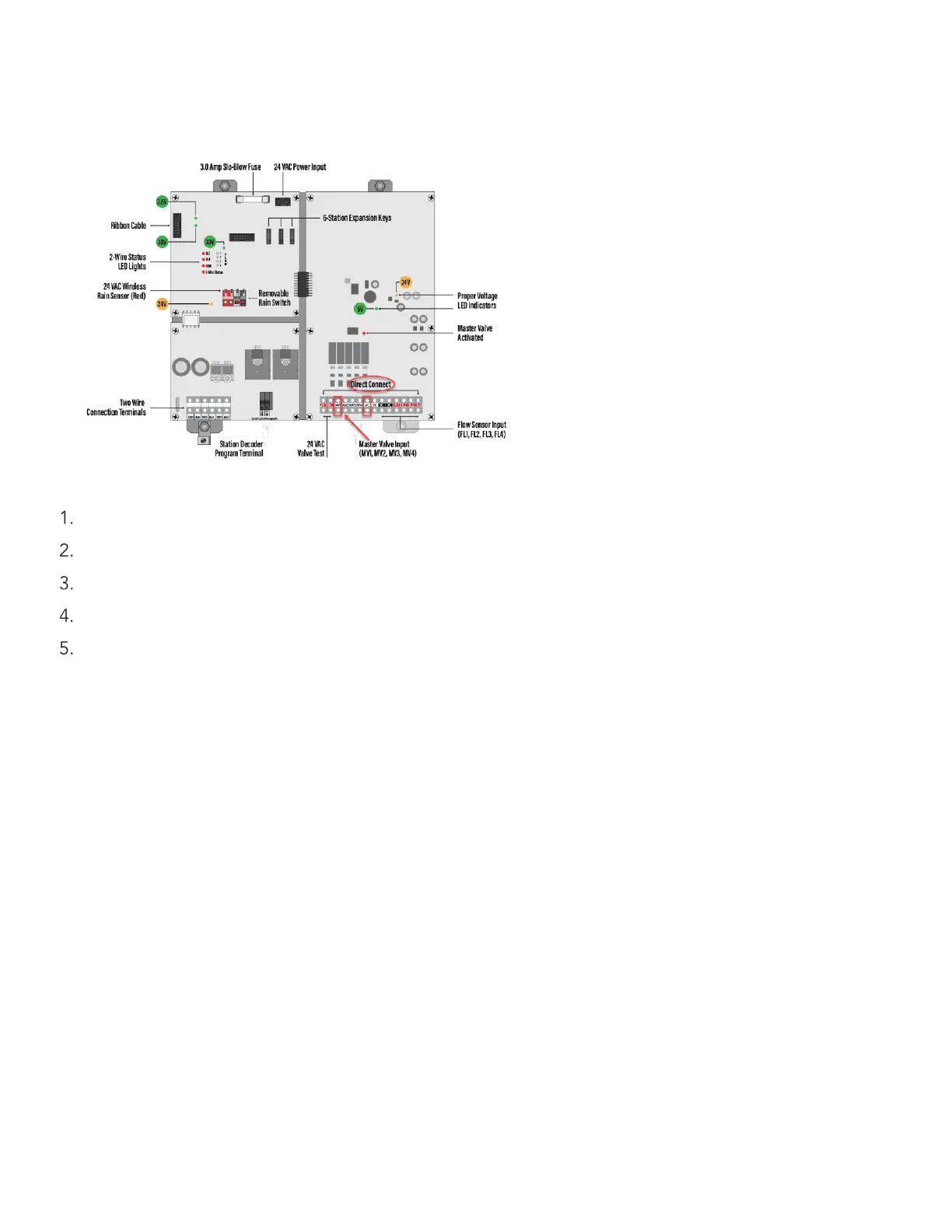
Master valves can be programmed for direct connection to ports located on the mini-chassis. See the
illustration below for the master valve direct connect locations.
Plug the master valve wires into the ports located on the mini chassis board.
Press SETUP.
Press until CONFIGURE H2O 2-WIRE displays (setup 15).
Press + or - to select Configure Direct Connect.
Press SELECT to enter.


 To Next Page