WeatherTRAK 2-Wire Controller Installation Guide
25
©
2020 HydroPoint Data Systems Inc. All rights reserved. 800.362.8774 • hydropoint.com
The direct connect screen defaults to configuring direct connect for master valves. Press to scroll
through the master valves. the screen should read Flow Sensors, as illustrated below.
Press to underline the correct flow sensor connection (FS1, FS2, FS3, FS4).
Press + or - to select DI (direct connection).
Press RUN to save and exit.
Step 3
—
Install Valve Decoders onto the 2-Wire Path
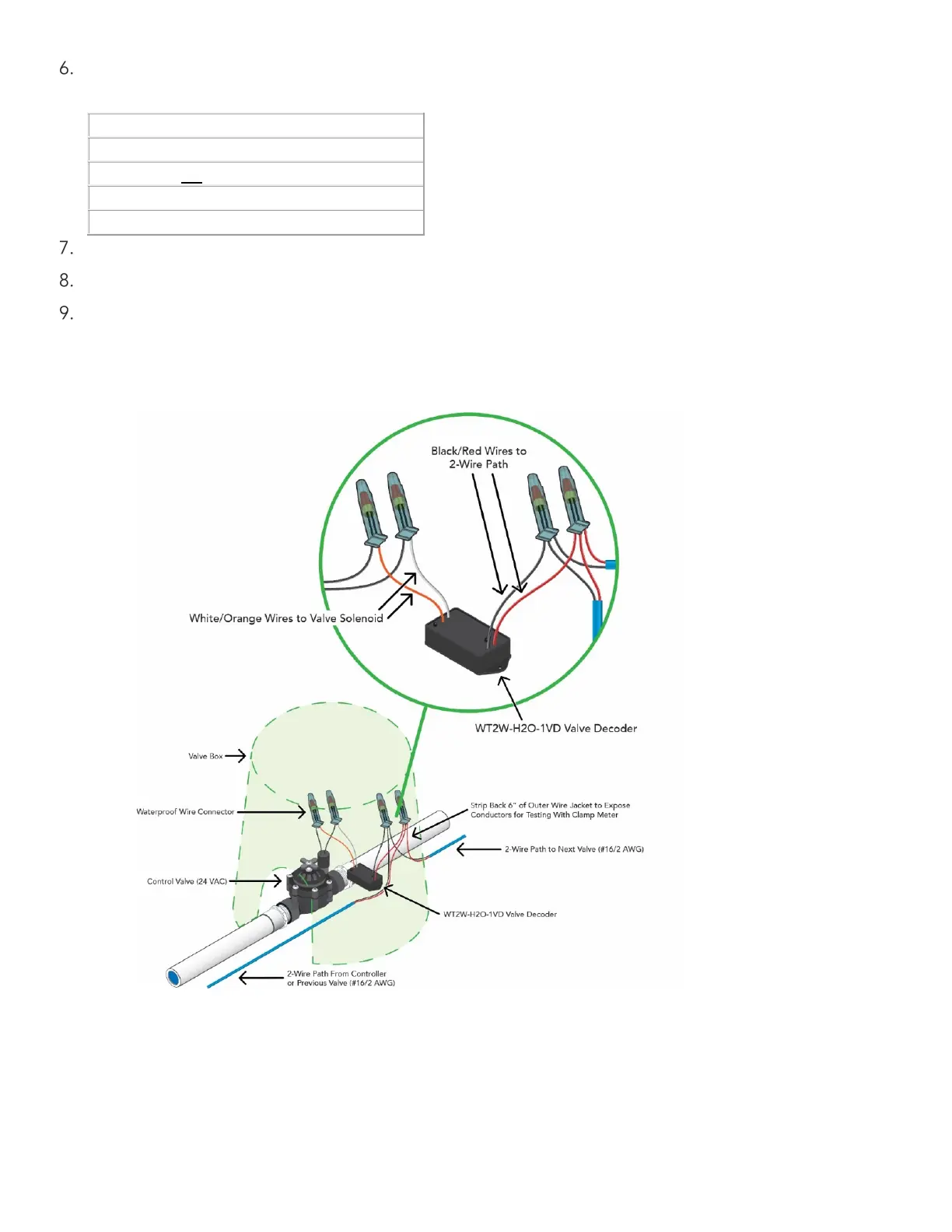
Below is an illustration that details how a typical WeatherTRAK H2O decoder is installed.


 To Next Page