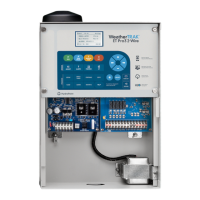
WeatherTRAK 2-Wire Controller Installation Guide
2
©
2020 HydroPoint Data Systems Inc. All rights reserved. 800.362.8774 • hydropoint.com
Step 7 — Program the Stations and Activate the Controller ........................................................................ 31
Step 8 — Test the System ............................................................................................................................ 31
Running a Valve Test ................................................................................................................................ 31
Manually Testing the Stations ................................................................................................................... 31
Manual Test by Individual Station ............................................................................................................. 31
Manual Test for All Stations ...................................................................................................................... 31
Manual Test by Program ........................................................................................................................... 32
Viewing Decoder Information ................................................................................................................... 32
Viewing Electrical Information for Stations and Valves .............................................................................. 32
Troubleshooting .............................................................................................................................................. 34
Standard Power and Current Readings
...................................................................................................... 34
Installed Decoders: Serial Numbers and Associated Stations Worksheet ........................................................ 36


 To Next Page