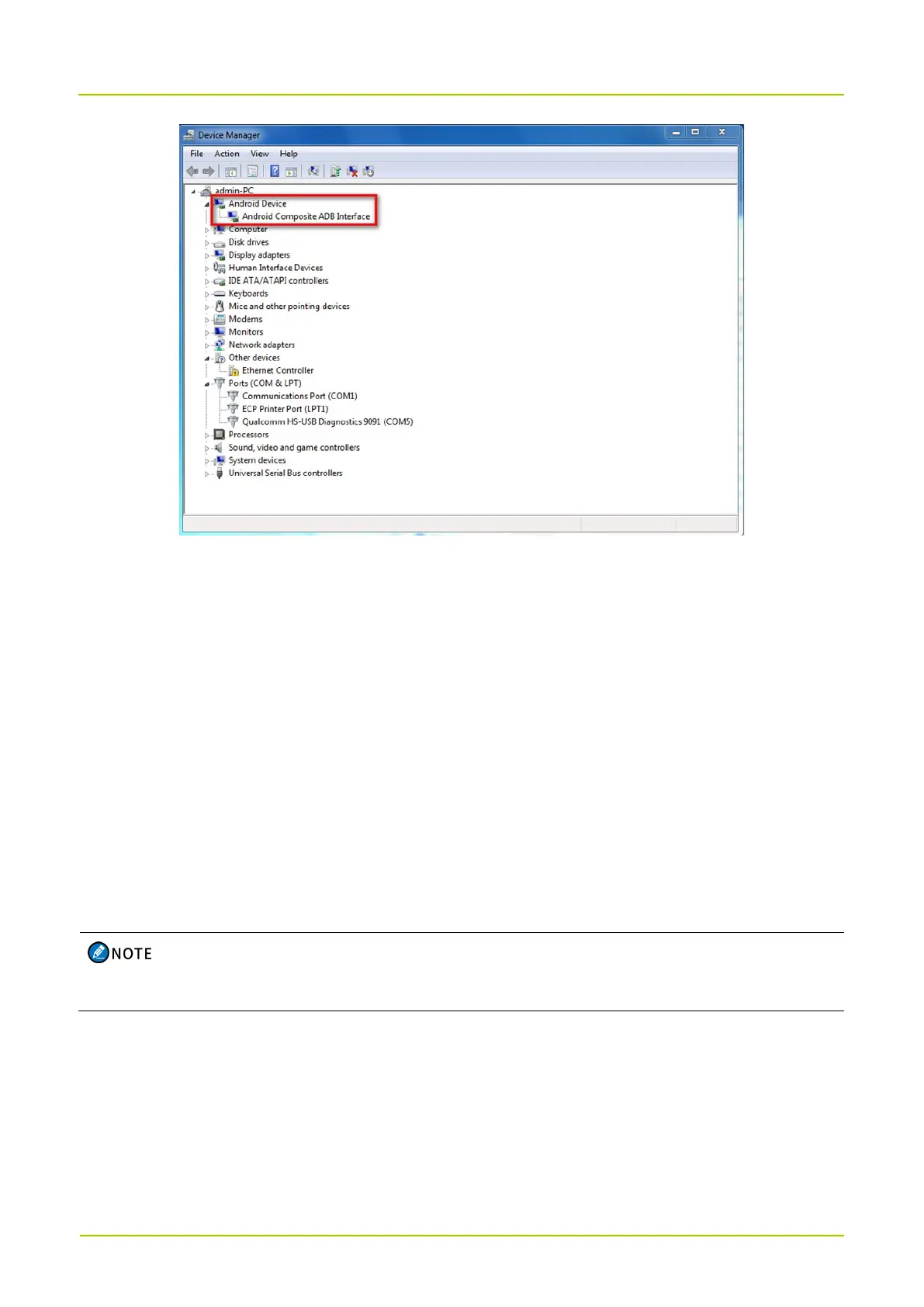
8.1.3 Port Verification
1. Connect the radio to the PC using the USB cable. Unplug the USB connector connected to the radio
for three consecutive times. The other USB connector connects to the same USB port on the PC.
2. Check whether the PC establishes a mapping for the same Qualcomm port and the mapping for
Android Composite ADB Interface is always established properly.
8.2 Upgrading Software in Low Level Format
8.2.1 Preparation
Broadband software package: MultiDownload_V2.1
8.2.2 Procedure
Before upgrading the radio, press the
Volume Up
key and
Volume Down
key simultaneously, and
then press the
On-Off
key to enter the upgrade mode.
1. Unzip the upgrade tool "MultiDownload_V2.1".
2. Connect the radio to the PC using the USB cable.
The device manager displays the COM serial port of Qualcomm 9008. If not, make sure that the
Qualcomm driver is installed on the computer.



 To Next Page