141
User Manual of Network Camera
10.3.4 Counting
Counting function helps to calculate the number of people entered or exited a certain
configured area and is widely applied to the entrances or exits.
Compared with the people counting function supported by iDS camera, counting function
needs no camera calibration.
Notes:
It is recommended to install the camera as right above the entrance/exit as possible, and
make sure it is horizontal to improve the counting accuracy.
Steps:
1.
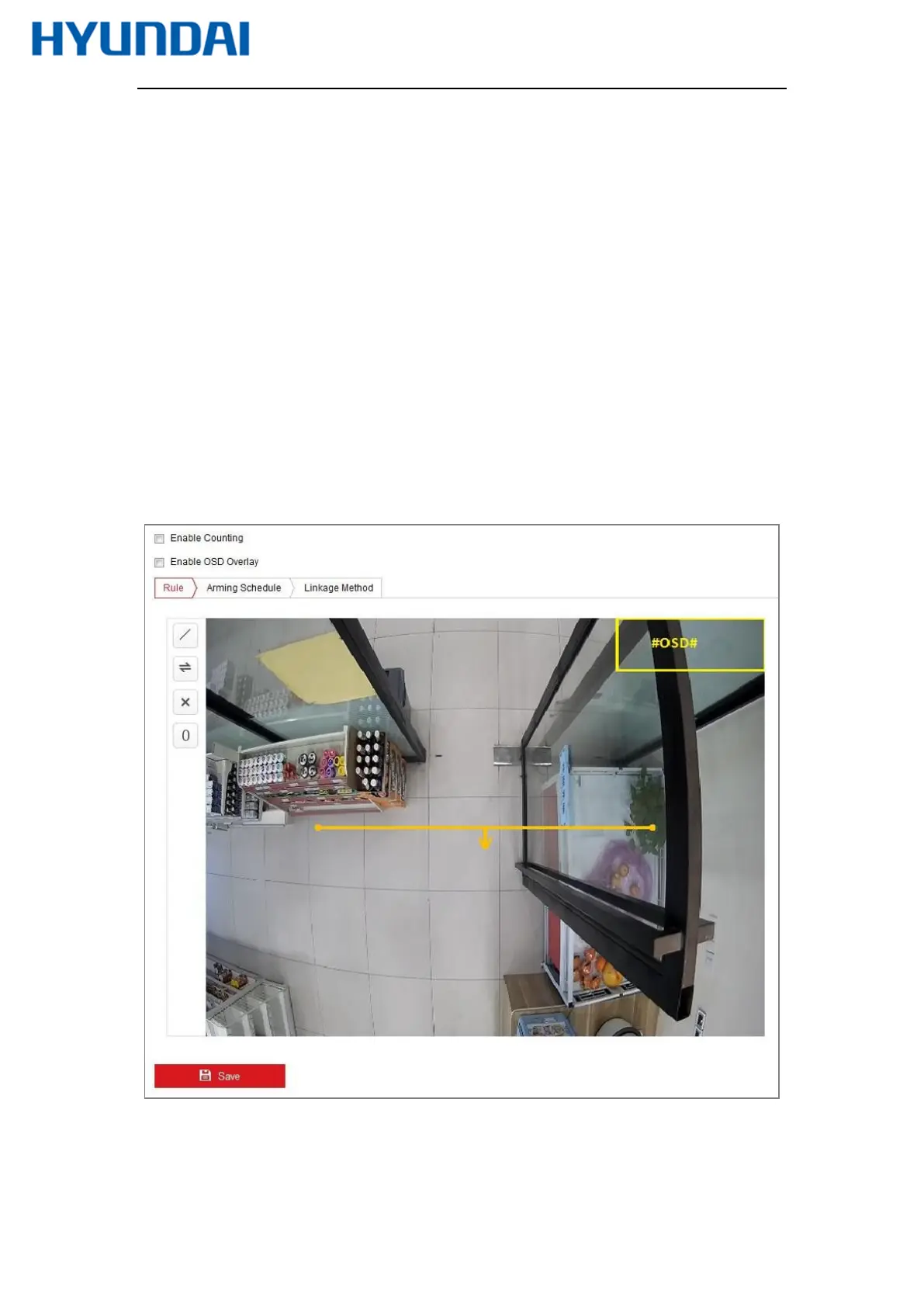
Enter the Counting Configuration interface: Configuration >Counting.
Figure 10-34 Counting Configuration
2.
Check the Enable Counting checkbox to enable the function.
3.
Check the Enable OSD Overlay checkbox, and the real-time number of



 To Next Page