35
Network Camera User Manual
For IE (Internet Explorer) users, plug-ins as webcomponents and quick time are selectable.
And for Non-IE users, webcomponents, quick time, VLC or MJPEG is selectable if they are
supported by the web browser.
PTZ Control:
Perform panning, tilting and zooming actions of the camera. Control the light and the
wiper. (only available for cameras supporting PTZ function)
Preset/Patrol Settings:
Set/call/delete the presets or patrols for PTZ cameras.
5.2
Starting Live View
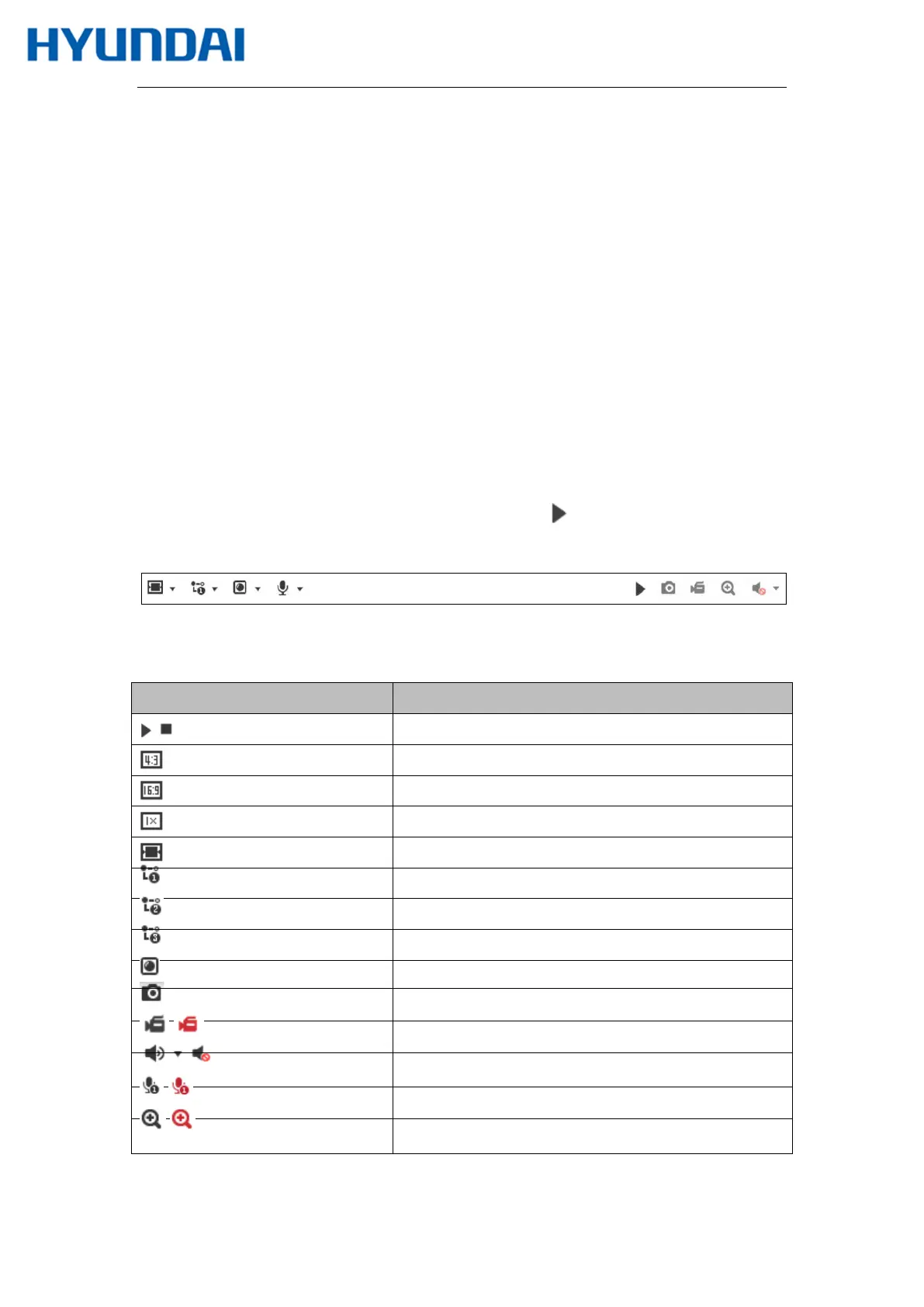
In the live view window as shown in Figure 4-2, click on the toolbar to start the live
view of the camera.
Figure 5-2 Live View Toolbar Table 5-
1 Descriptions of the Toolbar
Note: The icons vary according to the different camera models.
Icon Description
/
Start/Stop live view.
The window size is 4:3.
The window size is 16:9.
The original widow size.
Self-adaptive window size.
Live view with the main stream.
Live view with the sub stream.
Live view with the third stream.
Click to select the third
Manually capture the picture.
/
Manually start/stop recording.
/
Audio on and adjust volume /Mute.
/
Turn on/off microphone.
/
Start/stop digital zoom function.



 To Next Page