65
Network Camera User Manual
(2)
Enter the Domain name of the camera. The domain is the same with the
device alias in the HiDDNS server.
(3)
Click Save to save the new settings.
Note: Reboot the device to make the settings take effect.
7.1.3
Configuring PPPoE Settings
Steps:
1.
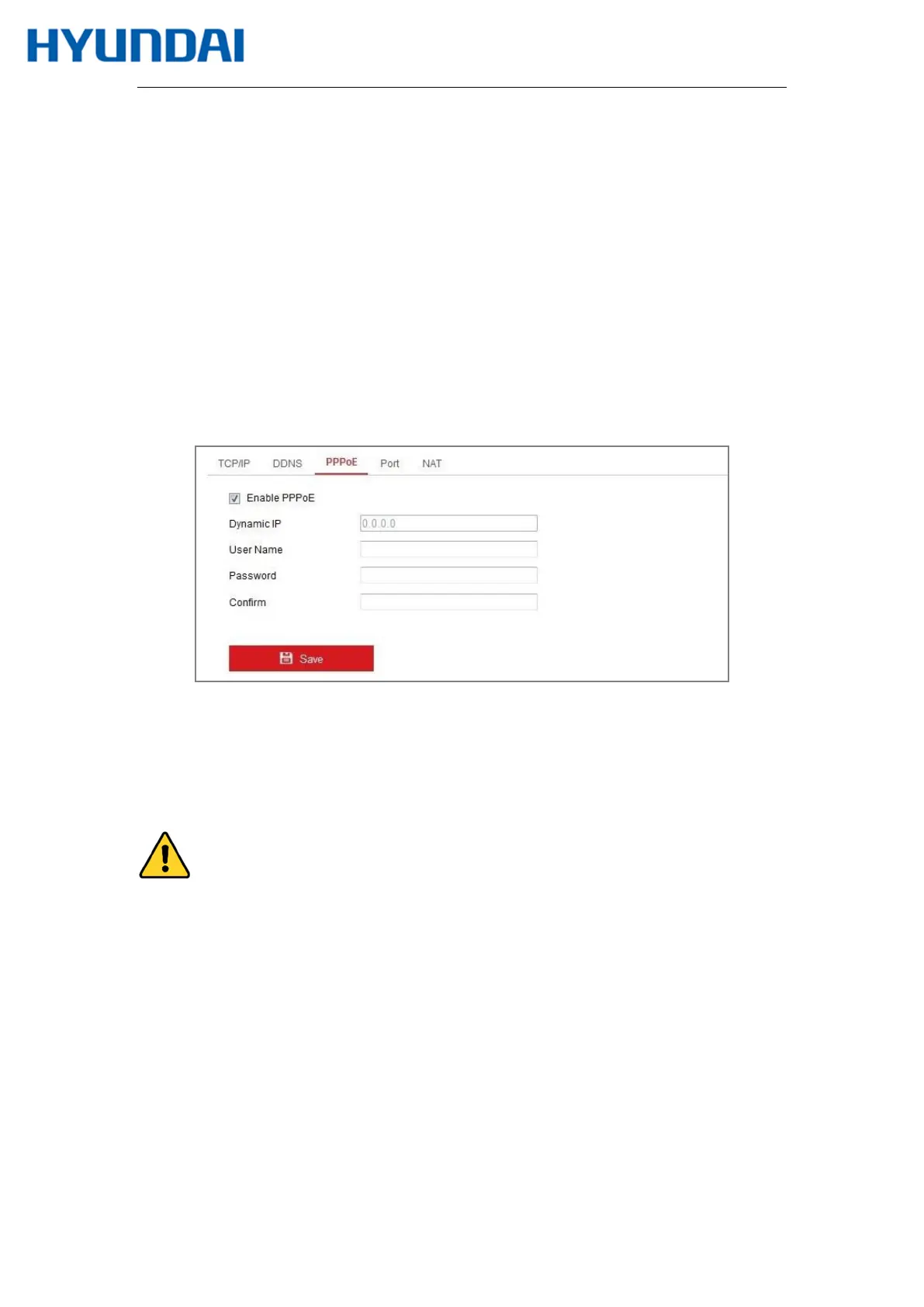
Enter the PPPoE Settings interface: Configuration > Network > Basic Settings >
PPPoE
Figure 7-6 PPPoE Settings
2.
Check the Enable PPPoE checkbox to enable this feature.
3.
Enter User Name, Password, and Confirm password for PPPoE access.
Note: The User Name and Password should be assigned by your ISP.
For your privacy and to better protect your system against security risks, we strongly
recommend the use of strong passwords for all functions and network devices. The
password should be something of your own choosing (using a minimum of 8 characters,
including at least three of the following categories: upper case letters, lower case letters,
numbers and special characters) in order to increase the security of your product.
Proper configuration of all passwords and other security settings is the responsibility of
the installer and/or end-user.



 To Next Page