36
Network Camera User Manual
5.3
Recording and Capturing Pictures Manually
In the live view interface, click
on the toolbar to capture the live pictures or click
to record the live view. The saving paths of the captured pictures and clips can be set on
the Configuration > Local page. To configure remote scheduled recording, please refer to
Section 6.1.
Note: The captured image will be saved as JPEG file or BMP file in your computer.
5.4
Operating PTZ Control
Purpose:
In the live view interface, you can use the PTZ control buttons to realize pan/tilt/zoom control
of the camera.
Note: To realize PTZ control, the camera connected to the network must support the PTZ
function or have a pan/tilt unit installed to the camera. Please properly set the PTZ parameters
on RS485 settings page referring to Section 6.2.4 RS485 Settings.
5.4.1
PTZ Control Panel
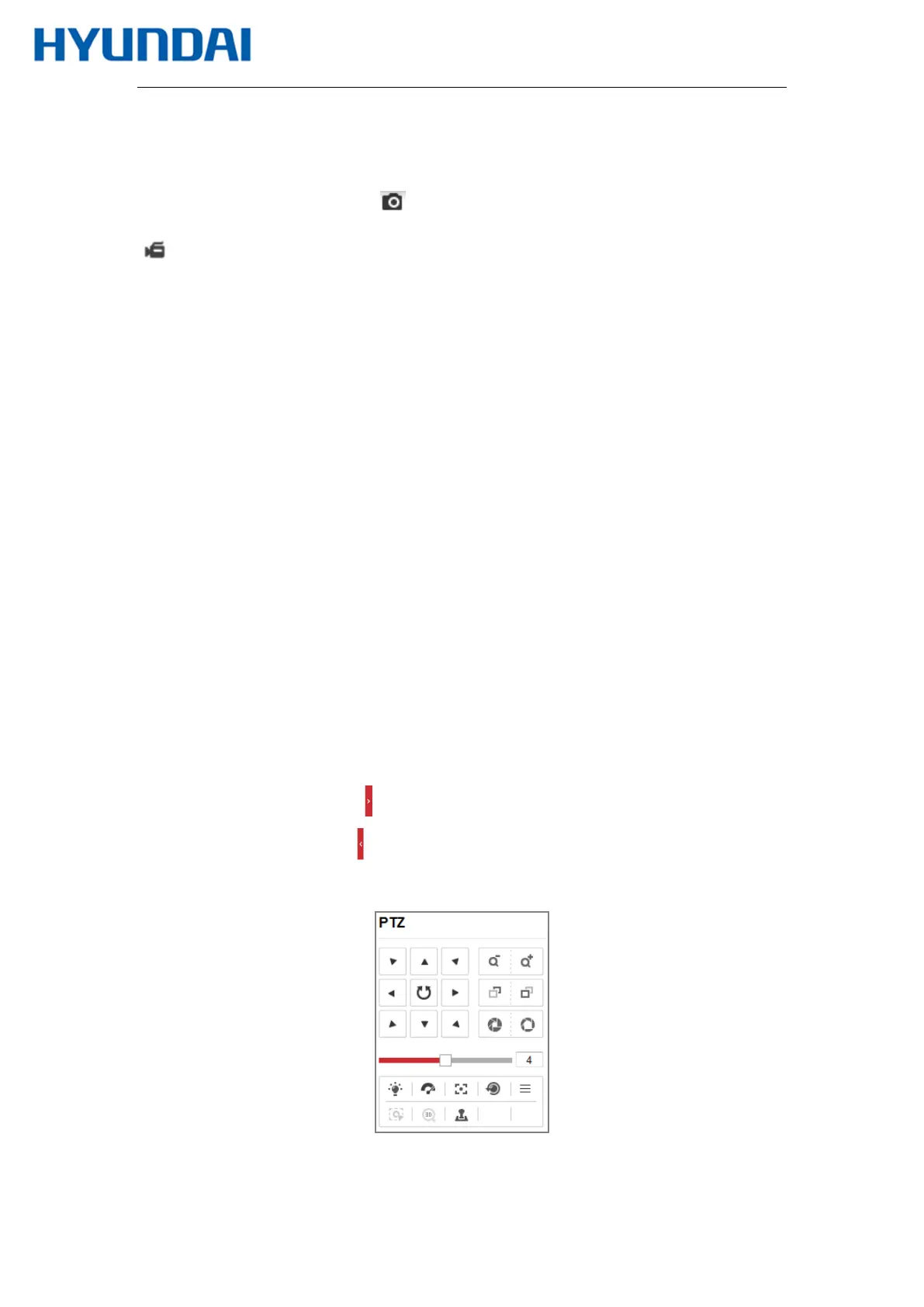
On the live view page, click next to the right side of the live view window to show the
PTZ control panel and click to hide it.
Click the direction buttons to control the pan/tilt movements.
Figure 5-3 PTZ Control Panel



 To Next Page