74
Network Camera User Manual
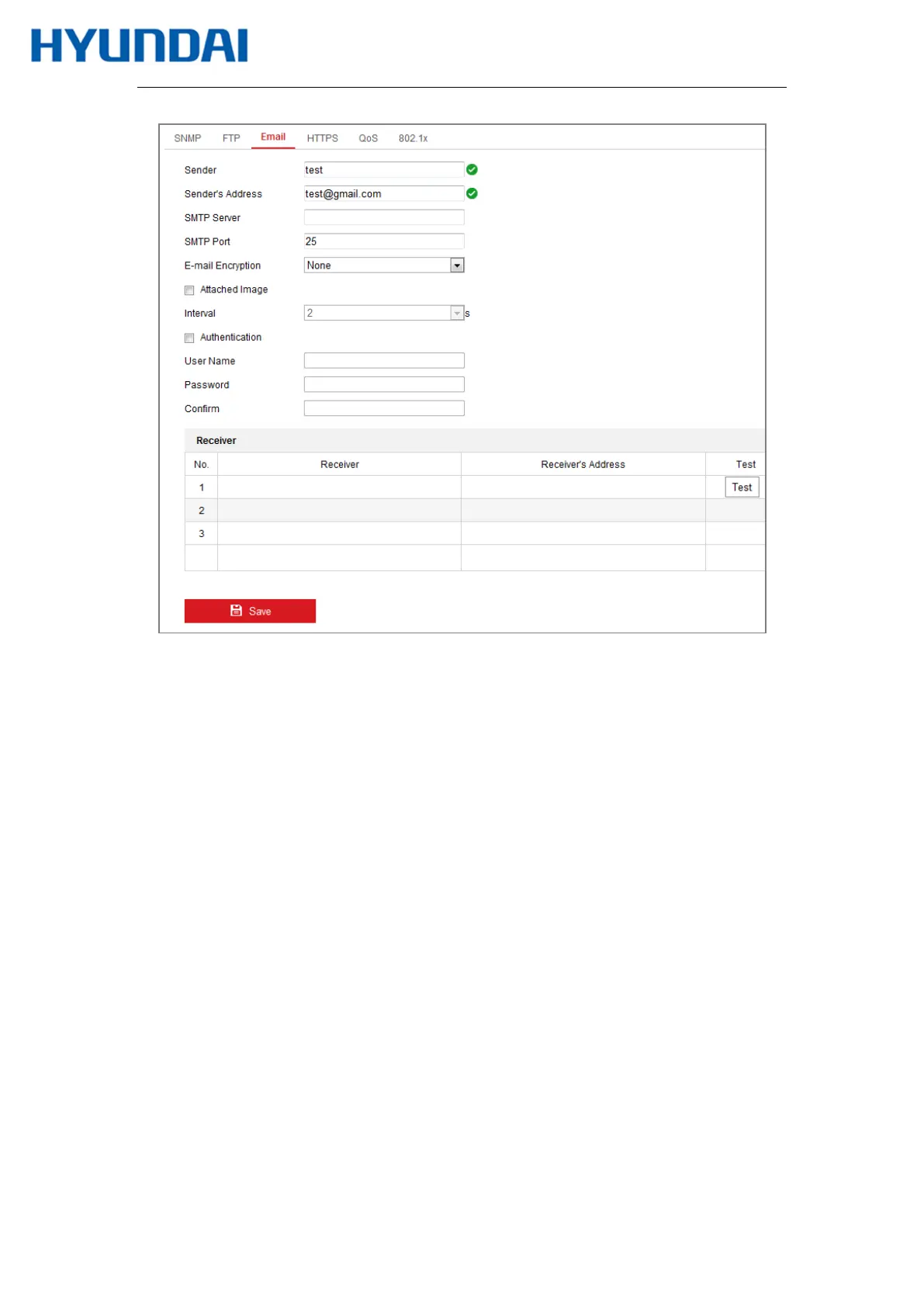
Figure 7-11 Email Settings
4.
Click Save to save the settings.
7.2.4
Platform Access
Purpose:
Platform access provides you an option to manage the devices via platform.
Steps:
1.
Enter the Platform Access settings interface: Configuration > Network > Advanced
Settings > Platform Access
2.
Check the checkbox of Enable to enable the platform access function of the device.
3.
Select the Platform Access Mode.
4.
You can use the default server address. Or you can check the Custom checkbox on the
right and input a desired server address.



 To Next Page