150
Network Camera User Manual
11.2 Configure Capture Schedule
Purpose:
You can configure the scheduled snapshot and event-triggered snapshot. The captured
picture can be stored in the local storage or network storage.
Steps:
1.
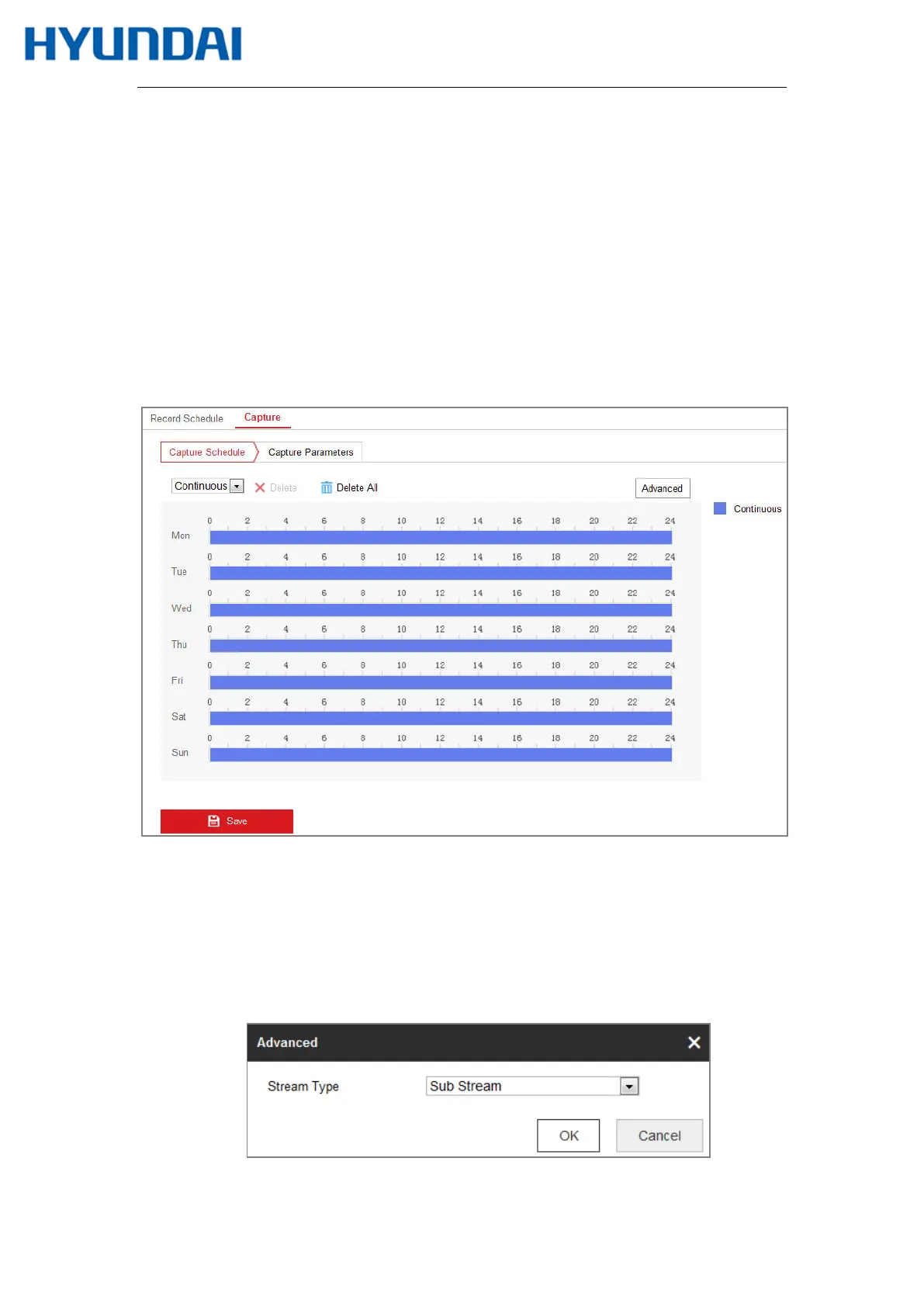
Enter the Capture Settings interface: Configuration > Storage > Storage Settings >
Capture.
Figure 11-3 Capture Configuration
2.
Go to Capture Schedule tab to configure the capture schedule by click-and-drag the
mouse on the time bar. You can copy the record schedule to other days by clicking the
green copy icon on the right of each time bar.
3.
Click Advanced to select stream type.
Figure 11-4 Advanced Setting of Capture Schedule



 To Next Page