151
Network Camera User Manual
4.
Click Save to save the settings.
5.
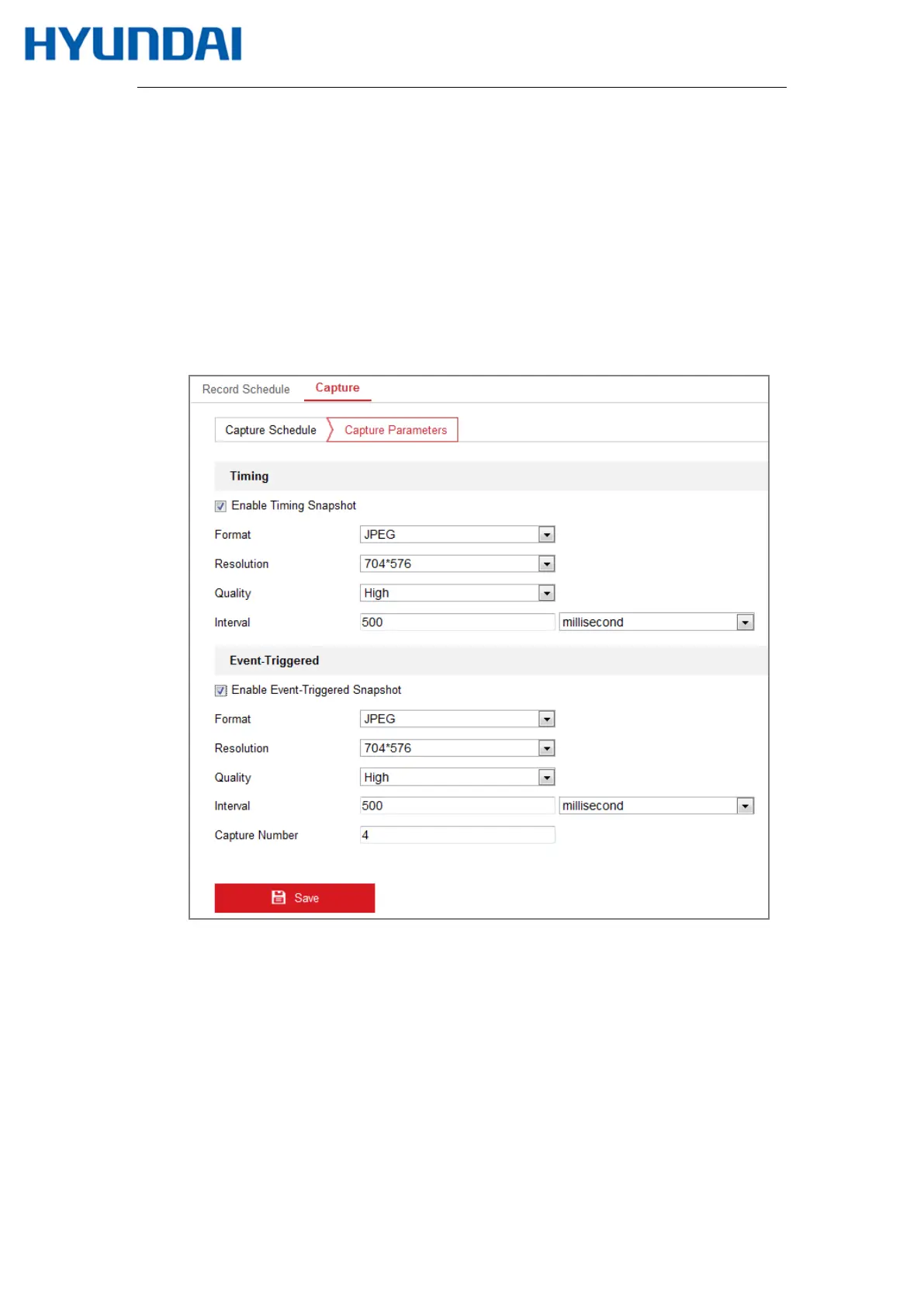
Go to Capture Parameters tab to configure the capture parameters.
(1)
Check the Enable Timing Snapshot checkbox to enable continuous snapshot.
(2)
Select the picture format, resolution, quality and capture interval.
(3)
Check the Enable Event-triggered Snapshot checkbox to enable
event-triggered snapshot.
(4)
Select the picture format, resolution, quality, capture interval, and capture number.
Figure 11-5 Set Capture Parameters
6.
Set the time interval between two snapshots.
7.
Click Save to save the settings.



 To Next Page