18
Network Camera User Manual
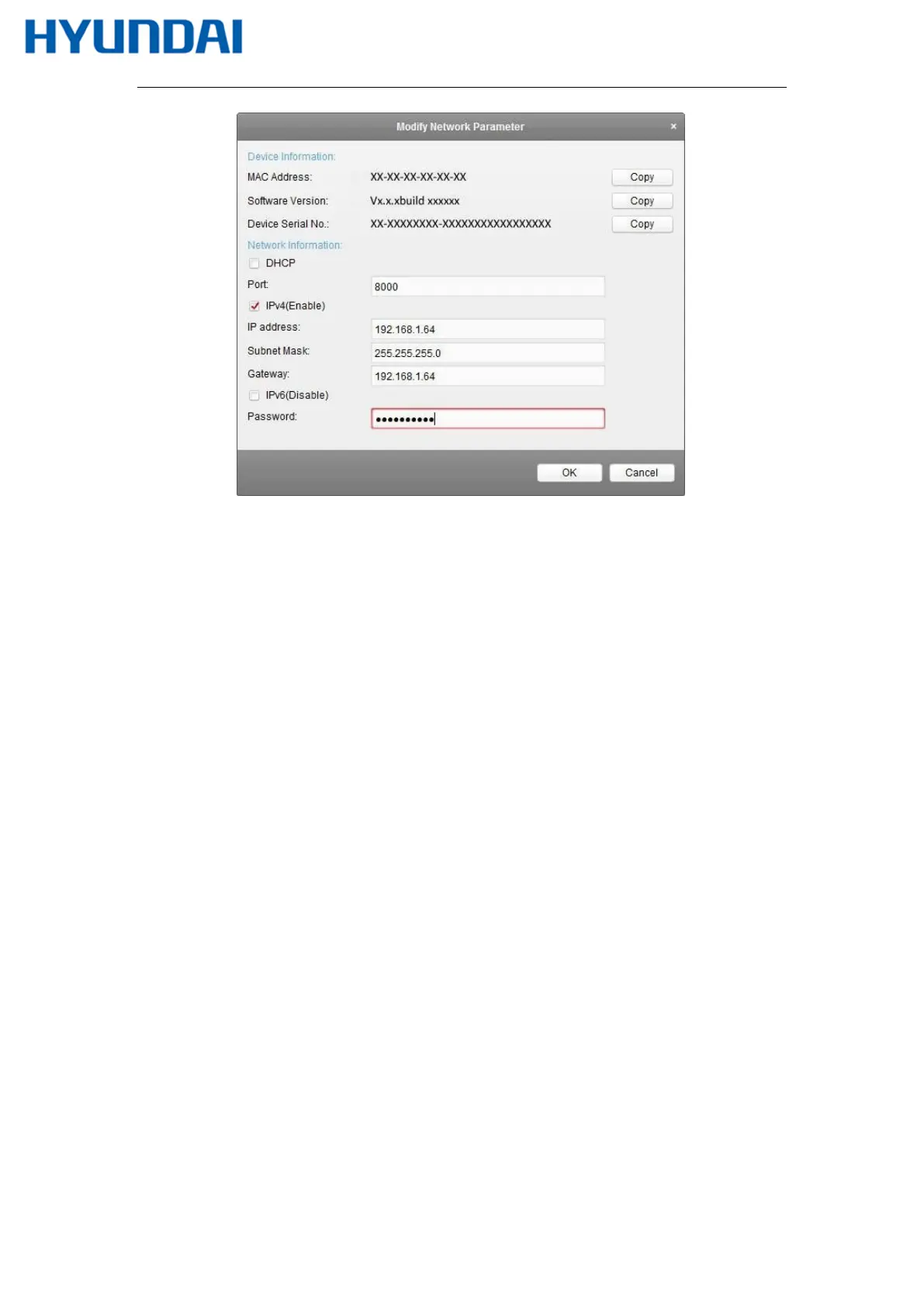
Figure 2-9 Modifying the Network Parameters
8. Change the device IP address to the same subnet with your computer by either
modifying the IP address manually or checking the checkbox of Enable DHCP.
9. Input the password to activate your IP address modification.
2.2
Setting the Network Camera over the WAN
Purpose:
This section explains how to connect the network camera to the WAN with a static IP or a
dynamic IP.
2.2.1
Static IP Connection
Before you start:
Please apply a static IP from an ISP (Internet Service Provider). With the static IP address,
you can connect the network camera via a router or connect it to the WAN directly.
Connecting the network camera via a router
Steps:
1. Connect the network camera to the router.



 To Next Page