25
Network Camera User Manual
Chapter 4 Wi-Fi Settings
Purpose:
By connecting to the wireless network, you don’t need to use cable of any kind for network
connection, which is very convenient for the actual surveillance application. Note: This
chapter is only applicable for the cameras with the built-in Wi-Fi module.
4.1
Configuring Wi-Fi Connection in Manage and Ad-
hoc Modes
Purpose:
Two connection modes are supported. Choose a mode as desired and perform the steps
to configure the Wi-Fi.
Wireless Connection in Manage Mode
Steps:
1.
Enter the Wi-Fi configuration interface.
Configuration> Network> Advanced Settings> Wi-Fi
2.
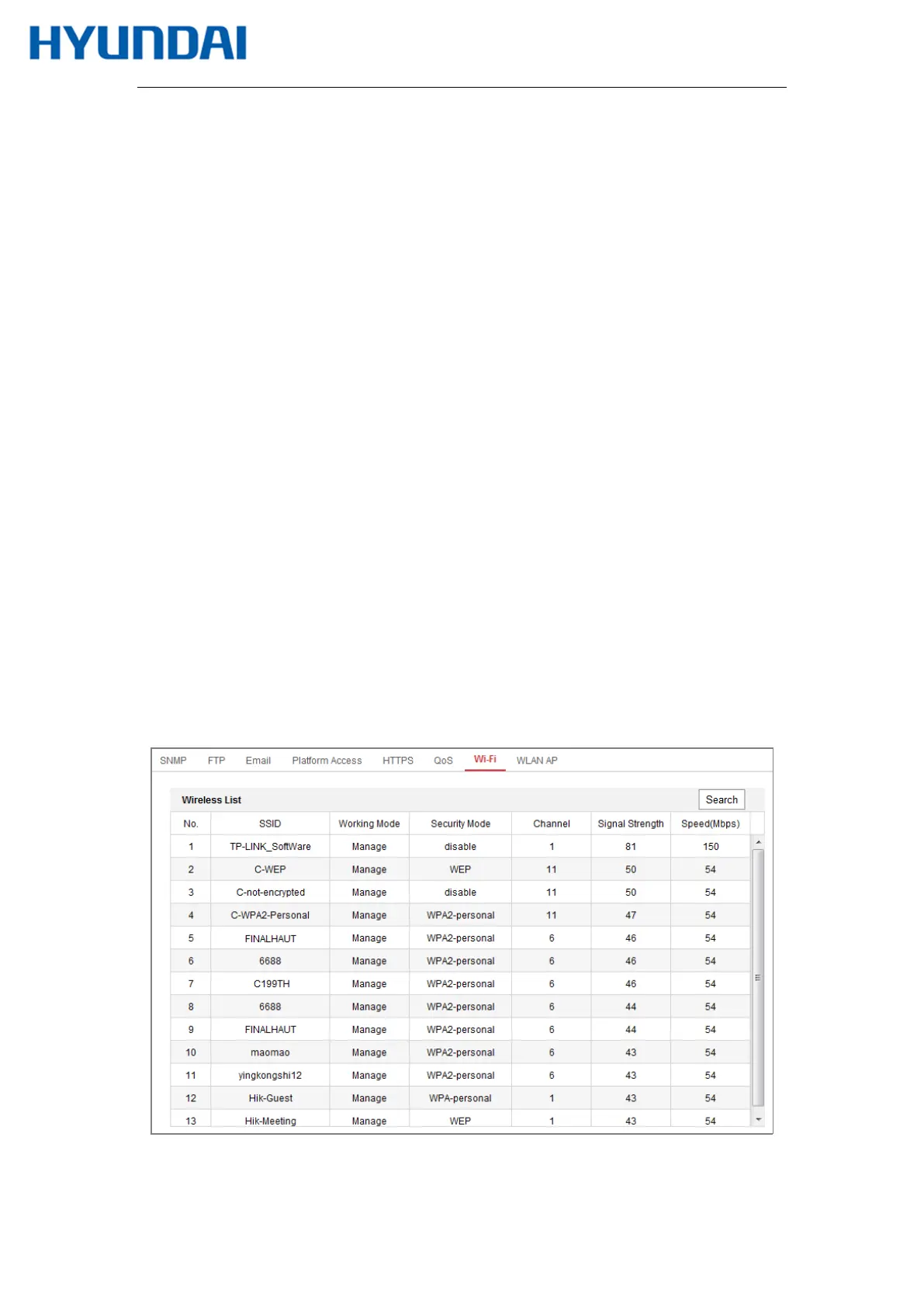
Click Search to search the online wireless connections.
Figure 4-1 Wi-Fi List



 To Next Page