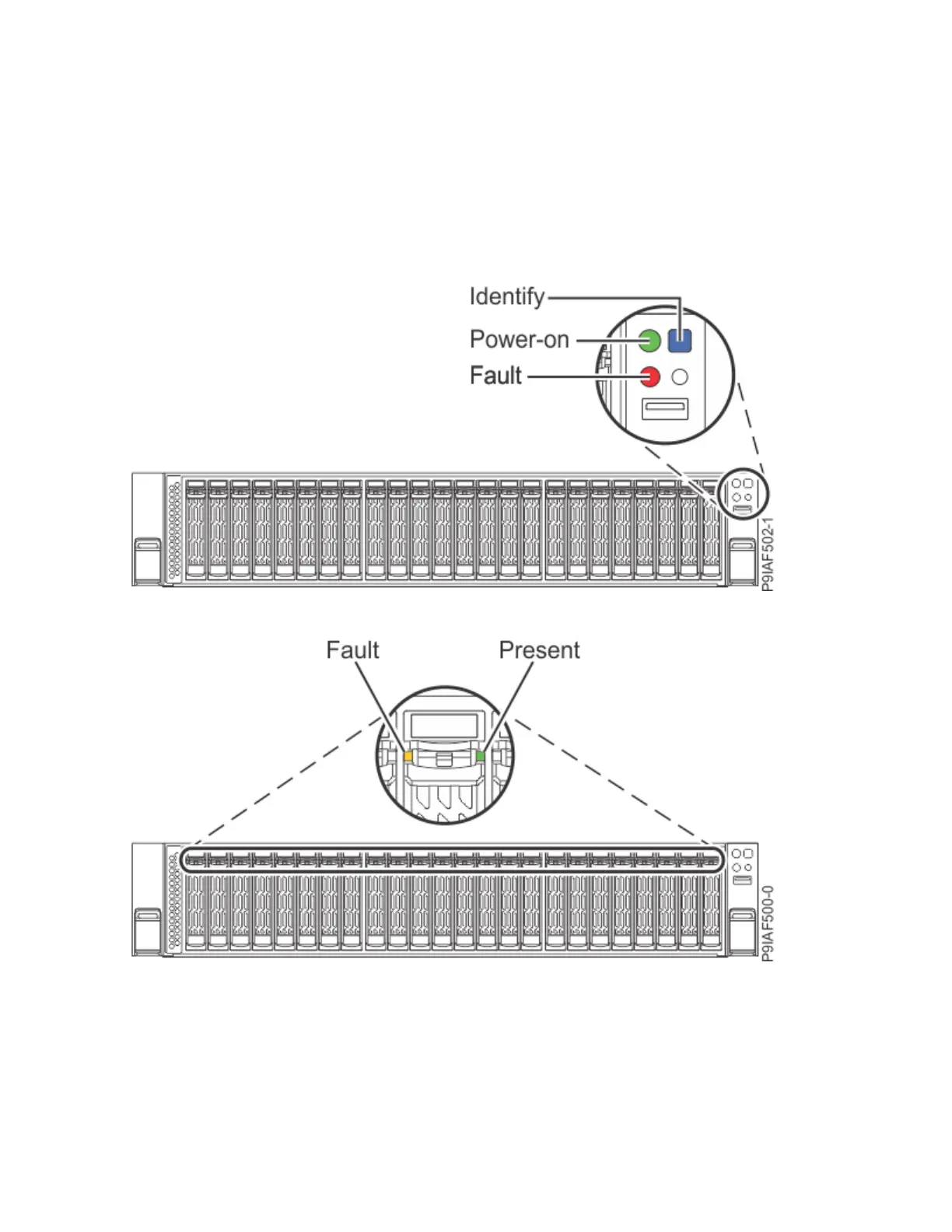
– A flashing light indicates standby power to the unit.
• The blue identify LED is used to identify the system that requires service.
• The red fault LED indicates a problem in the system. After a part is repaired, the fault LED takes a
minute to turn off.
• On the front drives, a constant green light indicates that the drive is present; a flashing green light
indicates activity. An amber light indicates a problem.
• On the power supplies, a constant green light indicates that the system is powered on; a flashing green
light indicates that the system is in standby status.
• On the fans, the amber fault LED indicates a problem.
Figure 126. Front control panel LEDs
Figure 127. Front drive LEDs
144
Power Systems: Servicing the IBM Power System IC922 (9183-22X)



 To Next Page