Starting and stopping the 9183-22X system
Find information about starting and stopping the IBM Power System IC922 (9183-22X) server to perform
a service action or system upgrade operation.
Starting the 9183-22X system
You use the power switch to start the system.
About this task
Attention: For safety, airflow purposes and thermal performance, the service access cover must
be installed and fully seated before you power on the system.
You can use this procedure to power on the system, or you can use a console to power on the system.
Procedure
1. Before you press the power-on switch, ensure that the power supplies are connected to the system
unit and verify the following items:
• All system power cables are connected to a power source.
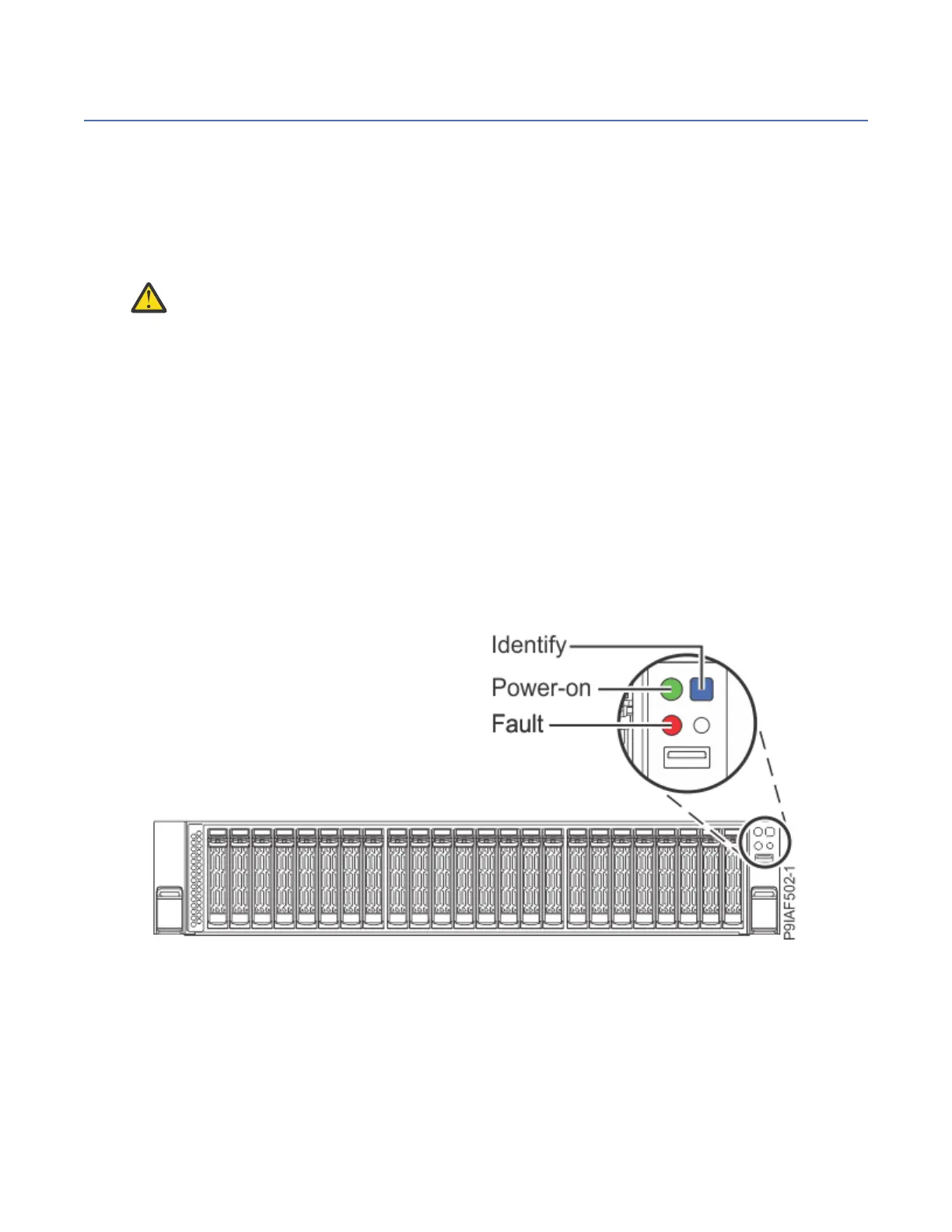
• The power-on LED as shown in the following gure, is flashing. A flashing light indicates standby
power to the unit.
2. Press the power-on switch that is shown in the following gure.
Note: It might take several minutes for the power-on LED to begin flashing. Do not continue to press
the power-on switch.
The power-on LED stops flashing and remains on, indicating that the system power is on. The system
cooling fans rst run at a high speed, and after approximately 30 seconds, return to operating speed.
Figure 133. Locating the Power-on switch and Power-on LED
What to do next
If you press the power-on switch and the system does not start, contact your next level of support or your
service provider.
152
Power Systems: Servicing the IBM Power System IC922 (9183-22X)



 To Next Page